
Ajutor › Integrări Formular de Contact
Integrarea Zapier Integration pentru Form de Contact
Getting Started
This article will cover how you can integrate Zapier on a contact form on your site.
Table of Contents
Adding a Contact Form
To add a Contact form element on your website, refer to the article below:
📨 Contact FormIntegrating Zapier
To integrate Zapier on your Contact Form, follow the steps given below:
- Log in to your Zapier account and go to your Dashboard
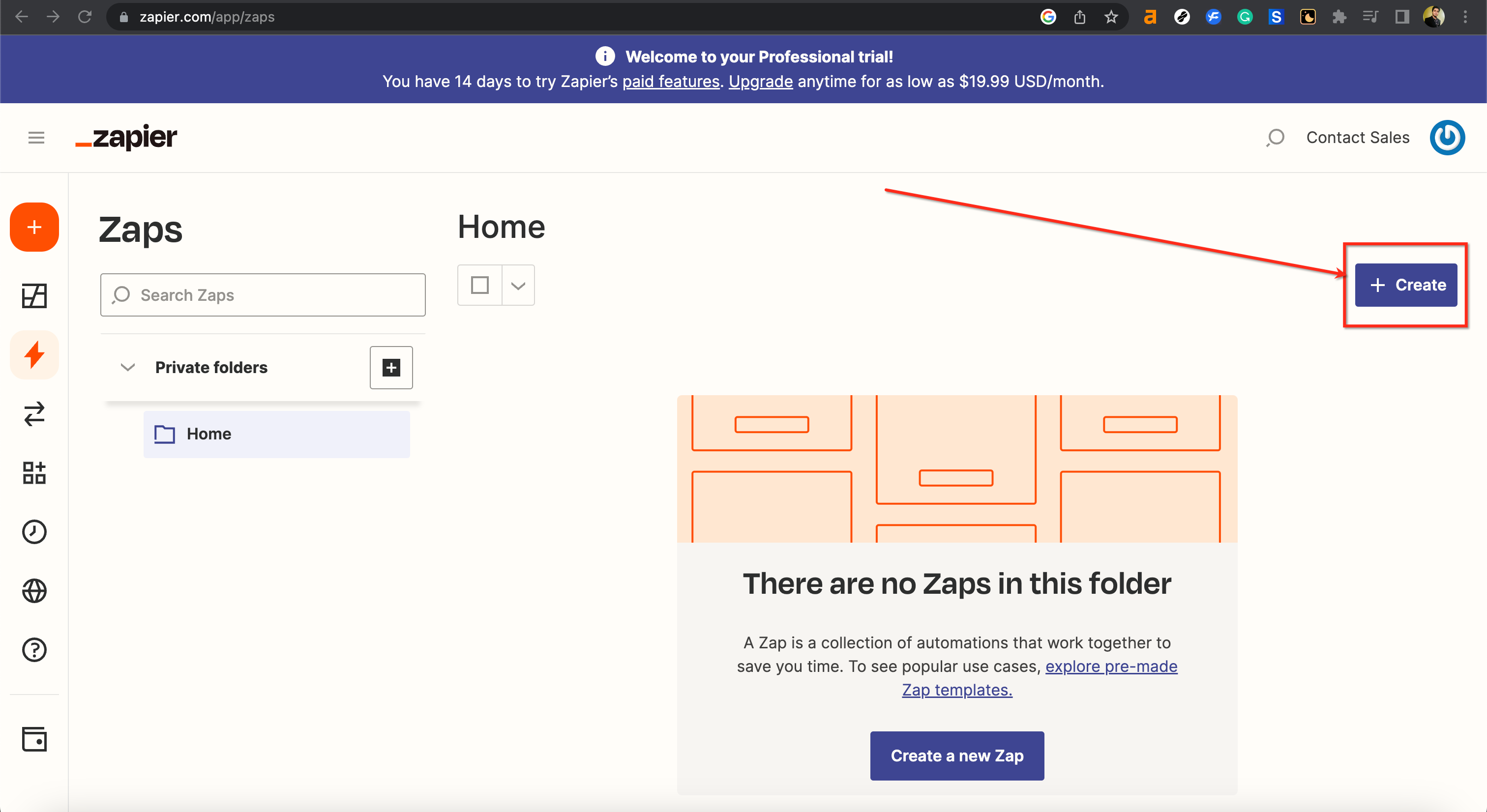
- Click on the
+ Createbutton on your dashboard - You can also do that inside any customized folder in your Zapier account
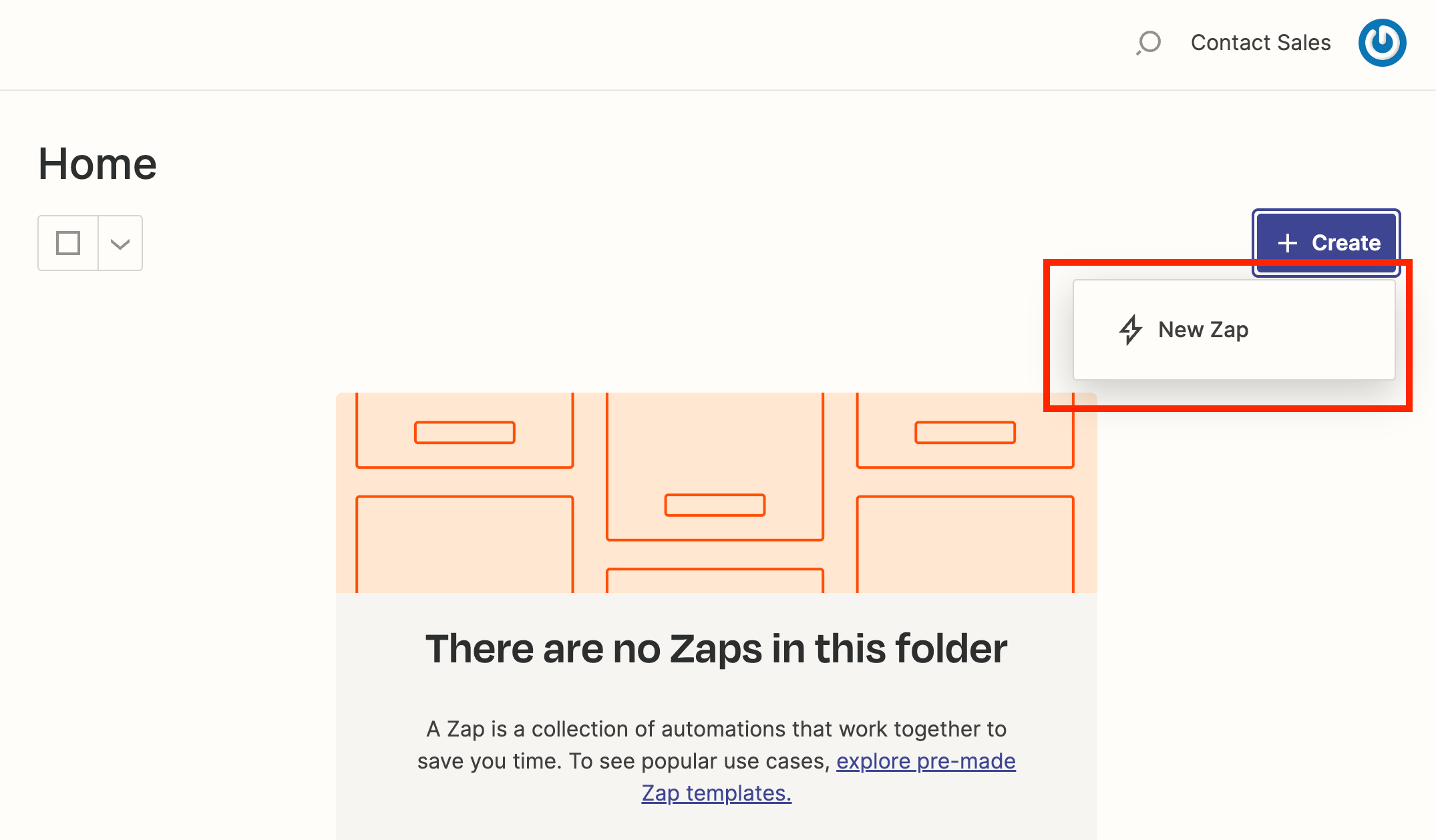
- Click on ⚡ New Zap
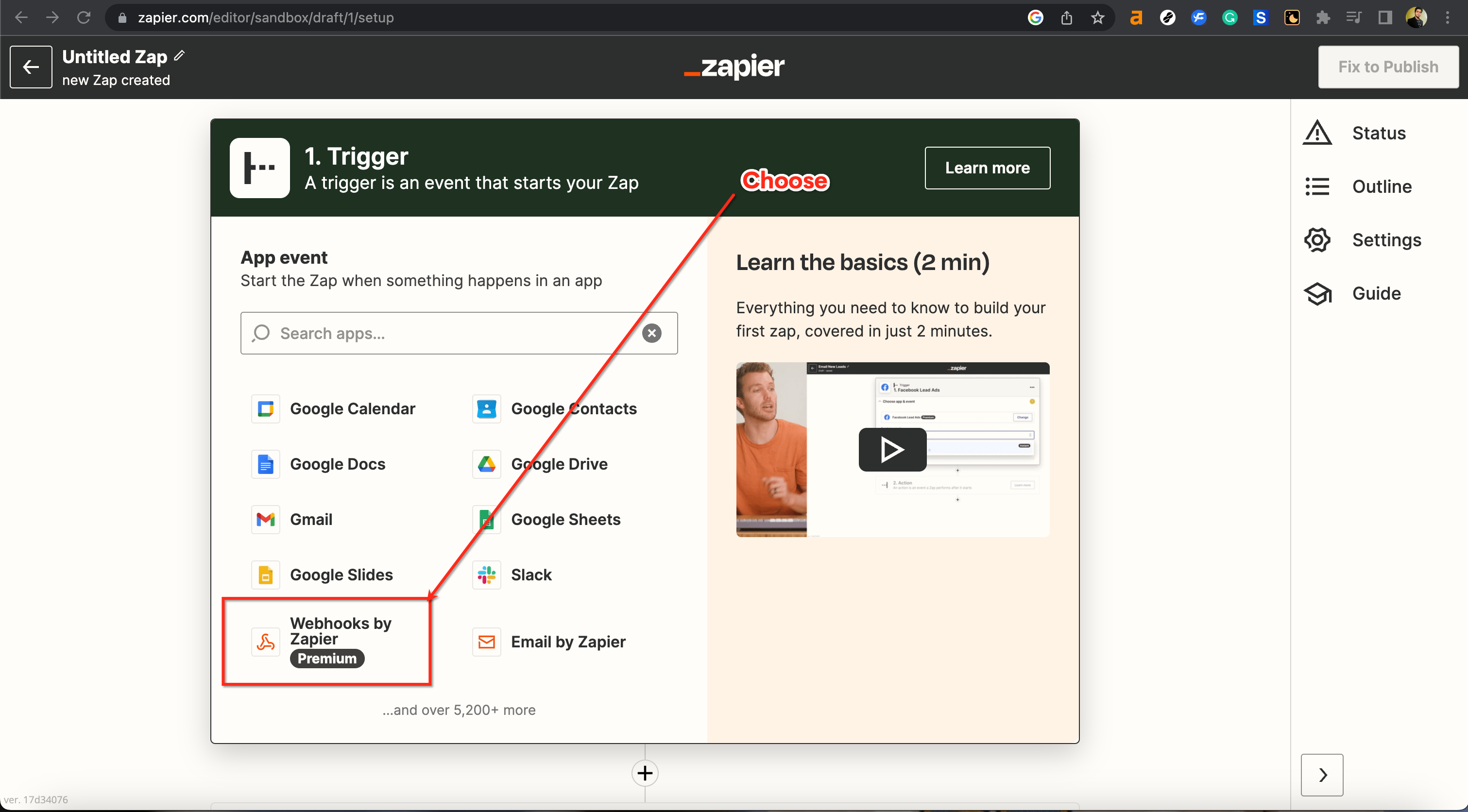
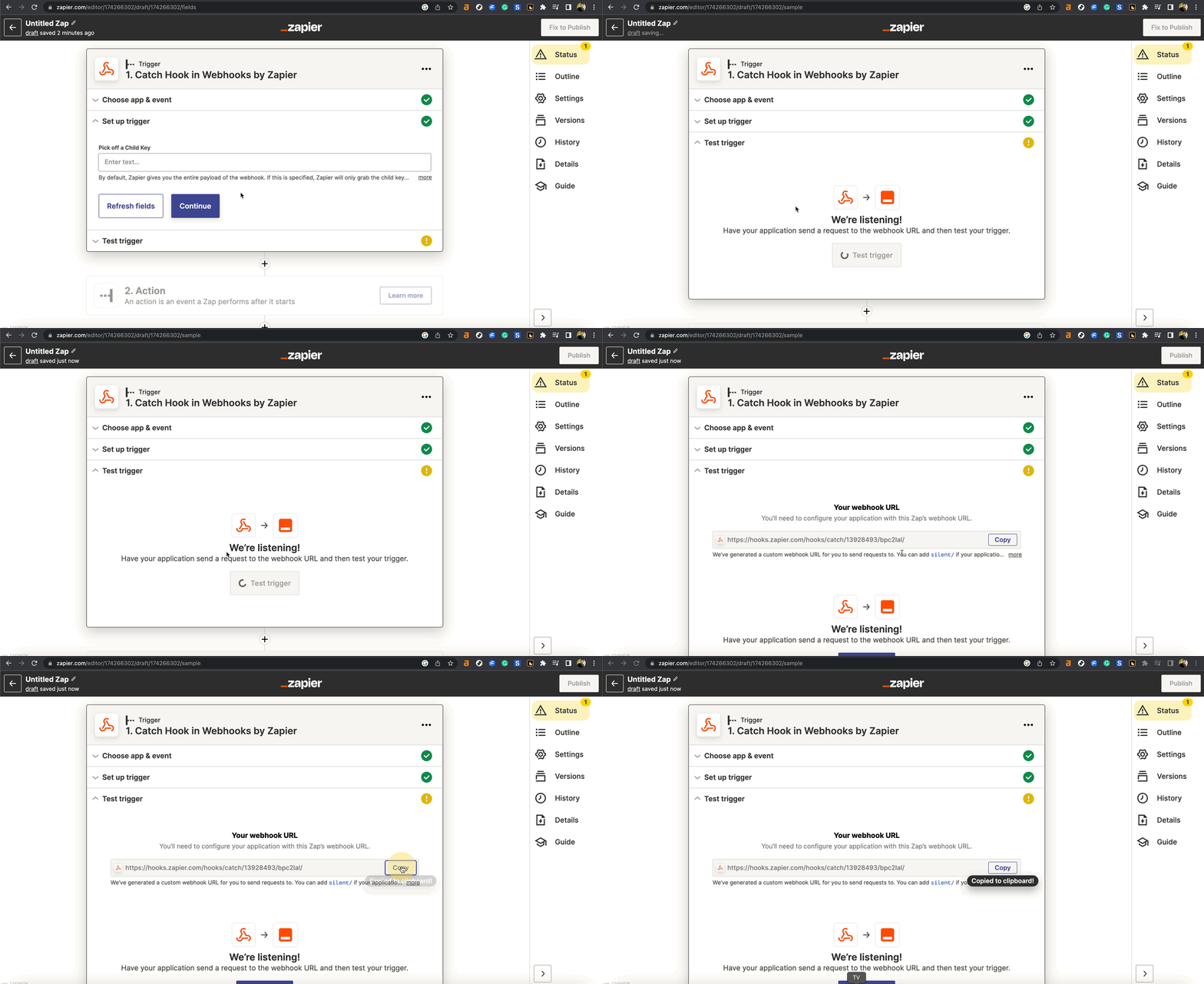
- Choose Webhooks by Zapier option from the Trigger step
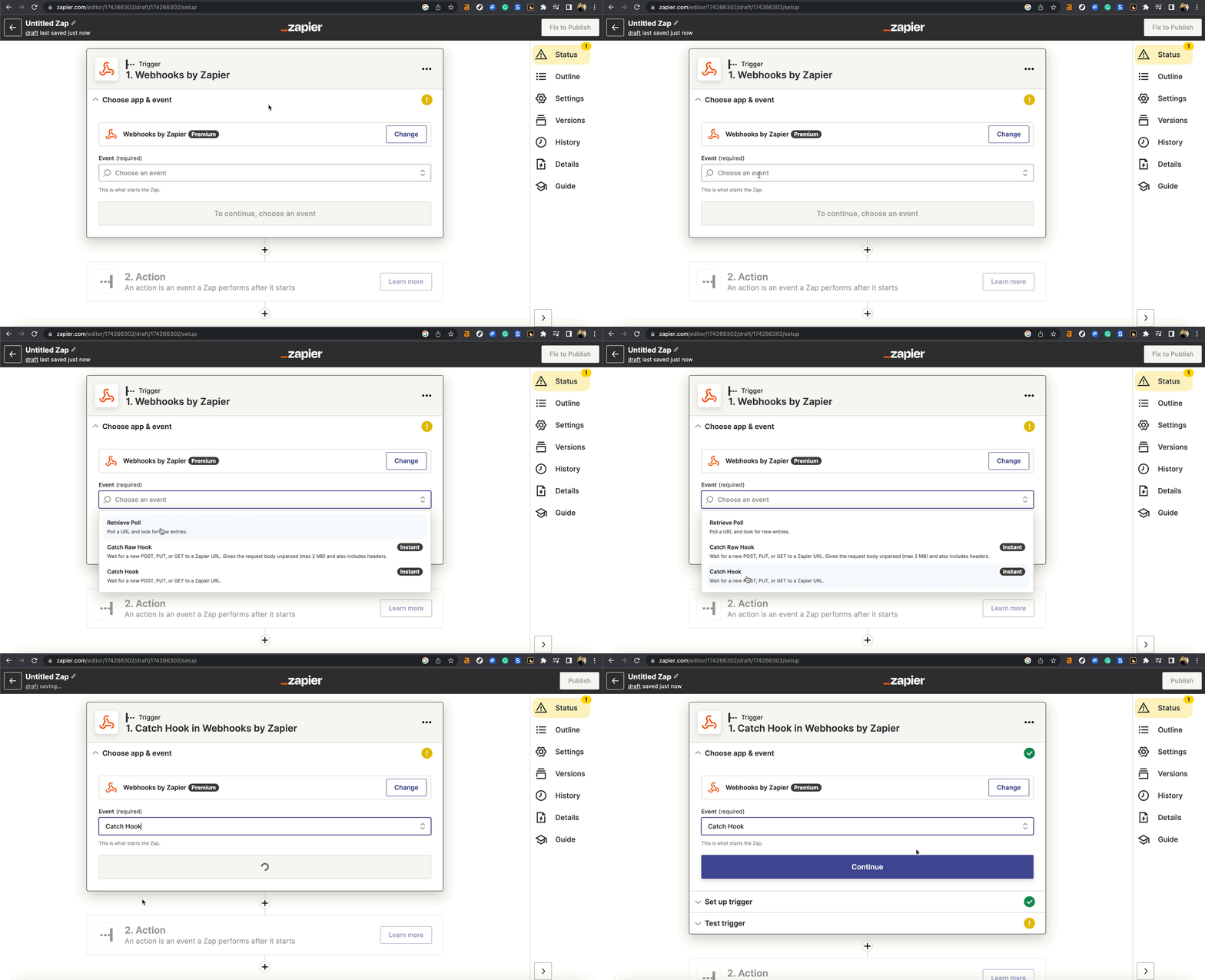
- Choose Catch Hook as the event
- Go to Test Trigger and copy the webhook URL
- Go back to your site and paste in on the Form Configuration option under the Webhook URL input field
- Publish your site
- And to test the connection if it is connected to Zapier or not, click on "click here" and it will send some test data to Zapier
- Go back to Zapier and click on Test Trigger
- Zapier will find your request
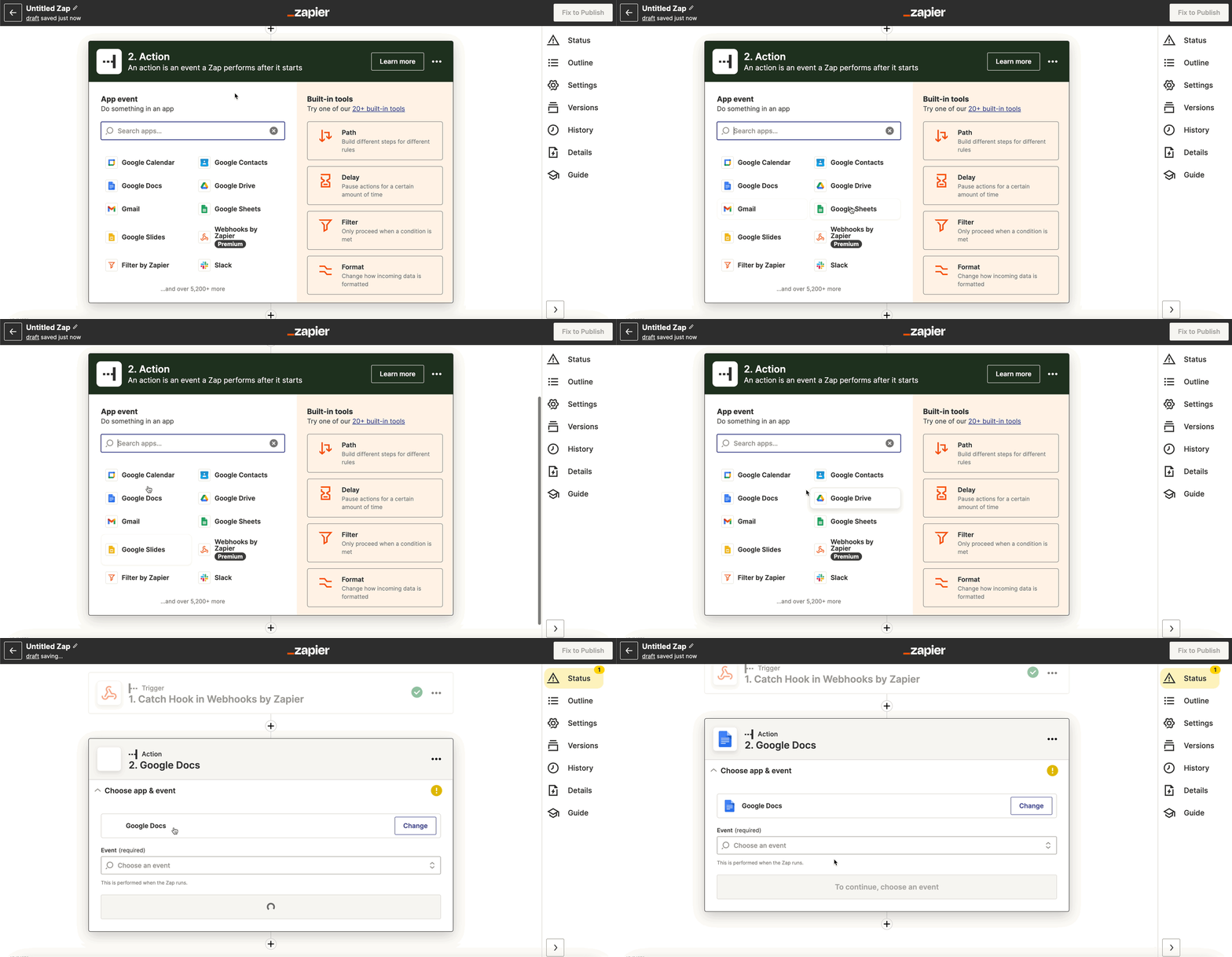
- You can now integrate other applications like Google Forms, Docs, etc., from Zapier. The event data from your site will be sent to those third-party applications through Zapier.
Refer to the screenshots and GIFs below to see the steps visualized:
- After logging into your Zapier account’s Dashboard, click on the
+ Create buttonon your dashboard
- Click on
⚡ New Zap
- Choose Webhooks by Zapier option from the 1. Trigger step
- Choose Catch Hook as the event
- Go to Test Trigger and copy the Webhook URL
- Go back to your site, click on Edit Element on your Contact Form, and paste the Webhook URL on the Form Configuration option under the Webhook URL input field.
- And to test the connection if it is connected to Zapier or not, click on "click here" and it will send some test data to Zapier. Publish your site.
- You can now integrate hundreds of other applications, like Google Forms, Docs, etc., from Zapier. The event data from your site will be sent to those third-party applications through Zapier.
Related articles
EmailOctopus - Subscription Form📨 Contact FormAi nevoie de ajutor? Scrie-ne.