
Adding a new item to a Collection
Table of Contents
Getting Started
This article covers the process of adding a new item to a custom collection. A new item can be added and customized using a sidebar or full editor.
Creating a New Collection
To learn how to create a custom collection, refer to the link below ⬇️
Add a new CollectionAdding New Collection Item
To add a new item to a custom collection, follow the steps given below:
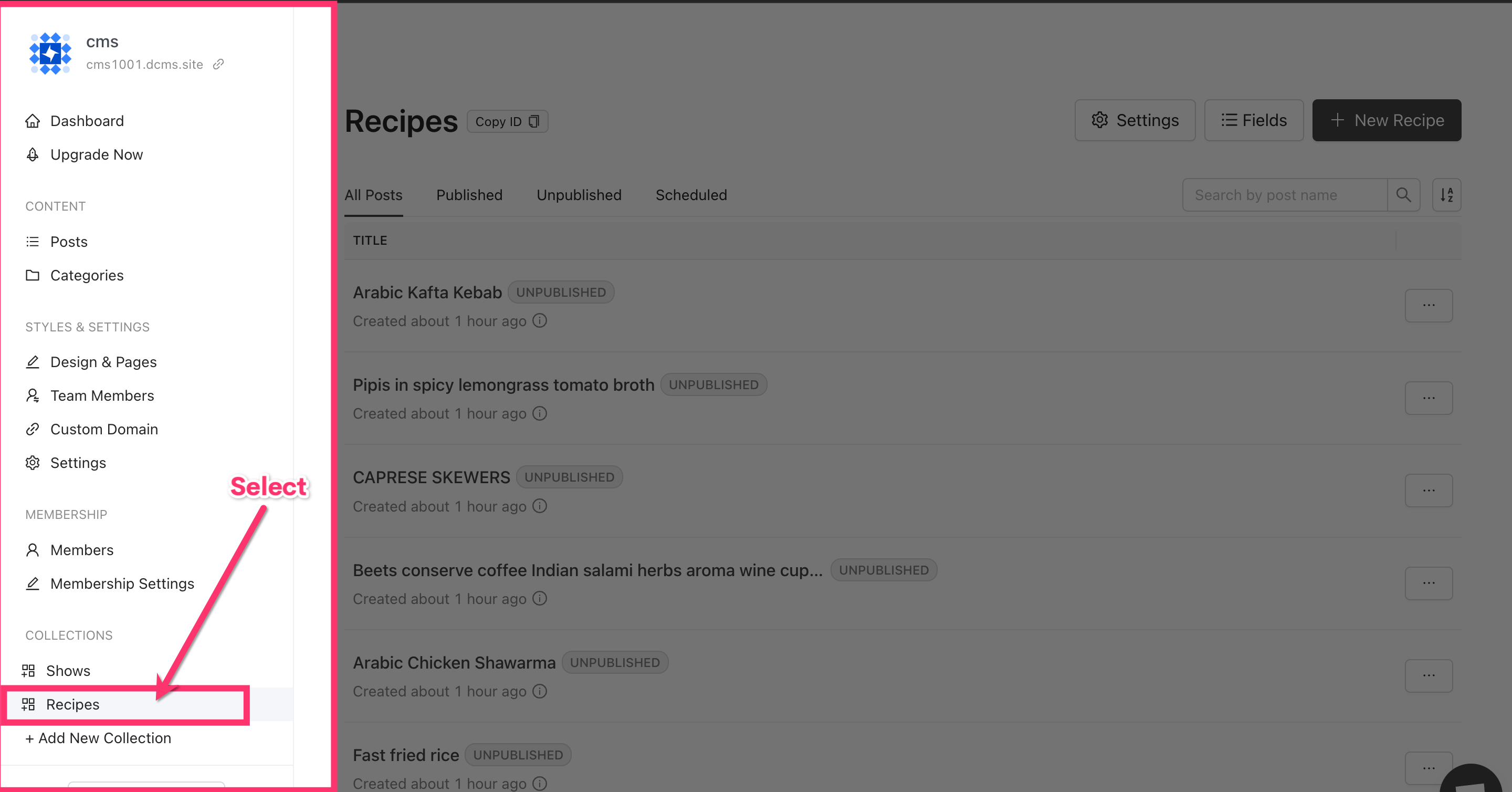
- Go to a custom collection list & select any collection
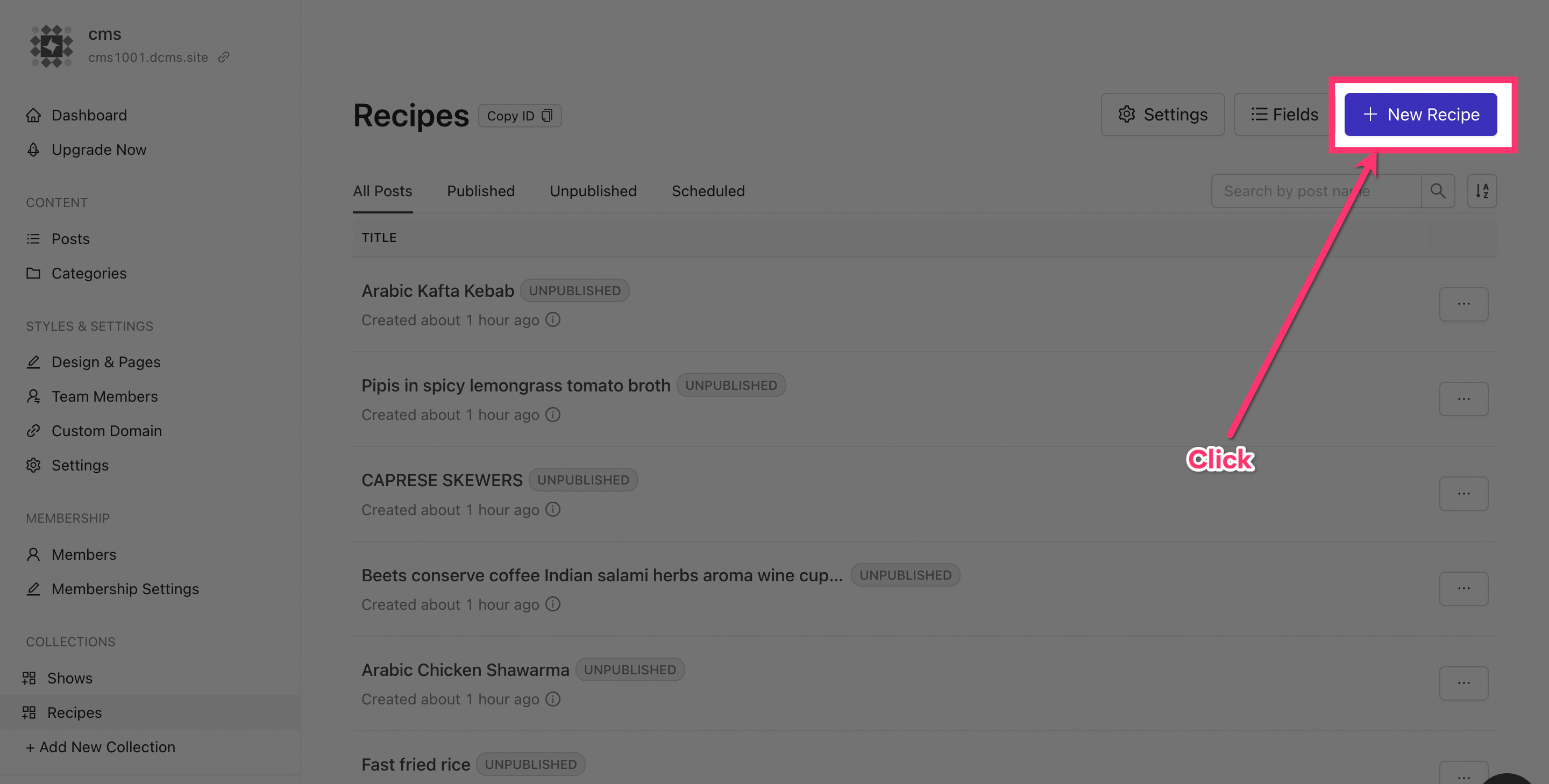
- Click on
+ New [collection name] - If using full editor, start writing your post and click on Publish
- If using the sidebar editor, input all information and click on Publish
The Screenshots & GIF below show the whole process being demonstrated visually ⬇️
- Go to a custom collection list & select any collection
- Click on
+ New [collection name]
- If using full editor, start writing your post and click on Publish
- Or, if using the sidebar editor, input all information and click on Publish
Related Articles
Exclude a collection item from Sitemap or RSS Feeds Gated Content on Custom Collection ItemsAi nevoie de ajutor? Scrie-ne.