
Integrarea Whatsapp Widget folosind Elfsight
Getting Started
You can create a Whatsapp widget on Elfsight.com and integrate it into your website with a few simple steps. This article will cover the whole process in detail.
Table of Contents
Whatsapp Chat Integration
To integrate a Whatsapp chat widget from Elfsight, follow the steps below:
- Go to elfsight.com, login to your dashboard
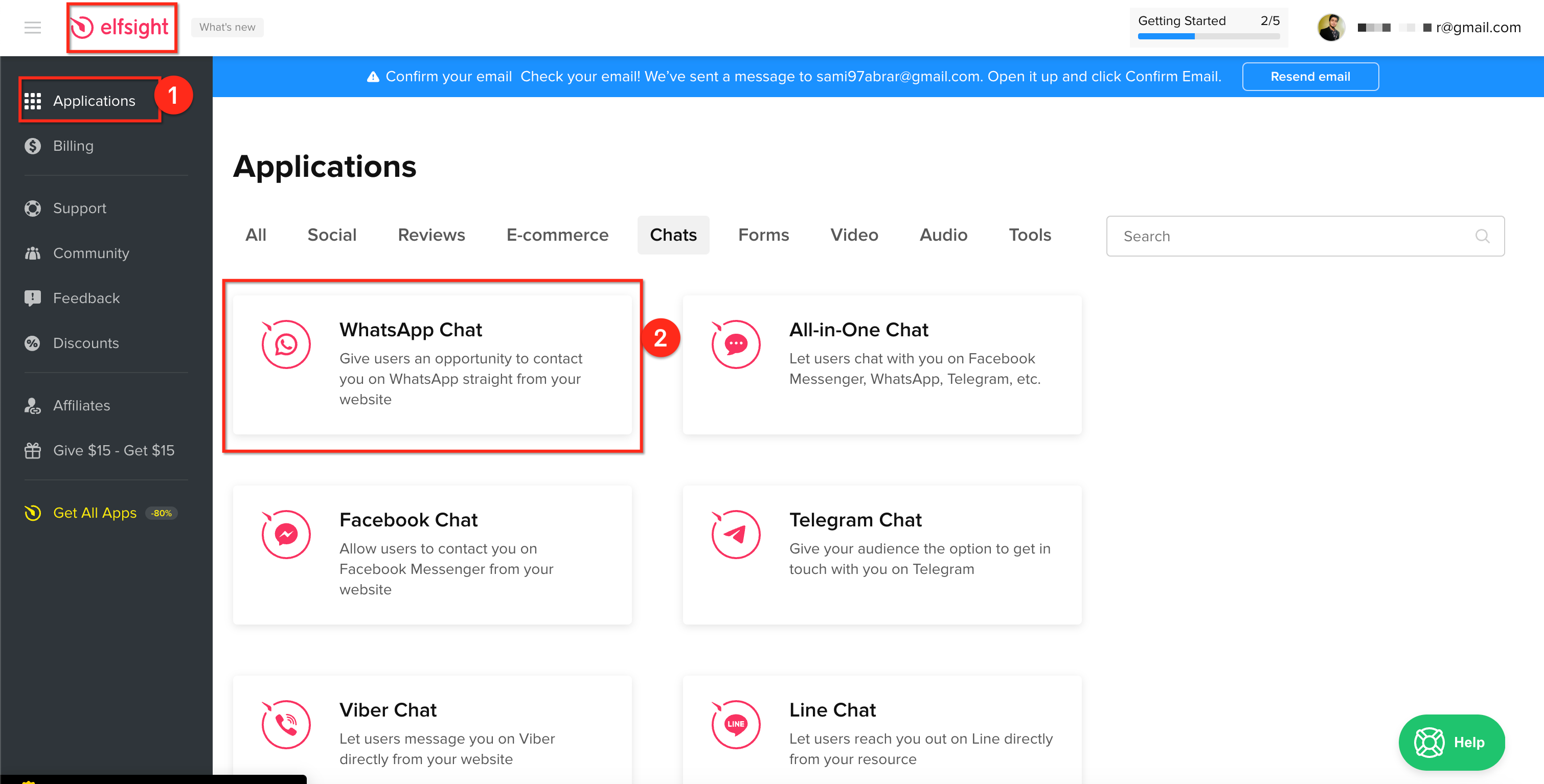
- Click on Applications
- Select WhatsApp Chat
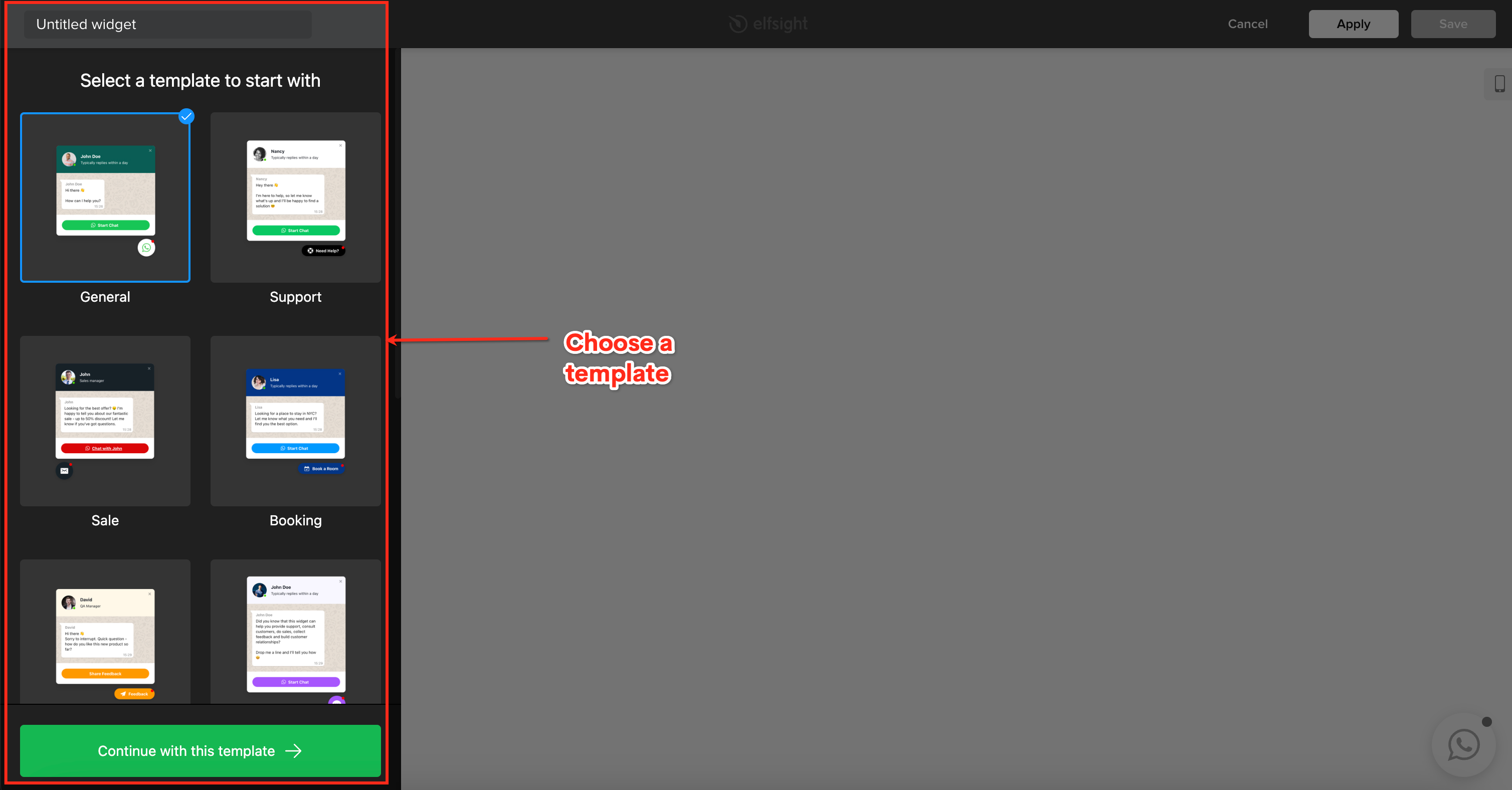
- Select a template for your widget
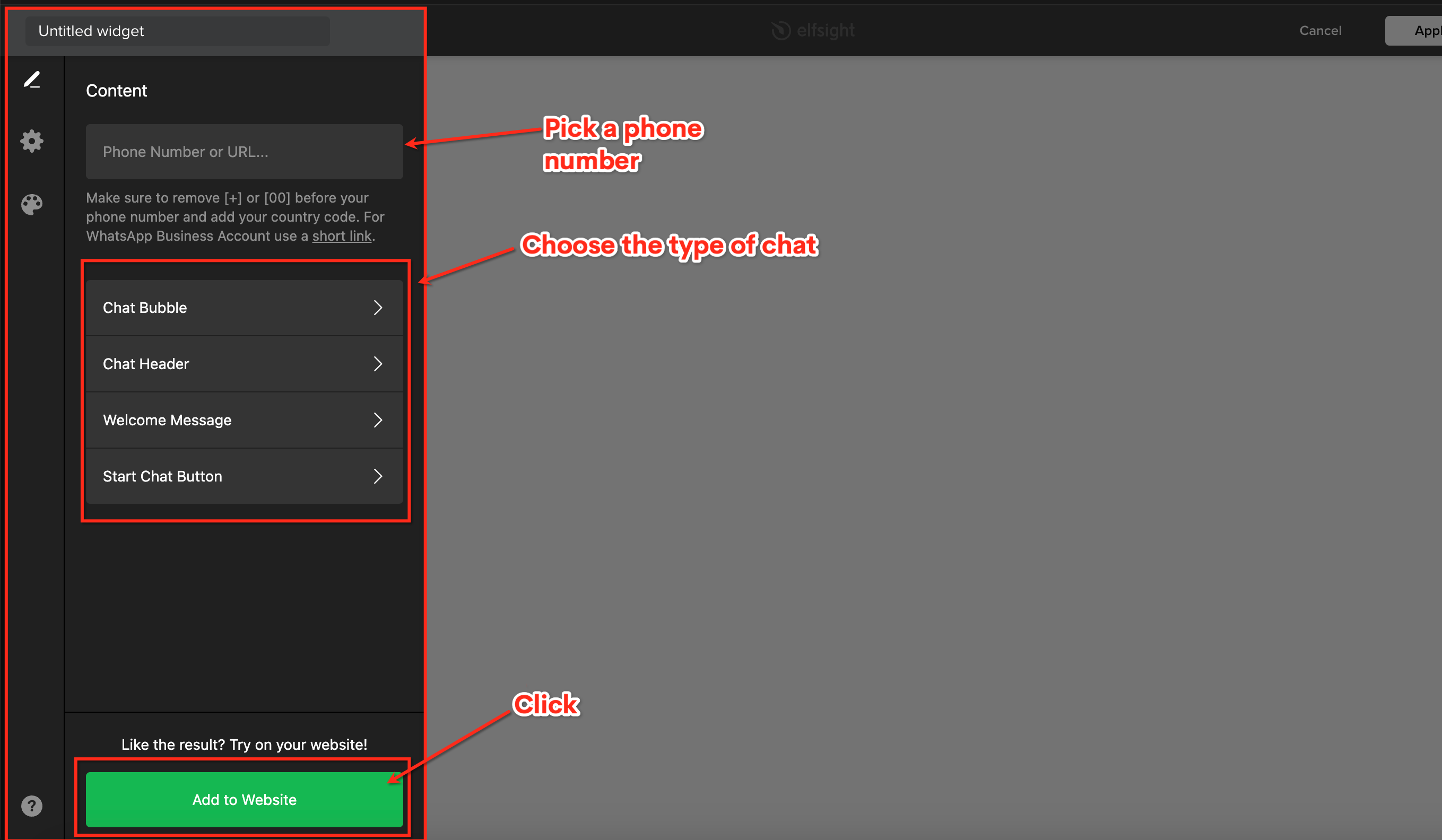
- Add a phone number/URL, choose what the chat would look like, and click on “Add to website”
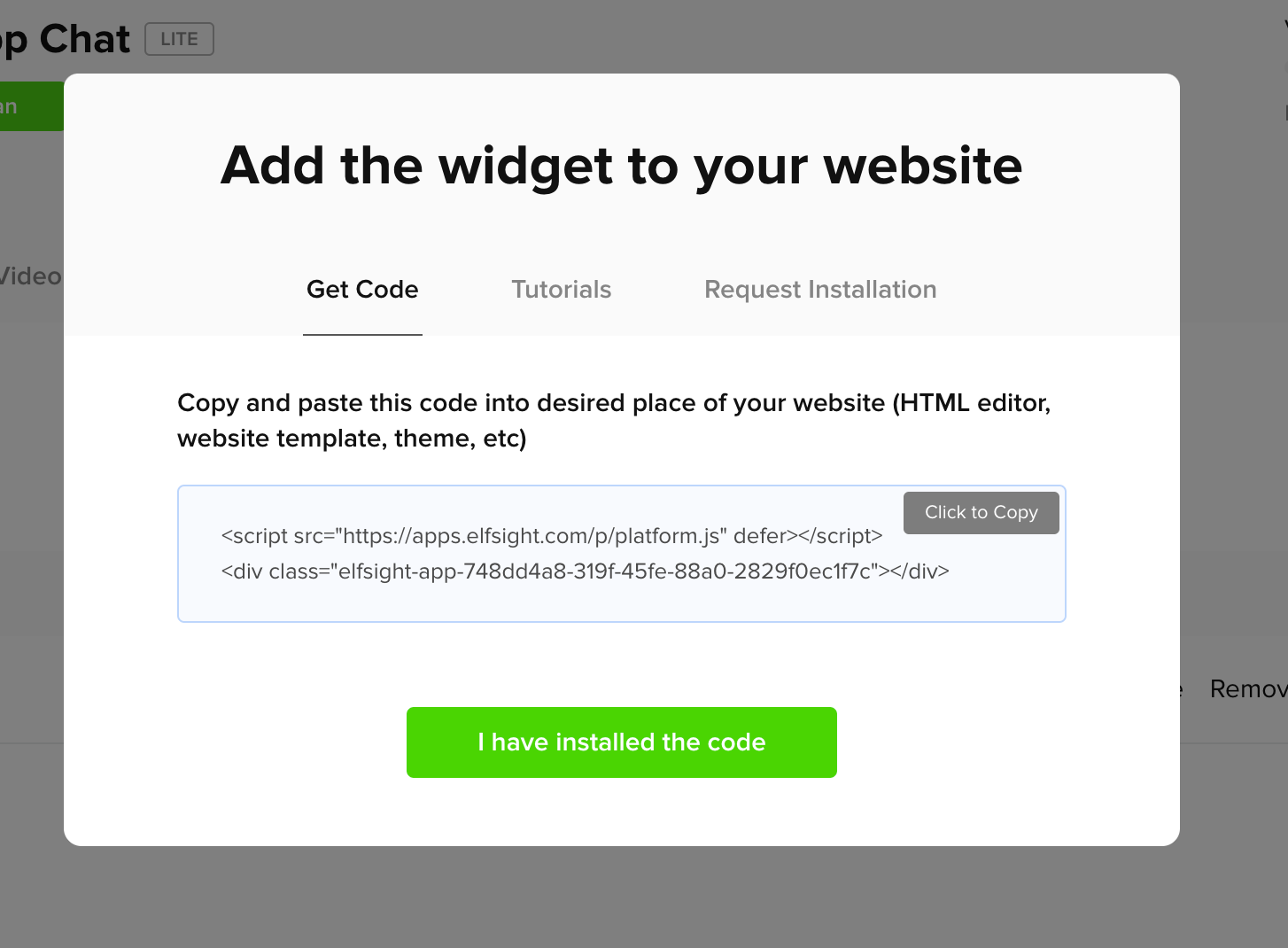
- Copy the HTML code in the next step
- Go back to your website builder
- Add a new section
- Add the Custom Code element
- Paste the HTML code on the HTML input field
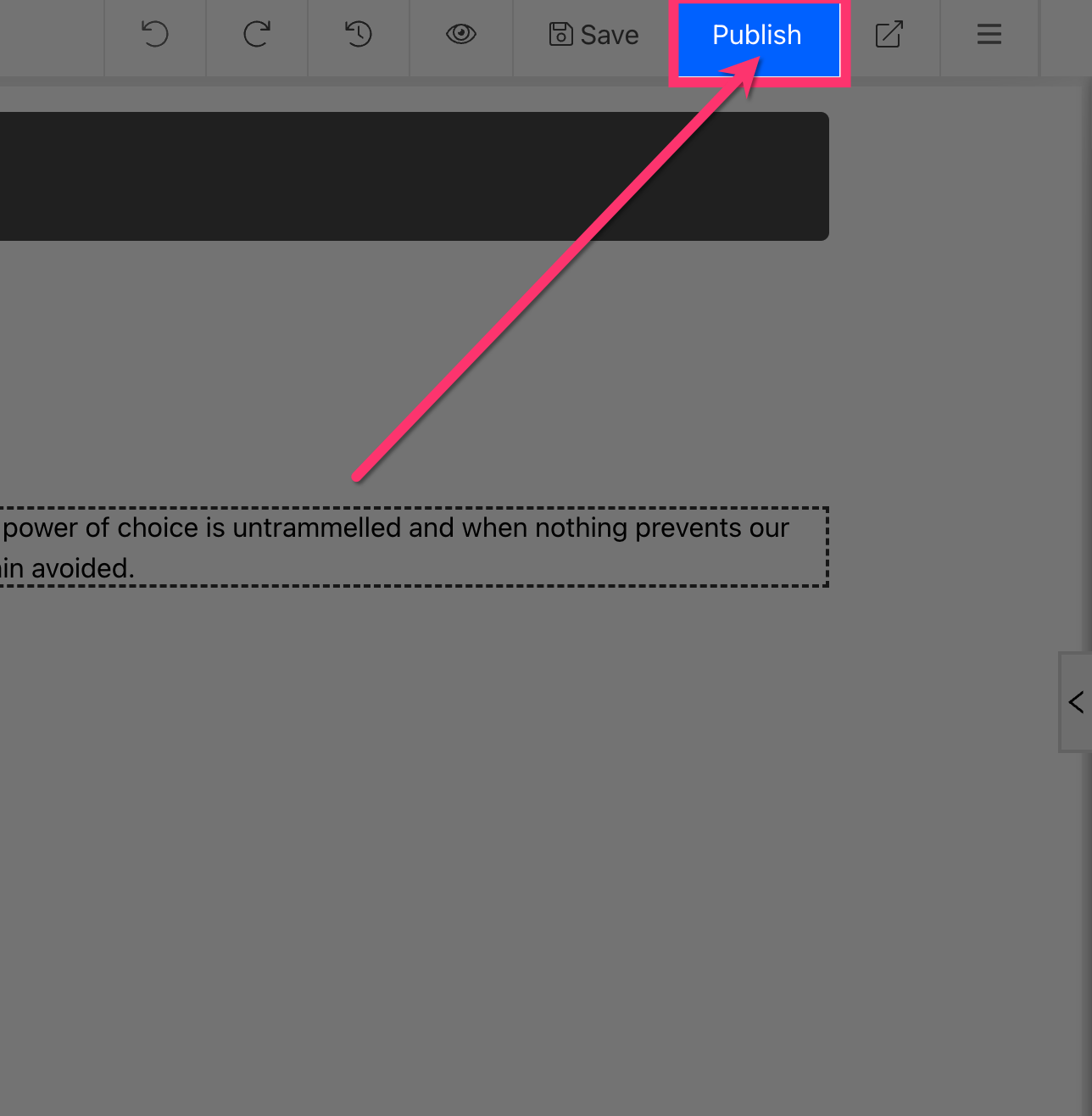
- Publish your site
Refer to the GIFs and Screenshots below to see the above steps visualized:
- Go to elfsight.com, login to your dashboard, click on Applications and select WhatsApp Chat
- Select a template for your widget
- Add a phone number/URL, choose what the chat would look like, and click on “Add to website”
- Copy the HTML code
- Go back to your website builder, add a new section, and add the Custom Code element
- Paste the HTML code on the HTML input field
- Publish your website
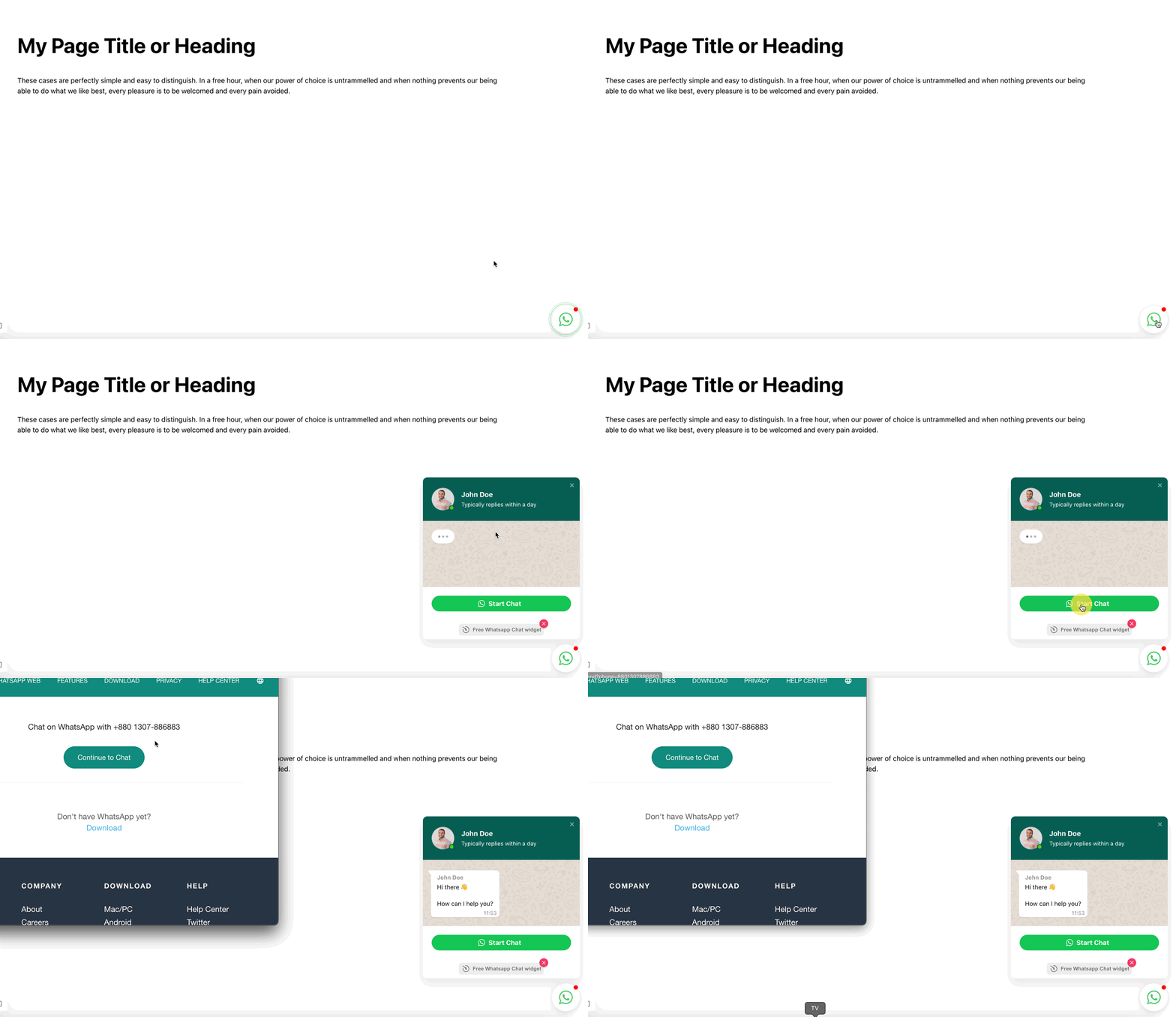
- Done! Your Whatsapp widget is integrated
Ai nevoie de ajutor? Scrie-ne.