
Integrarea Zoho SalesIQ Chatbot cu site-ul CloudCMS
Table of Contents
Integration
To integrate Zoho SalesIQ, follow the steps listed below:
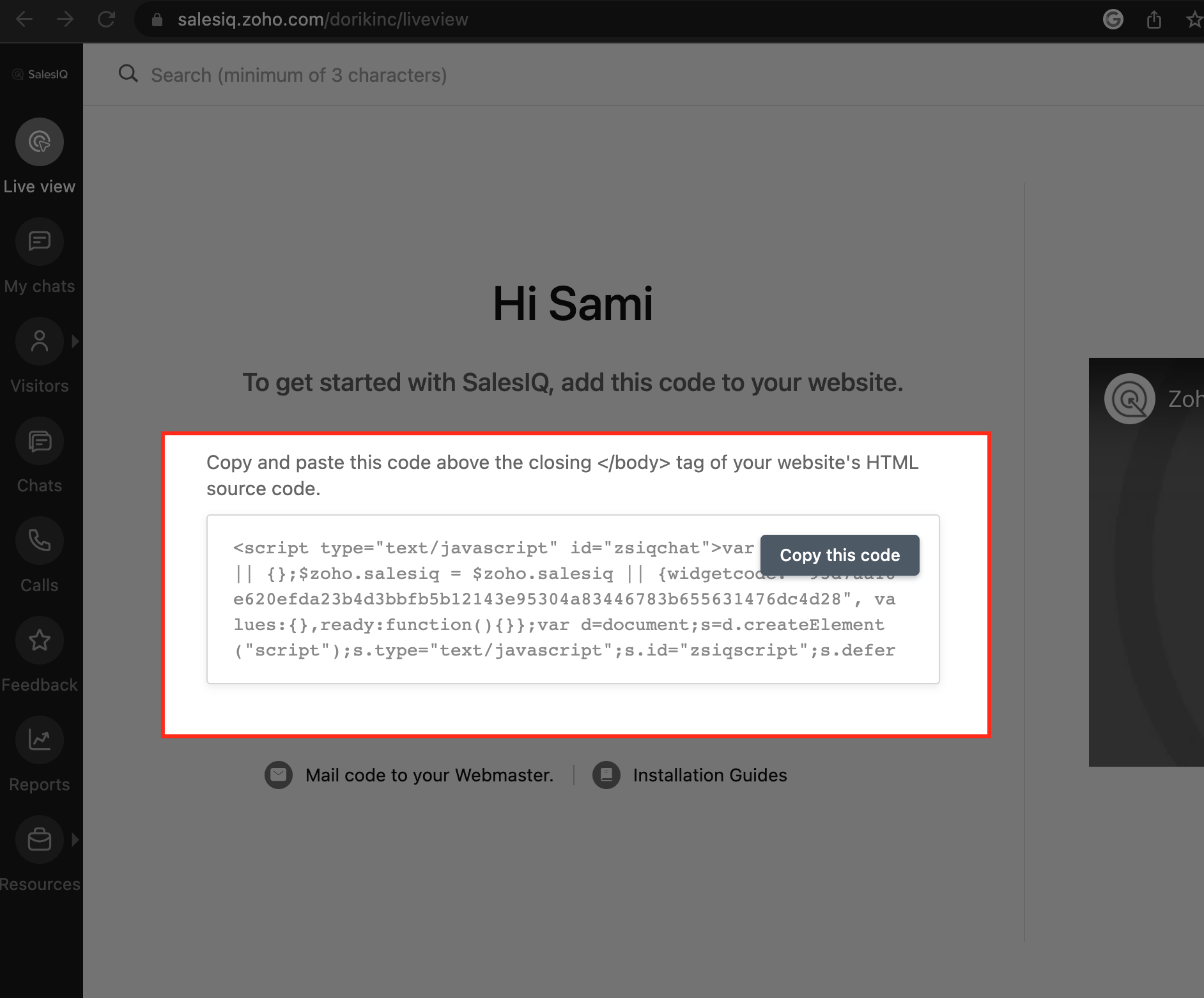
- After creating an account or logging in to Zoho SalesIQ, copy the code from your dashboard
- Go back to your website
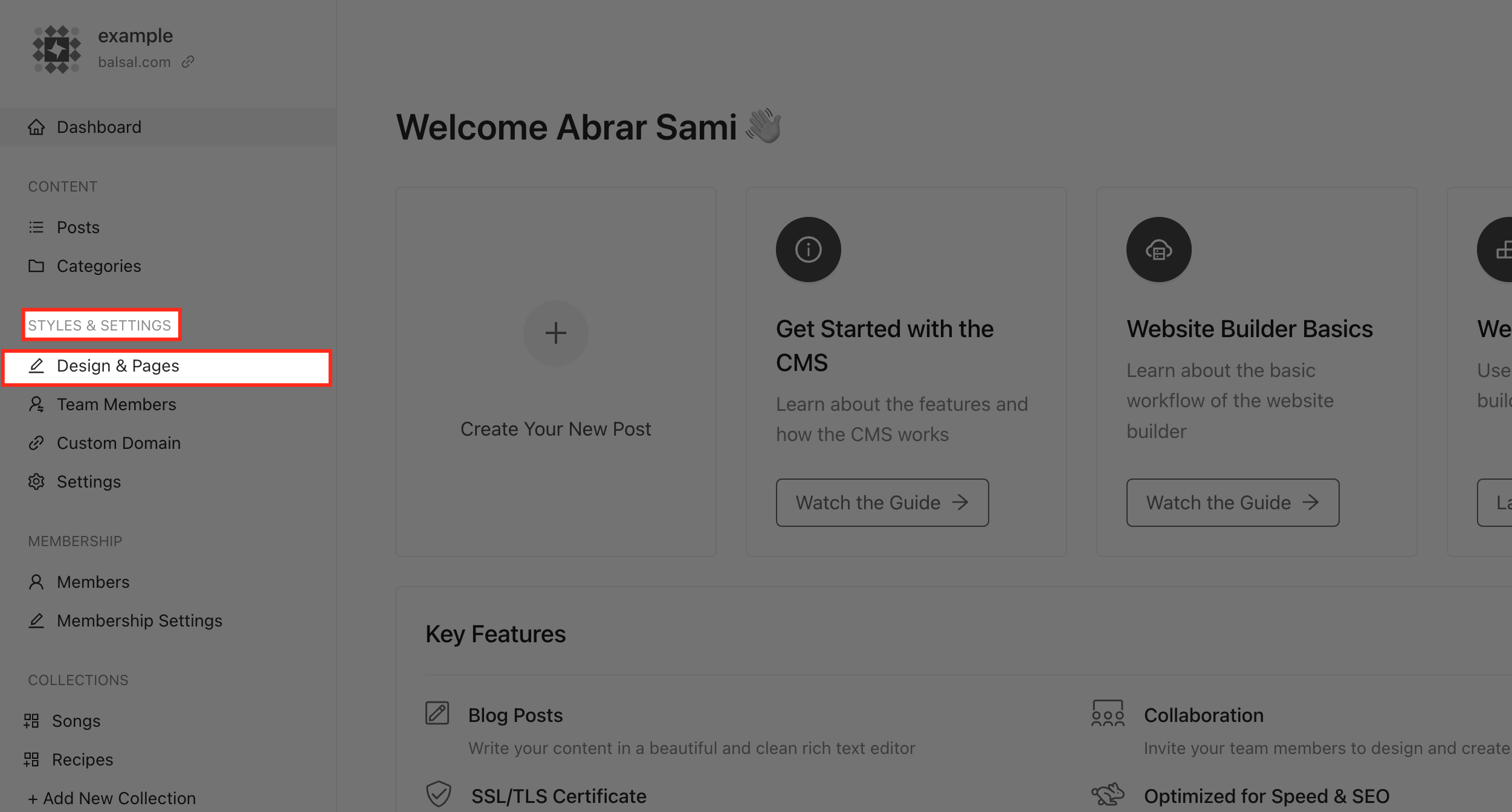
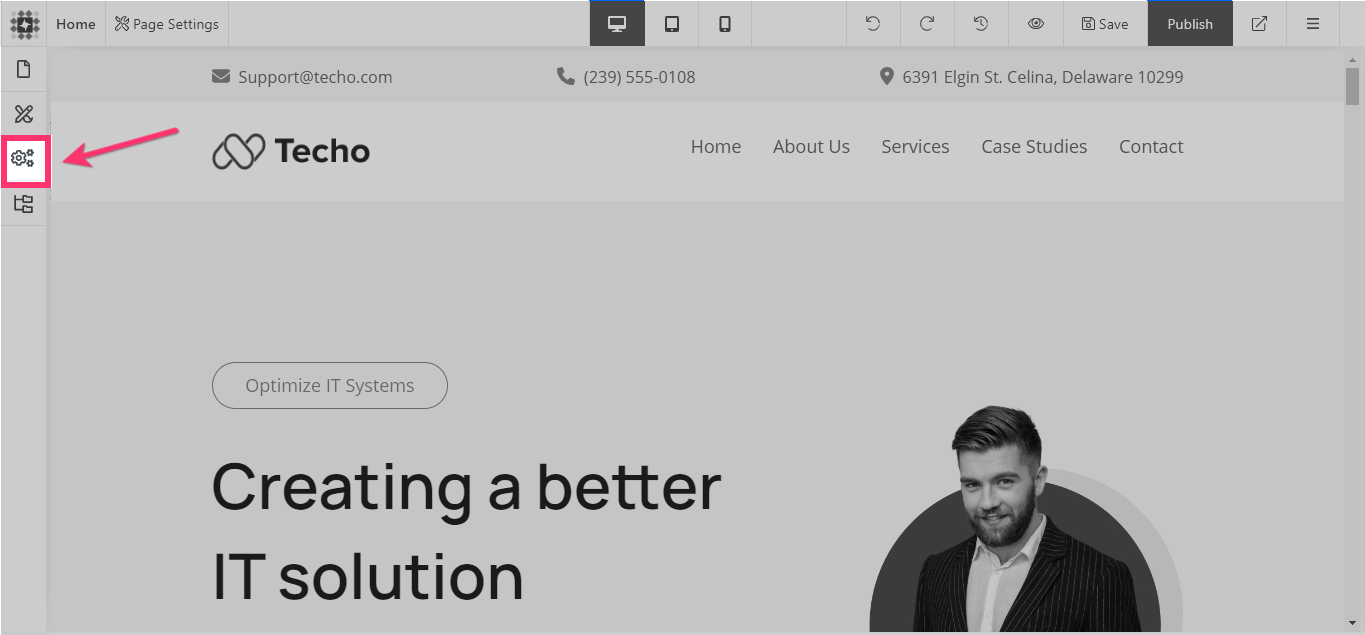
- Select Design and Pages under Styles and Settings
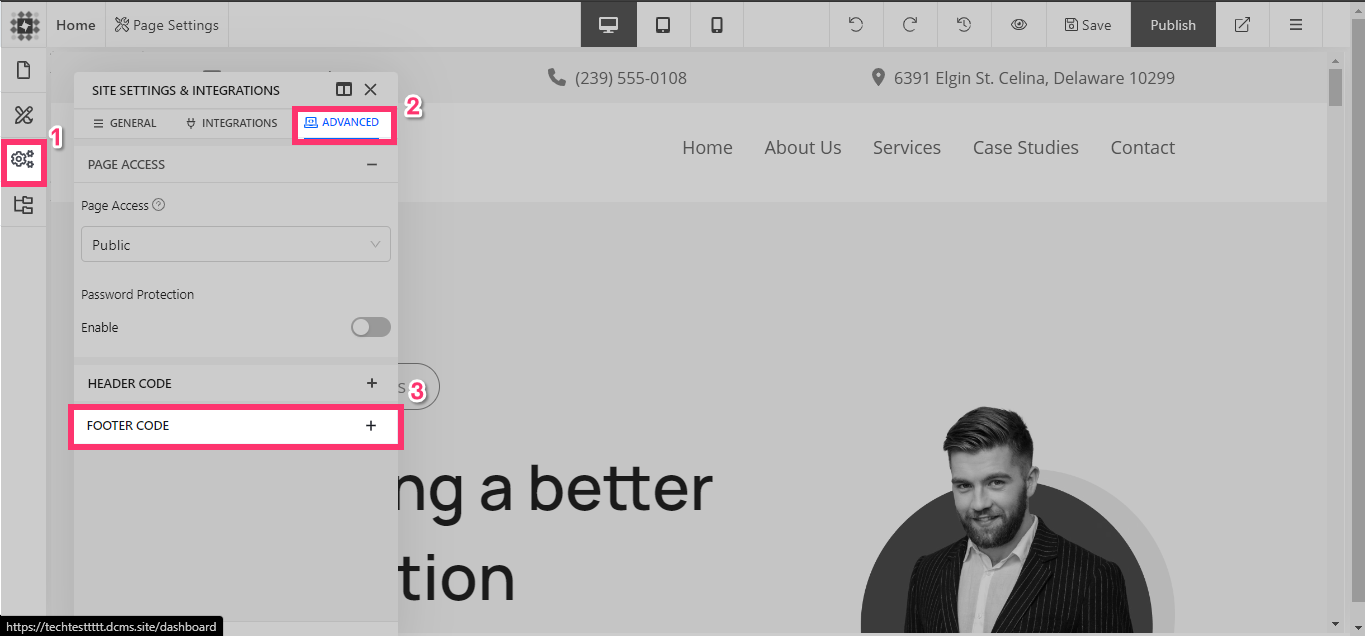
- Choose Site Settings
- Open the Advanced tab
- Expand the Footer Code option
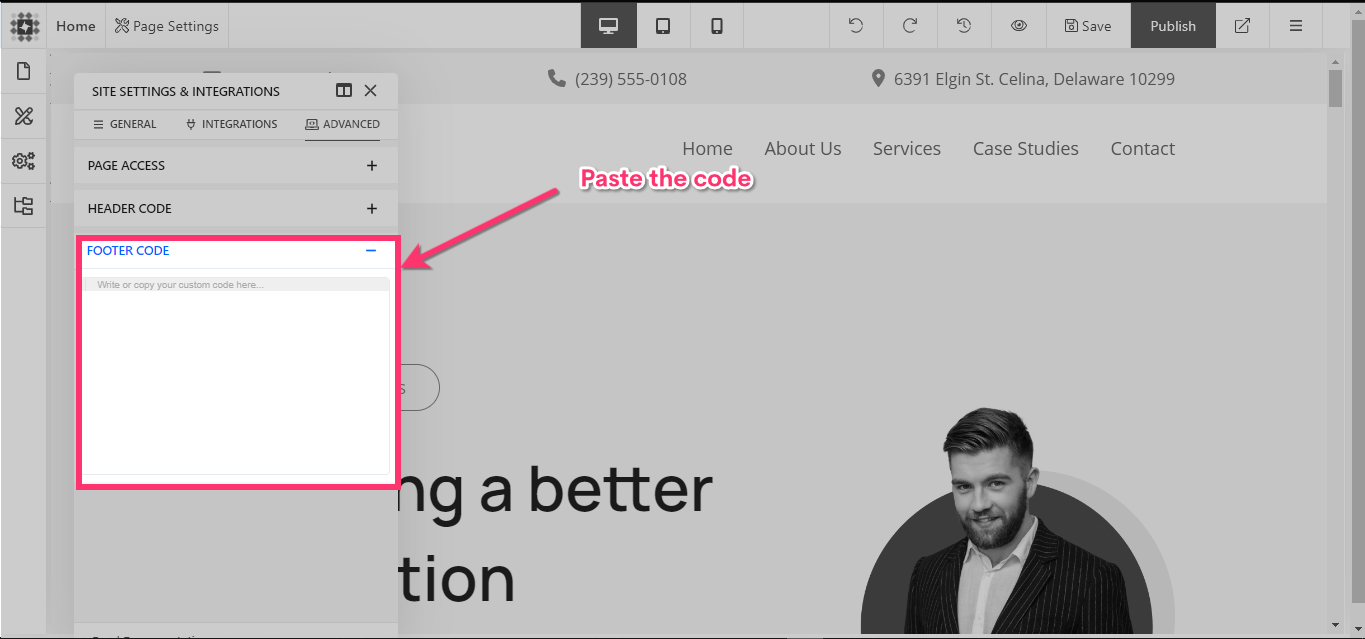
- Paste your code
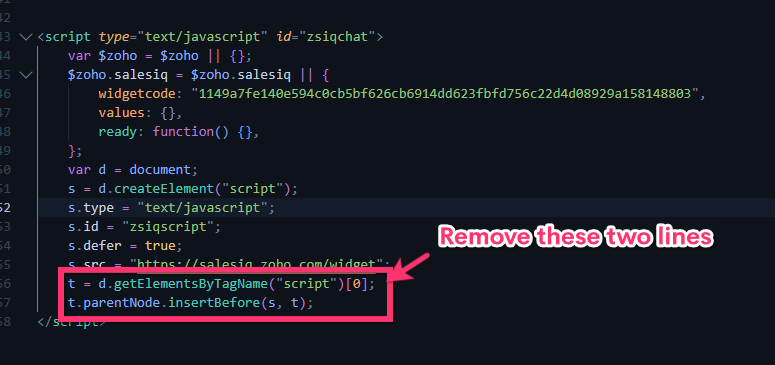
- Remove the following lines from your code
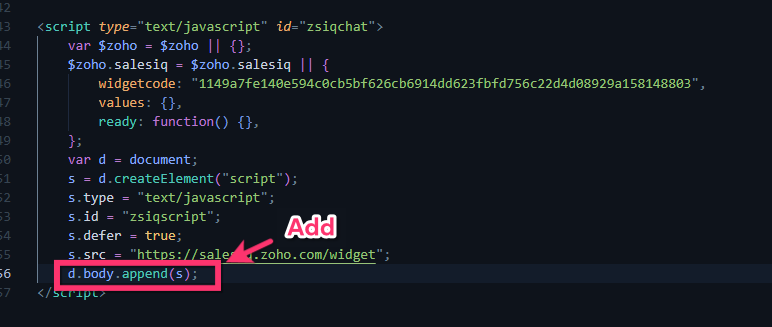
- Add the following line to your code:
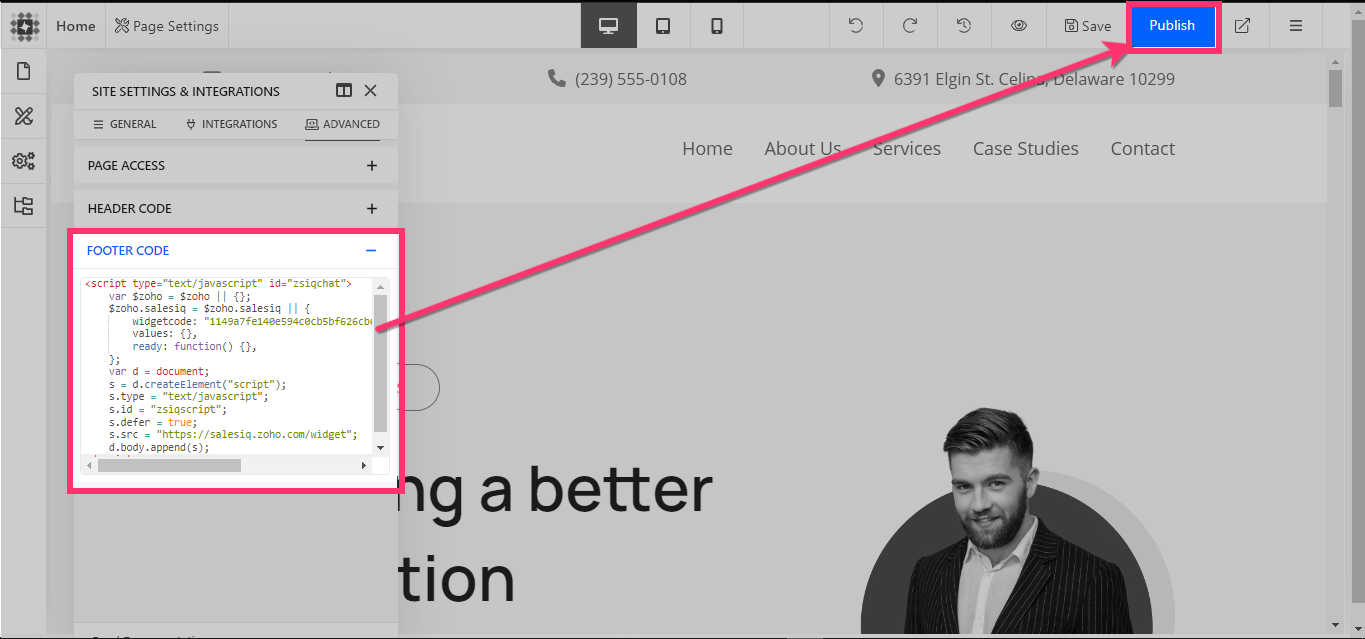
- Hit Publish
Refer to the screenshots below to see the above steps visualized:
- After creating an account or logging in to Zoho SalesIQ, copy the code from your dashboard
- Remove the following lines from your code
- Add the following line to your code
- Go back to your website builder, select Design and Pages under Styles and Settings
- Choose Site Settings
- Open the Advanced tab, expand the Footer Code option
- Paste your code
- Hit Publish
Related Articles
Integrarea Google Analytics Integrarea cu Cloudflare DomainAi nevoie de ajutor? Scrie-ne.