
Integrarea Google Tag Manager
Getting Started
Tag Manager gives you the ability to add and update your own tags for conversion tracking, site analytics, remarketing, and more. This article covers the steps on how you can integrate Google Tag Manager into your website.
Conținut
Add Google Tag Manager
To add Google Tag Manager to your website, follow the steps listed below:
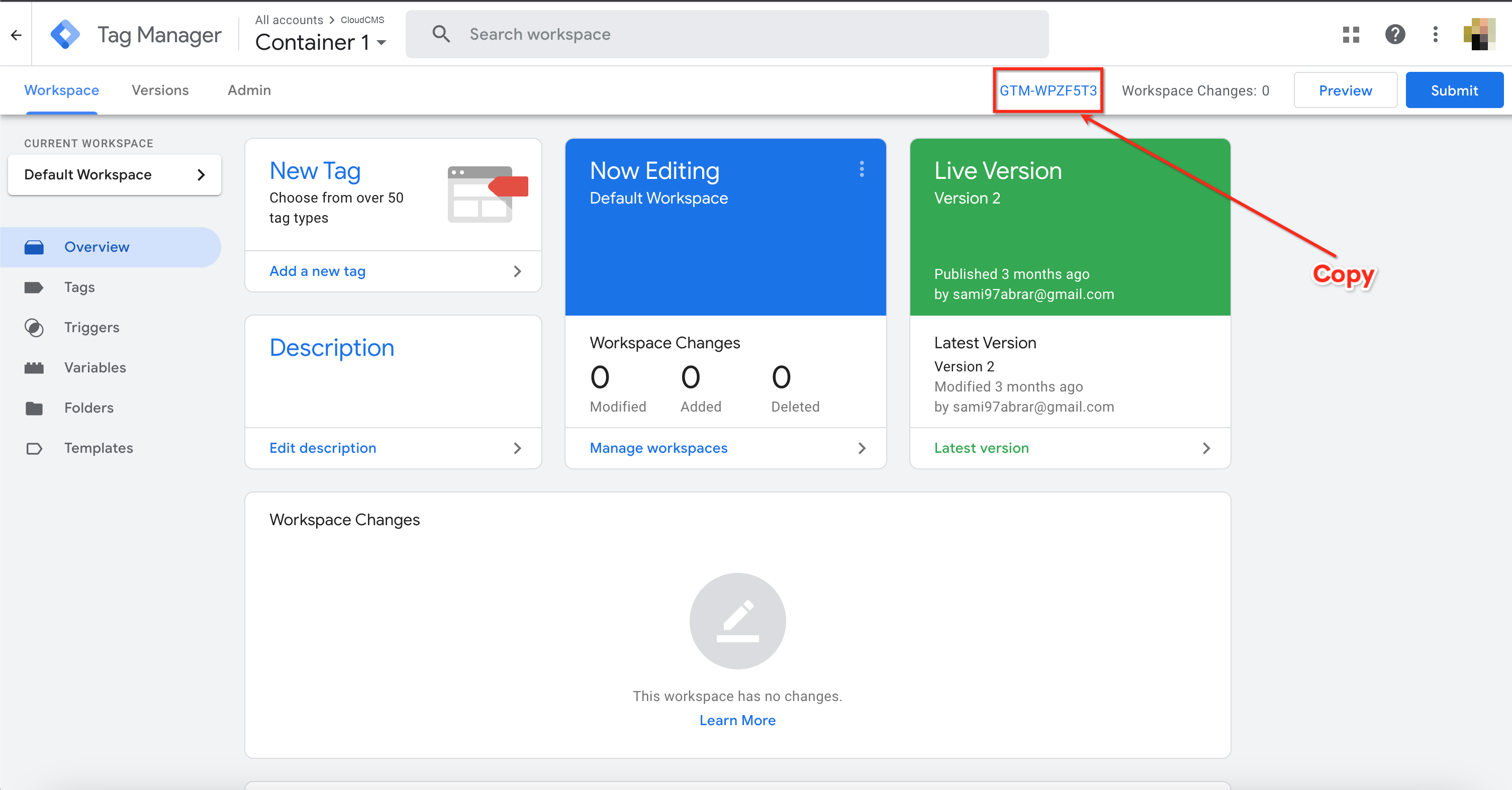
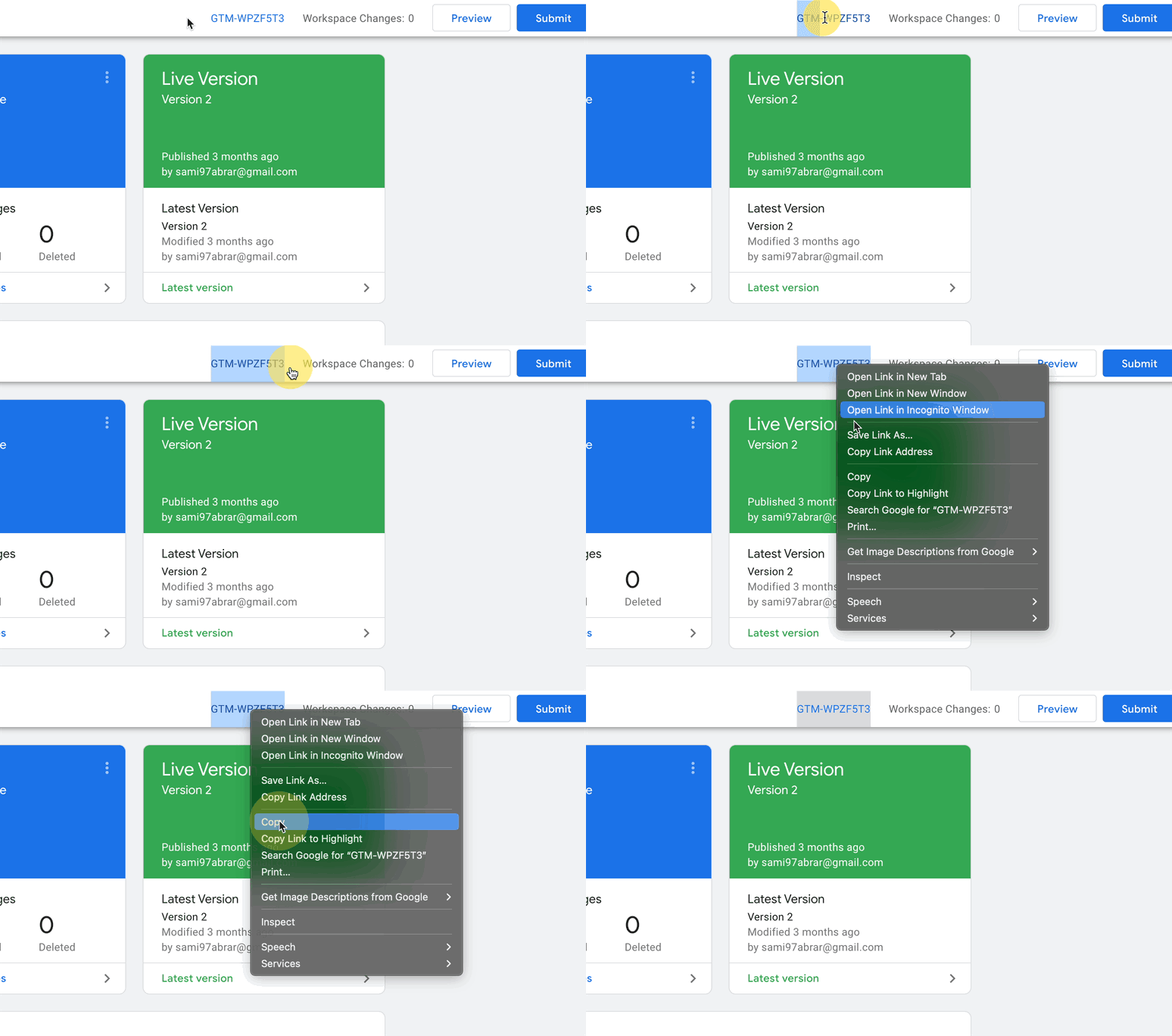
- From your Google Tag Manager Dashboard, copy the Tag Manager ID
- Go back to your website
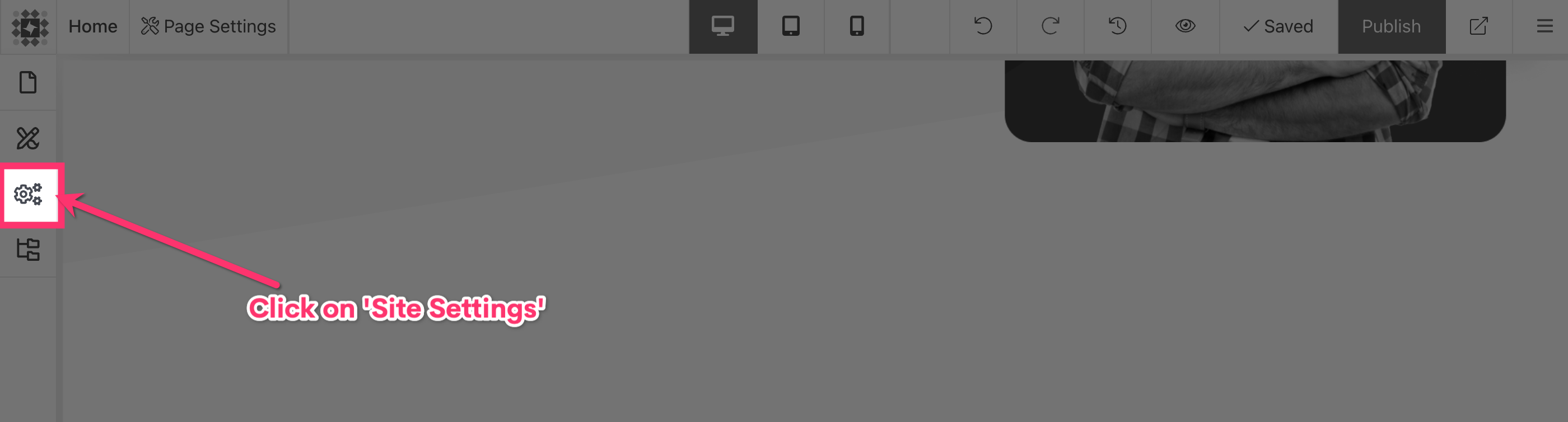
- Click on Site Settings
- Open the Integrations tab
- Paste the Tag Manager ID into the Google Tag Manager ID input field
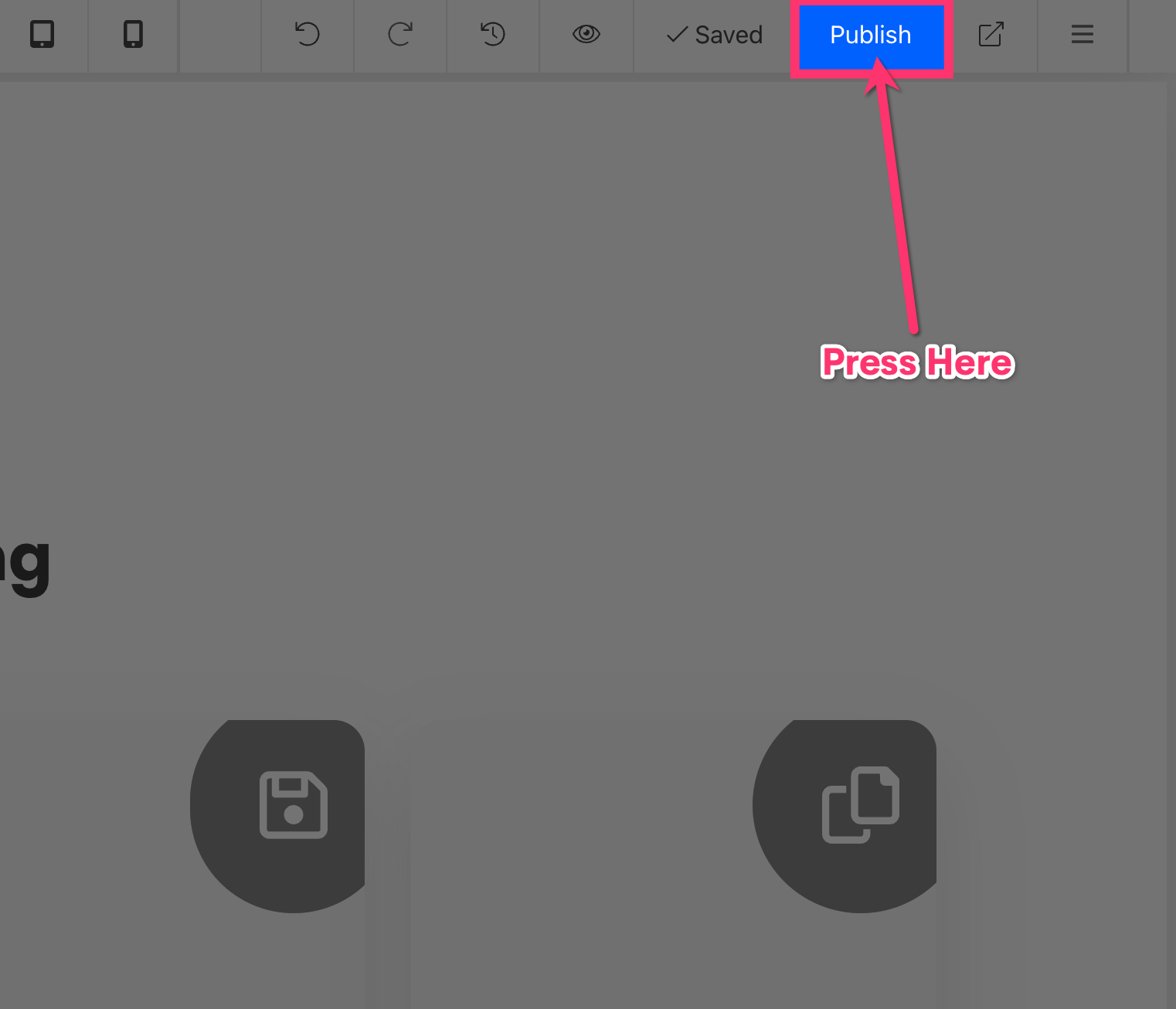
- Publish your site
💡
Make sure there is no space before the pasted Tag Manager Id. If there is any space then remove it must.
Step 1: Copy the Google Tag Manager ID from your Dashboard
Step 2: Go back to your website, and click Site Settings.
Step 3: Open the Integrations tab
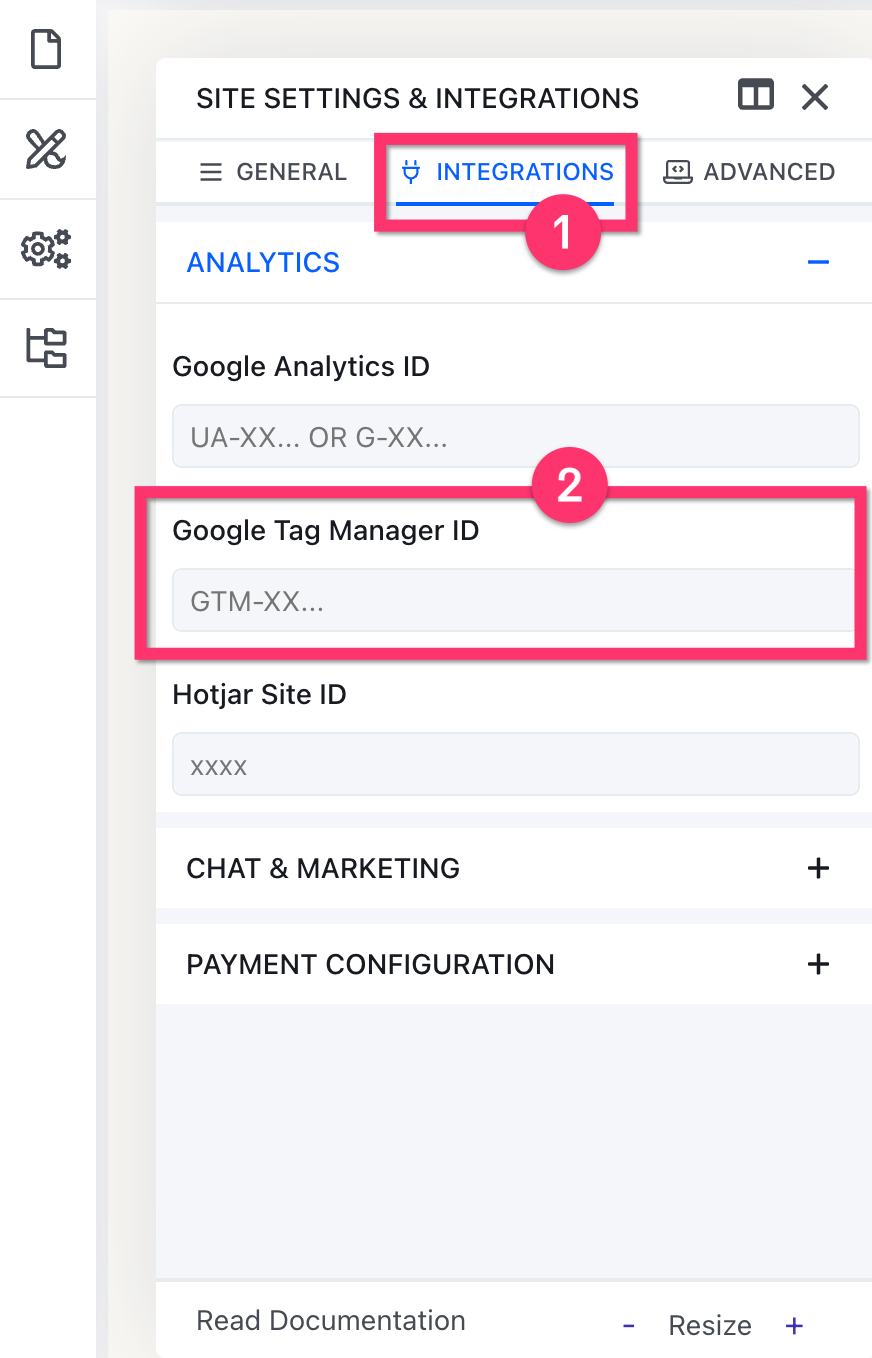
Step 4: Paste the Tag Manager ID into the Google Tag Manager ID input field.
Step 5: Publish your site. Done!
Related articles
Integrarea Google Analytics Integrarea Google DomainsAi nevoie de ajutor? Scrie-ne.