
Integrarea Google Domains
Getting Started
This article will cover integrating a Google Domains domain into your website. Follow all the instructions to integrate a Google Domains domain into your site.
Table of Contents
Custom Domain Integration
Follow the steps below to add a Custom Domain to your site.
- Go to your website dashboard
- Click on Custom Domain under the Styles and Settings Panel on your left
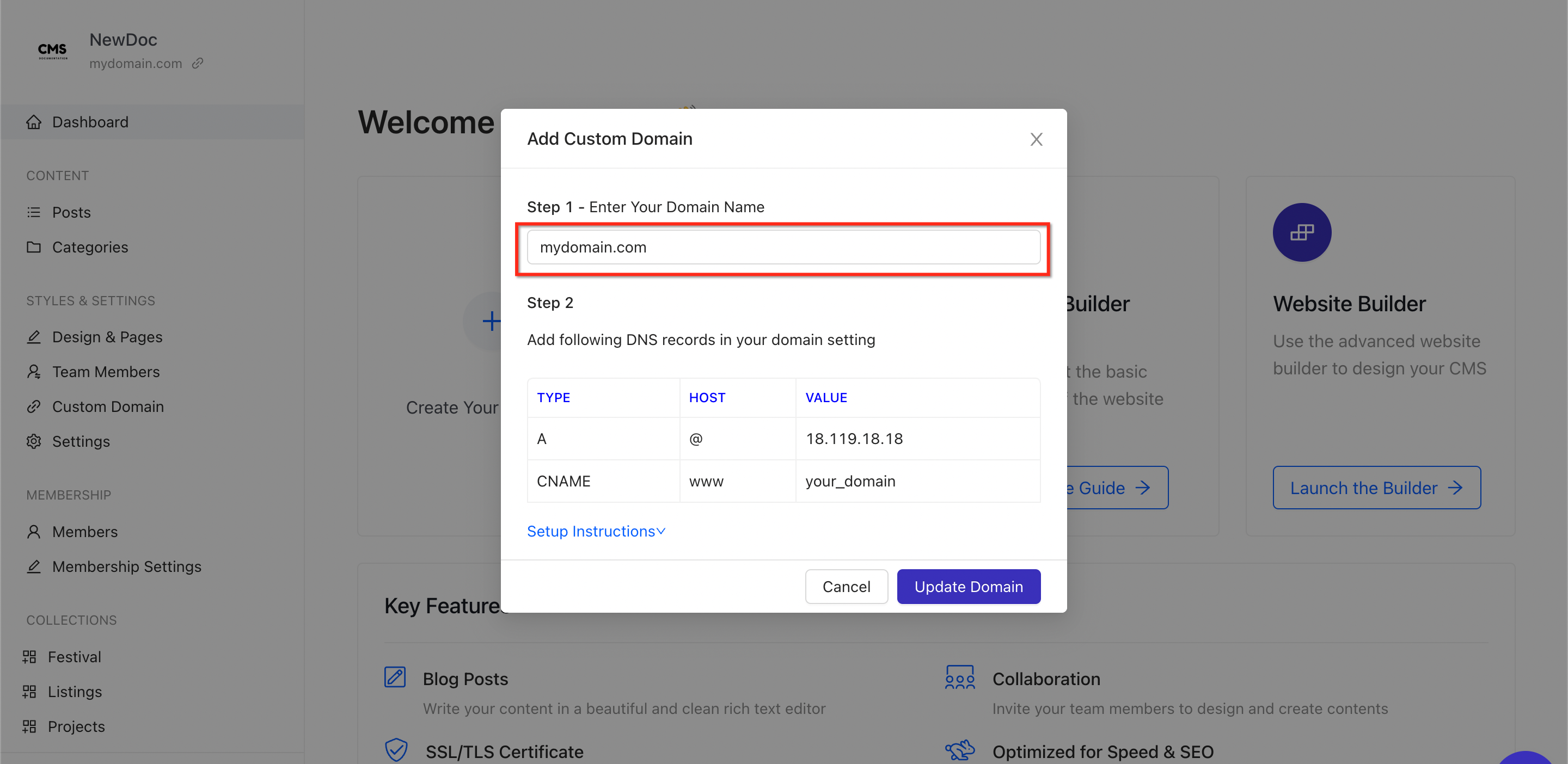
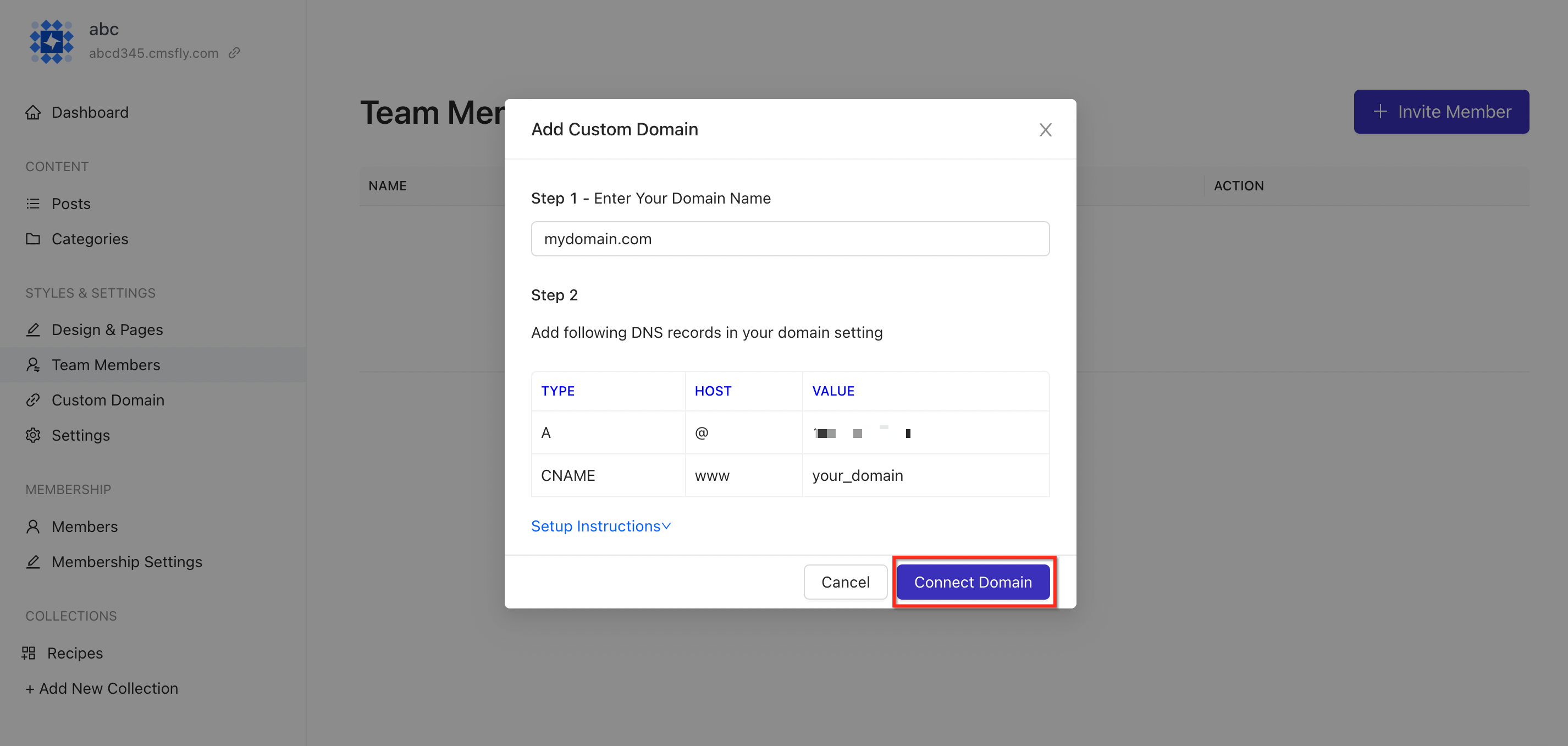
- Step 1: Add your domain name
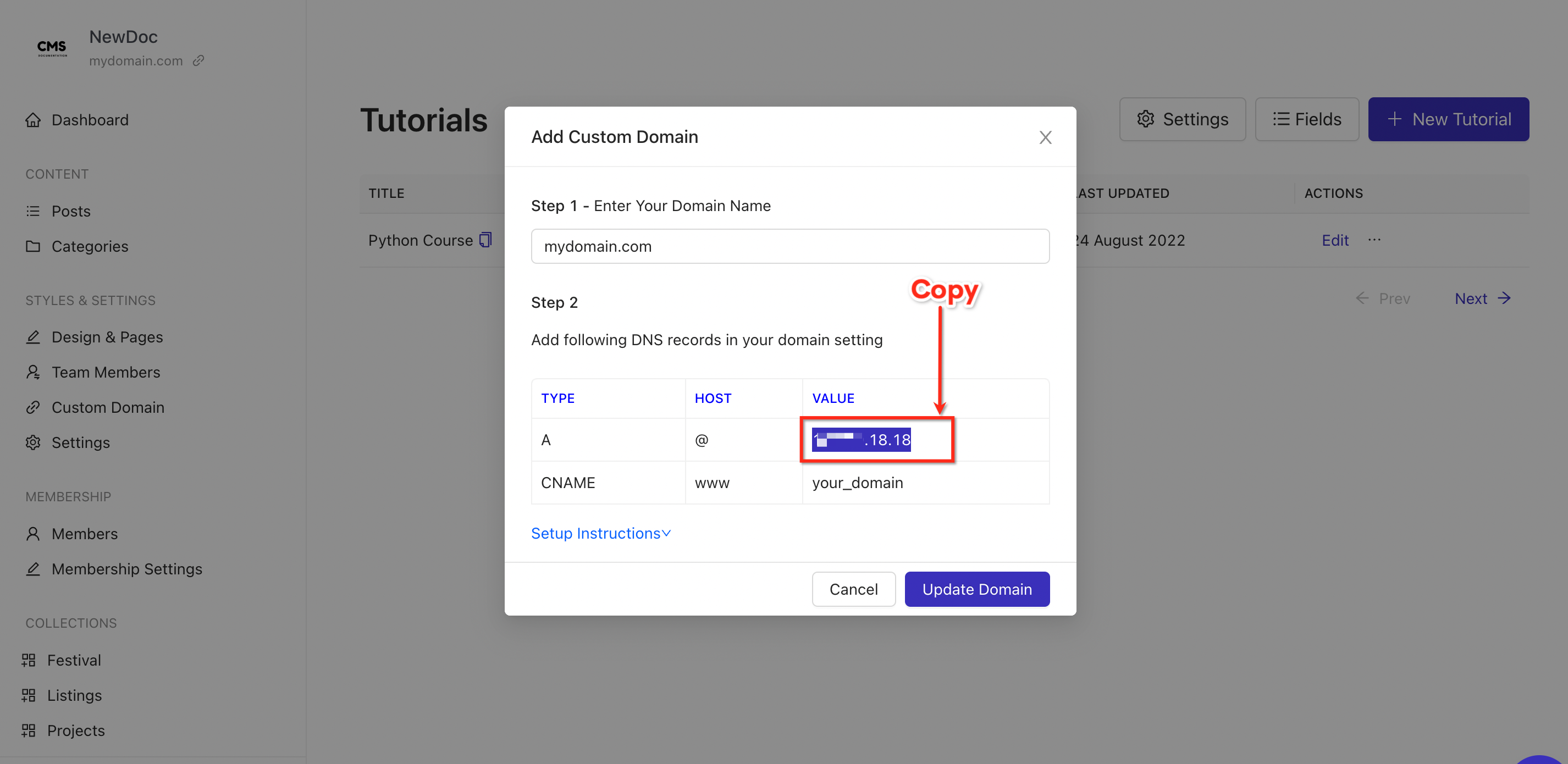
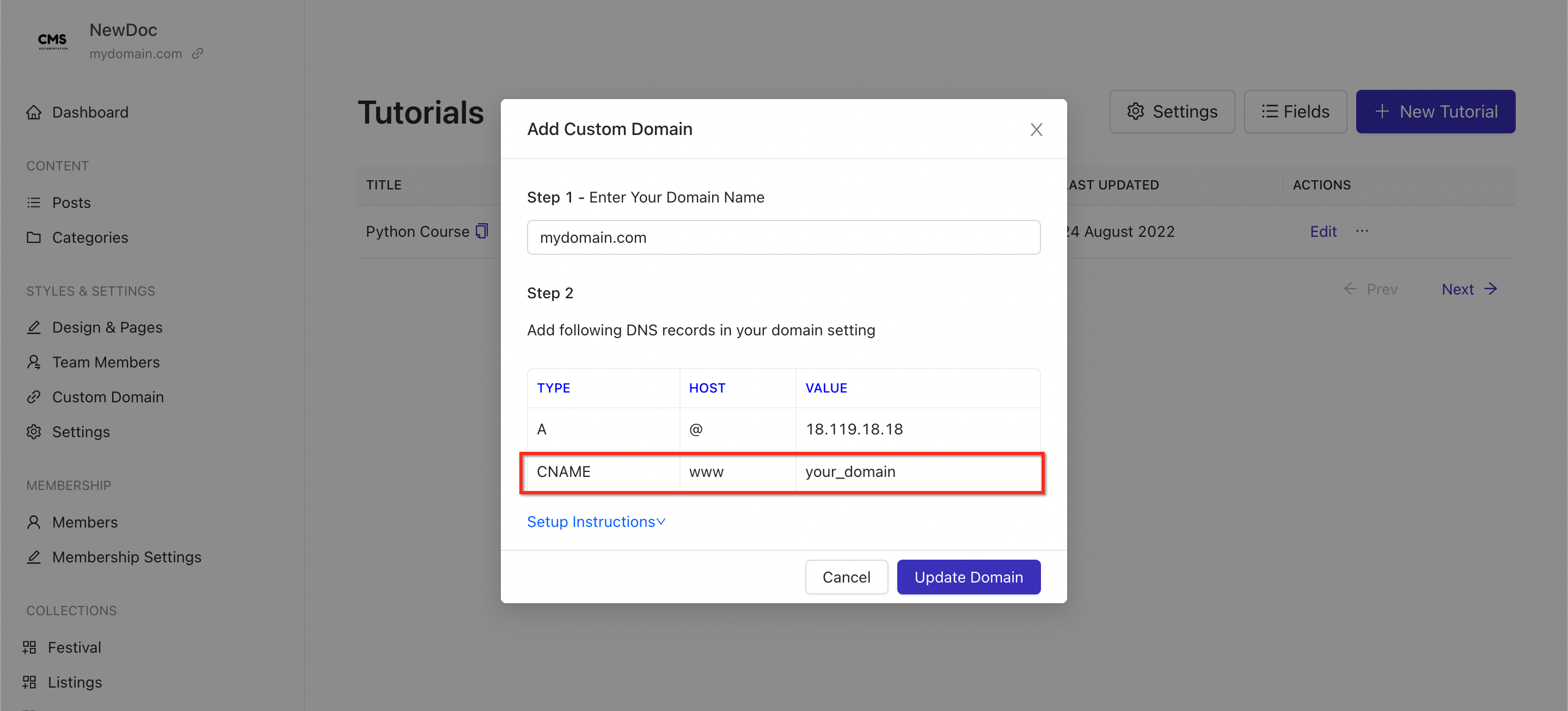
- Step 2: Copy the values from the Type records: A and CNAME, and paste them into your DNS records.
For more information, refer to the Documentation below ⬇️
Fără titluGoogle Domains Integration
To integrate a custom domain from Google Domains to your website, follow the steps given below:
- Login to your Google Domains Account and go to the link below

- Input your domain name in the input field as shown below
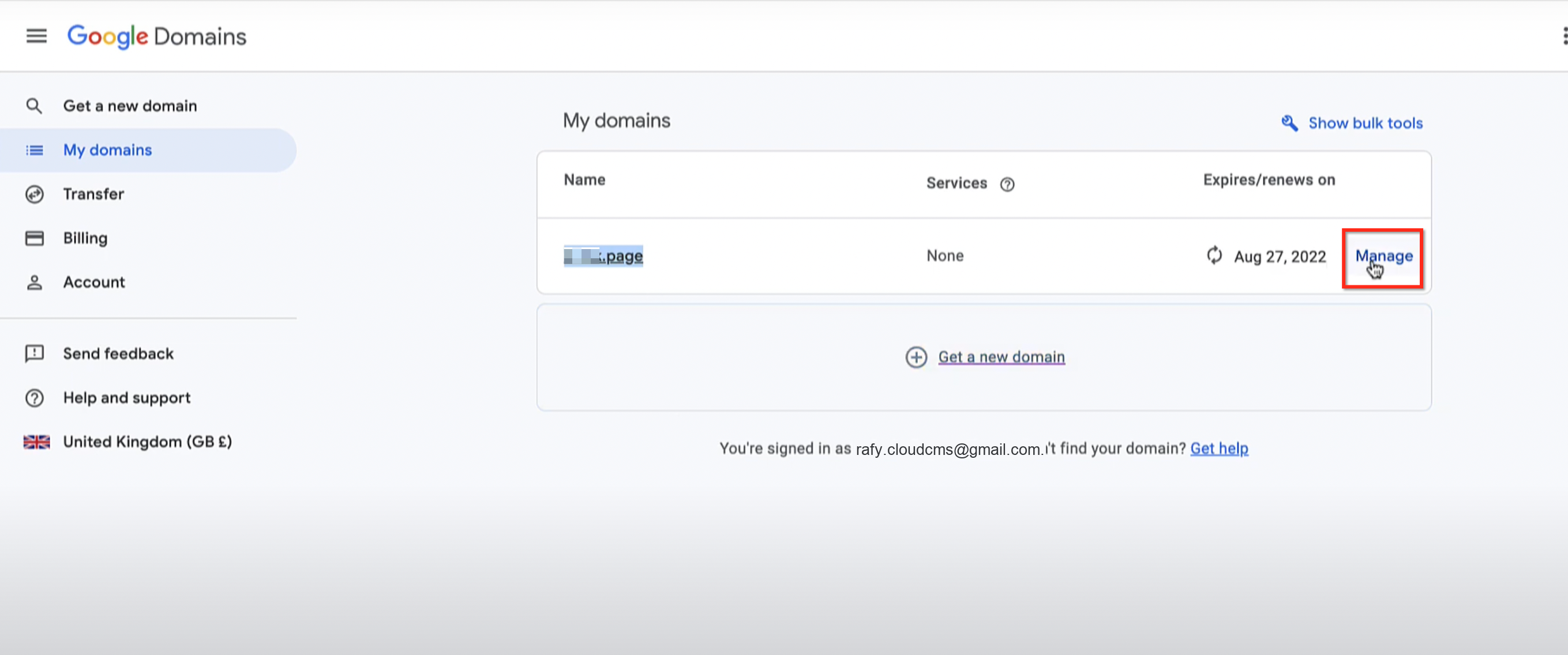
- From the My Domains option, click on Manage on the list where your domain is displayed.
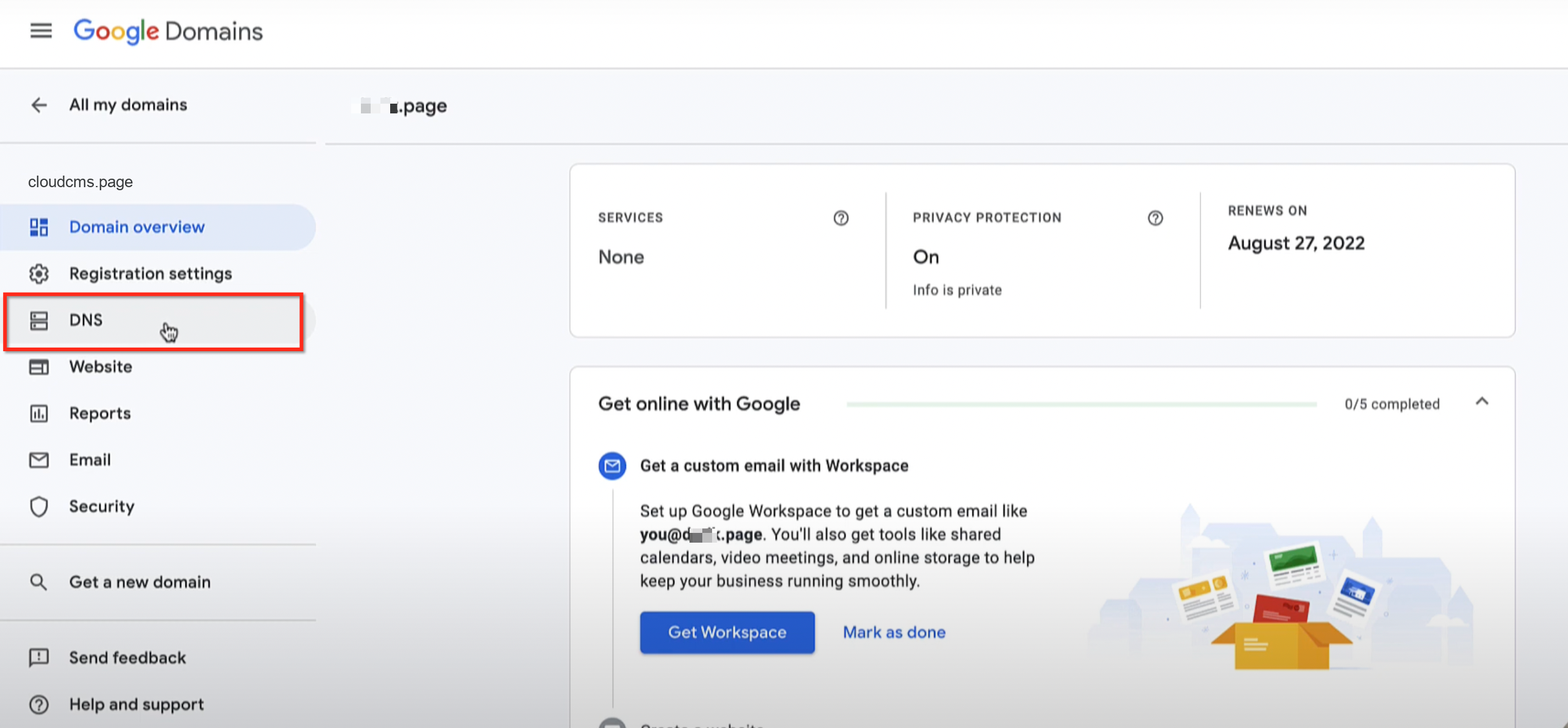
- Go to the DNS option
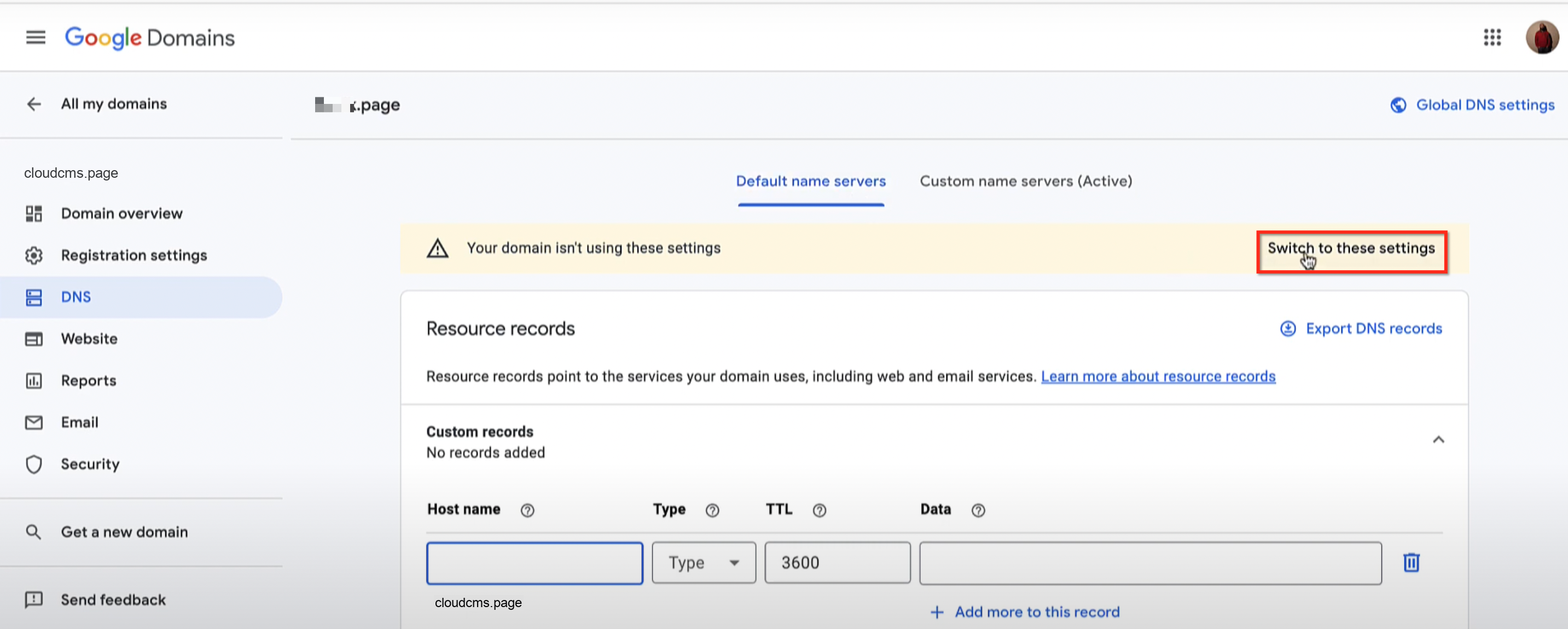
- Click on the Default name servers panel
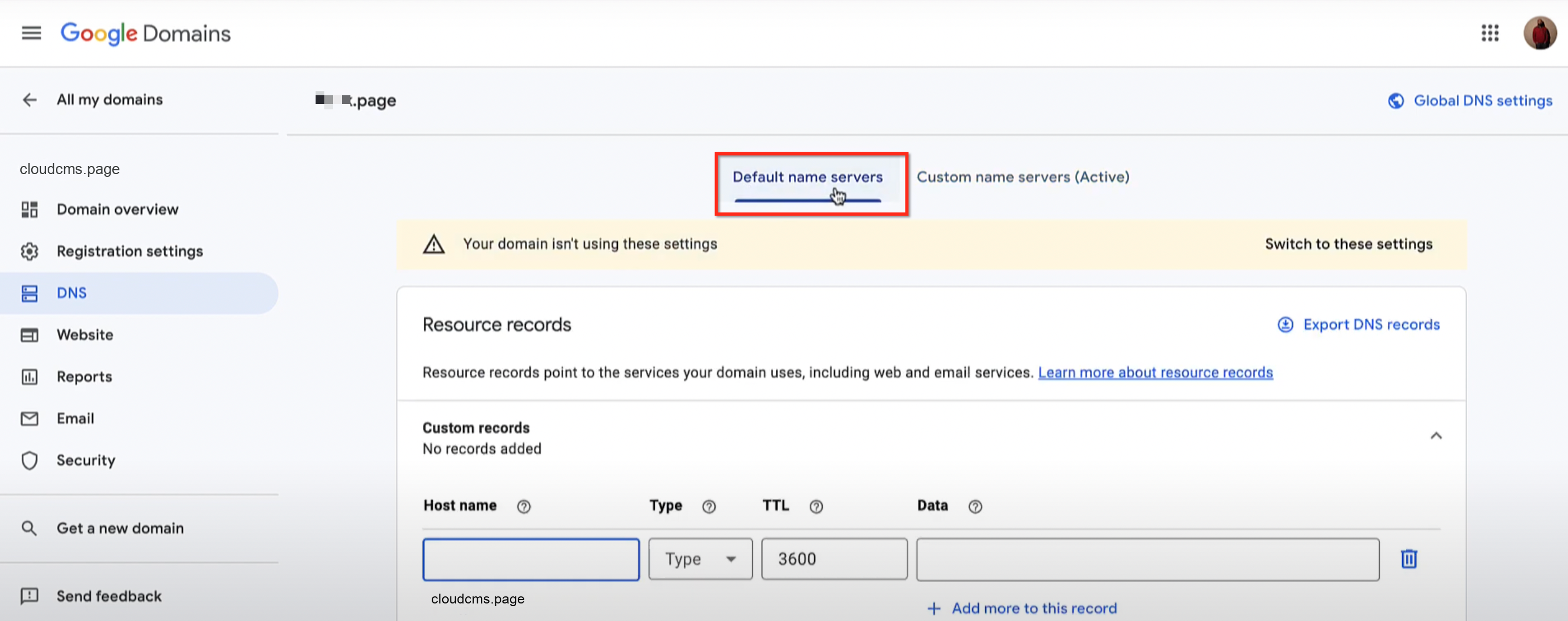
- If you see this message, click on the Switch to these settings option.
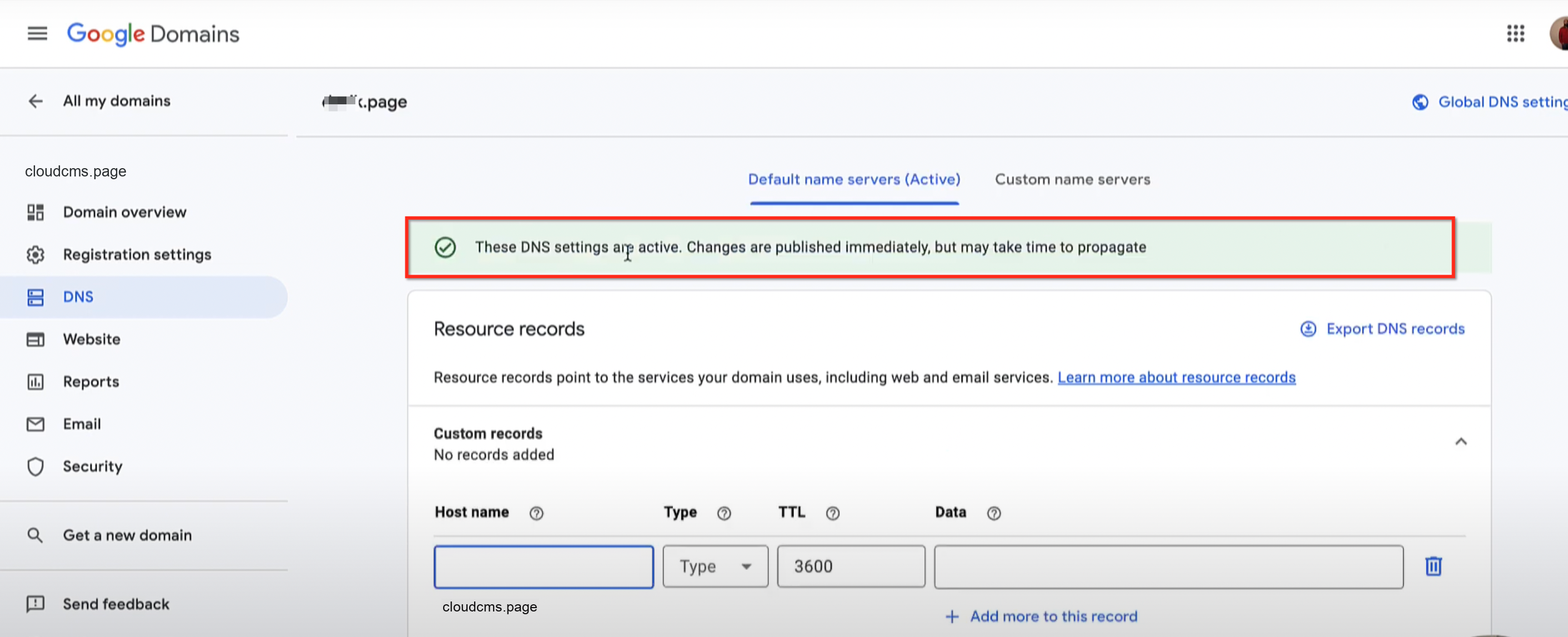
- You will see the message below ⬇️
- Copy the VALUE from the A record as shown in the picture below
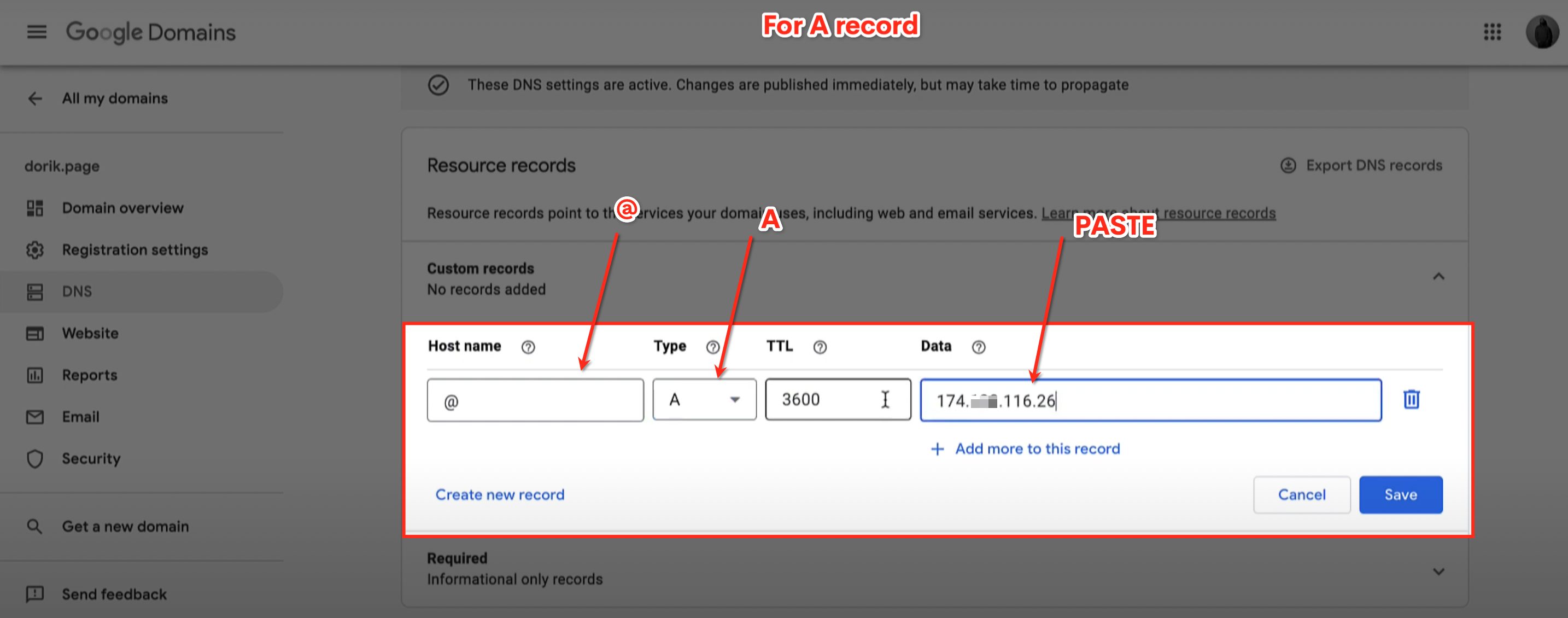
- Follow the steps for creating an A record:
- Type ‘ @ ‘ under Hostname,
- Choose the Type as ‘A‘
- choose any TTL value
- paste the A record value that you copied in the previous step under Data
- Now you will need to add a CNAME record.
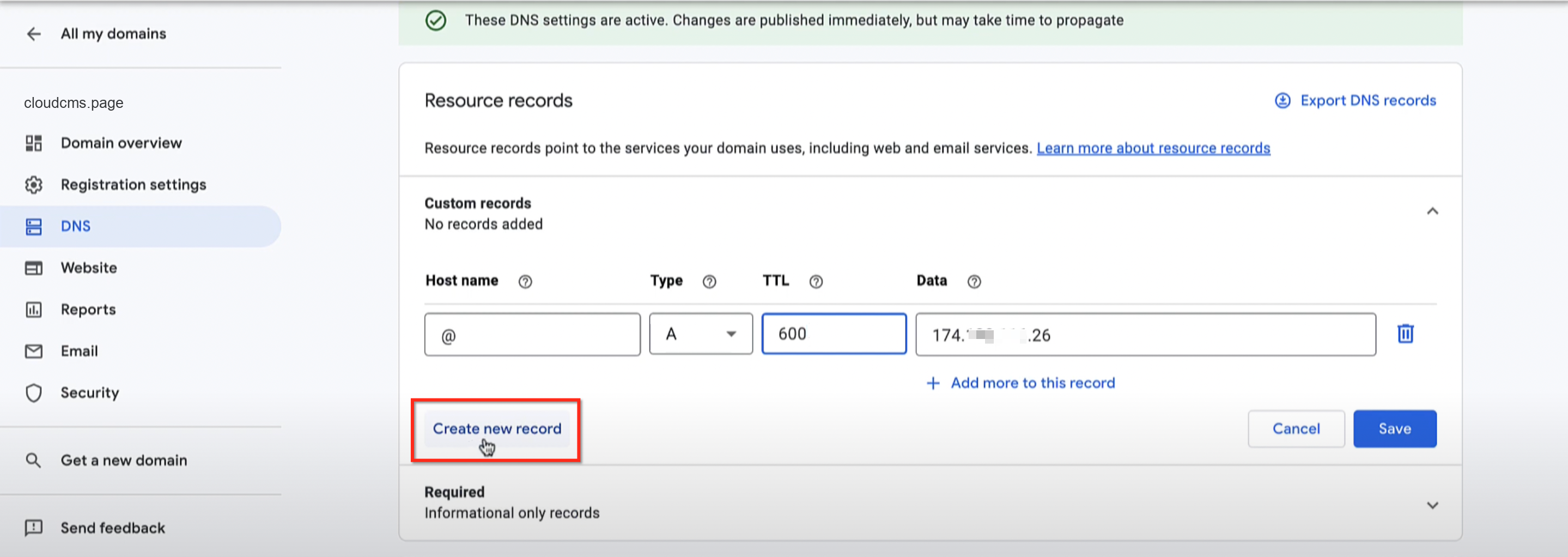
- Click on Create new record just under the A record you created
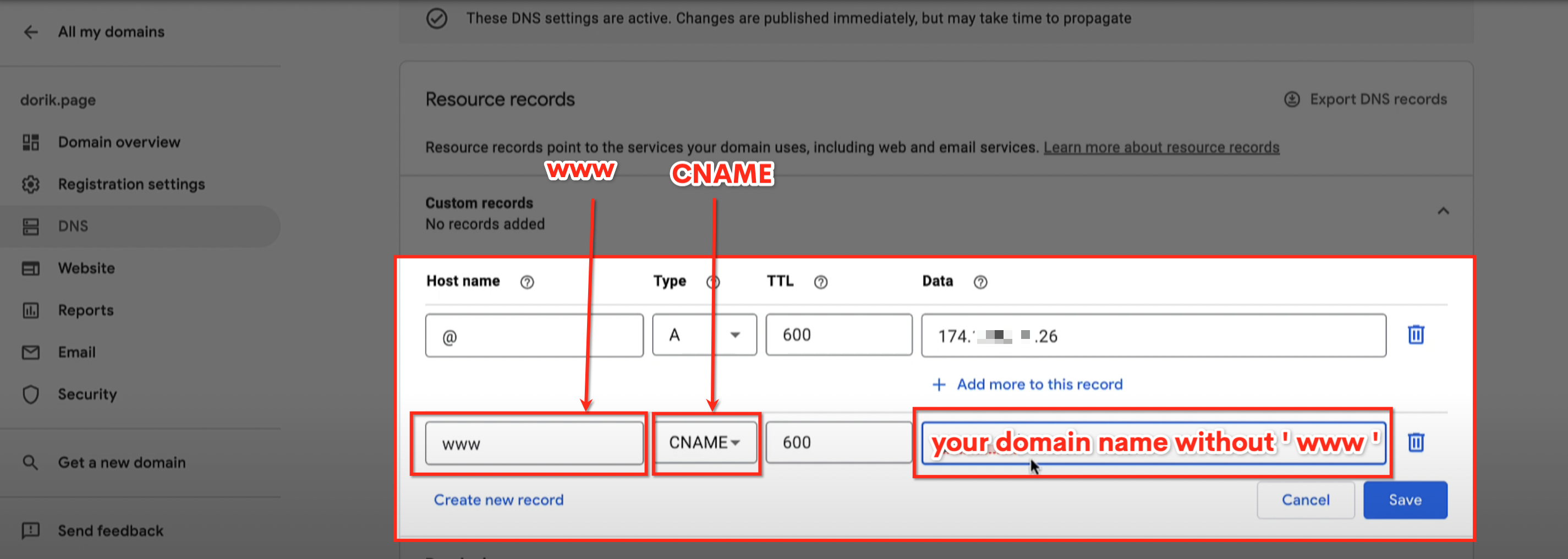
- Follow the steps for creating a CNAME record:
- Type ‘ www ‘ under Hostname,
- Choose the Type as ‘CNAME’
- choose any TTL value
- type your domain name, excluding www from the prefix. E.g., yourdomain.com
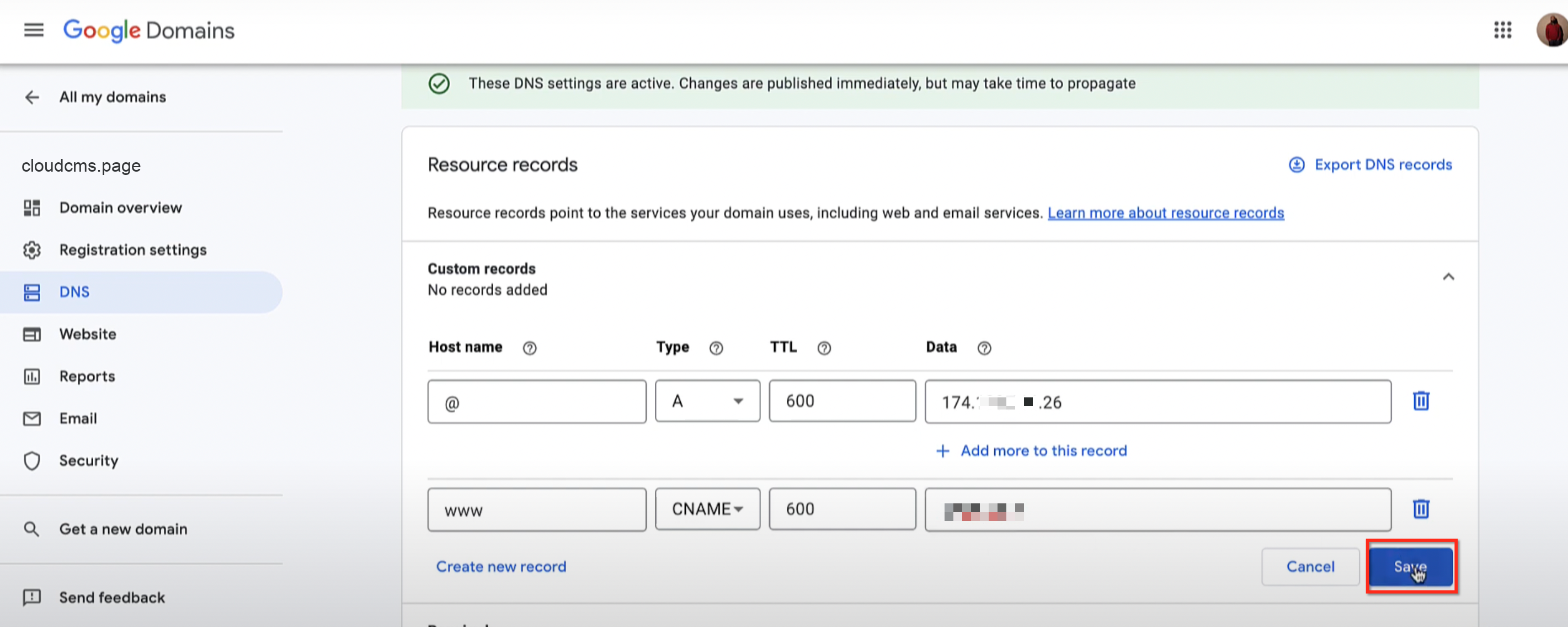
- After creating both A and CNAME records, press Save.
- Go back to your dashboard and click on Connect Domain.
⚠️
It usually takes 1 to 48 hours to update your domain globally
Related articles
Sendinblue - Subscription Form Integrarea OVHAi nevoie de ajutor? Scrie-ne.