
Integrate Stripe
Table of Contents
Getting Started
This article will cover how a user can integrate Stripe to obtain payments from subscribers on their website. Follow all the instructions accordingly to start integrating Stripe.
Integrating Stripe
CloudCMS partners with Stripe for secure payments. You can use this feature to obtain secure payments from users who have purchased a subscription to your site. Follow the steps given below to integrate Stripe:
- After filling out all the important steps for configuring membership on your website, simply click on Connect with Stripe.
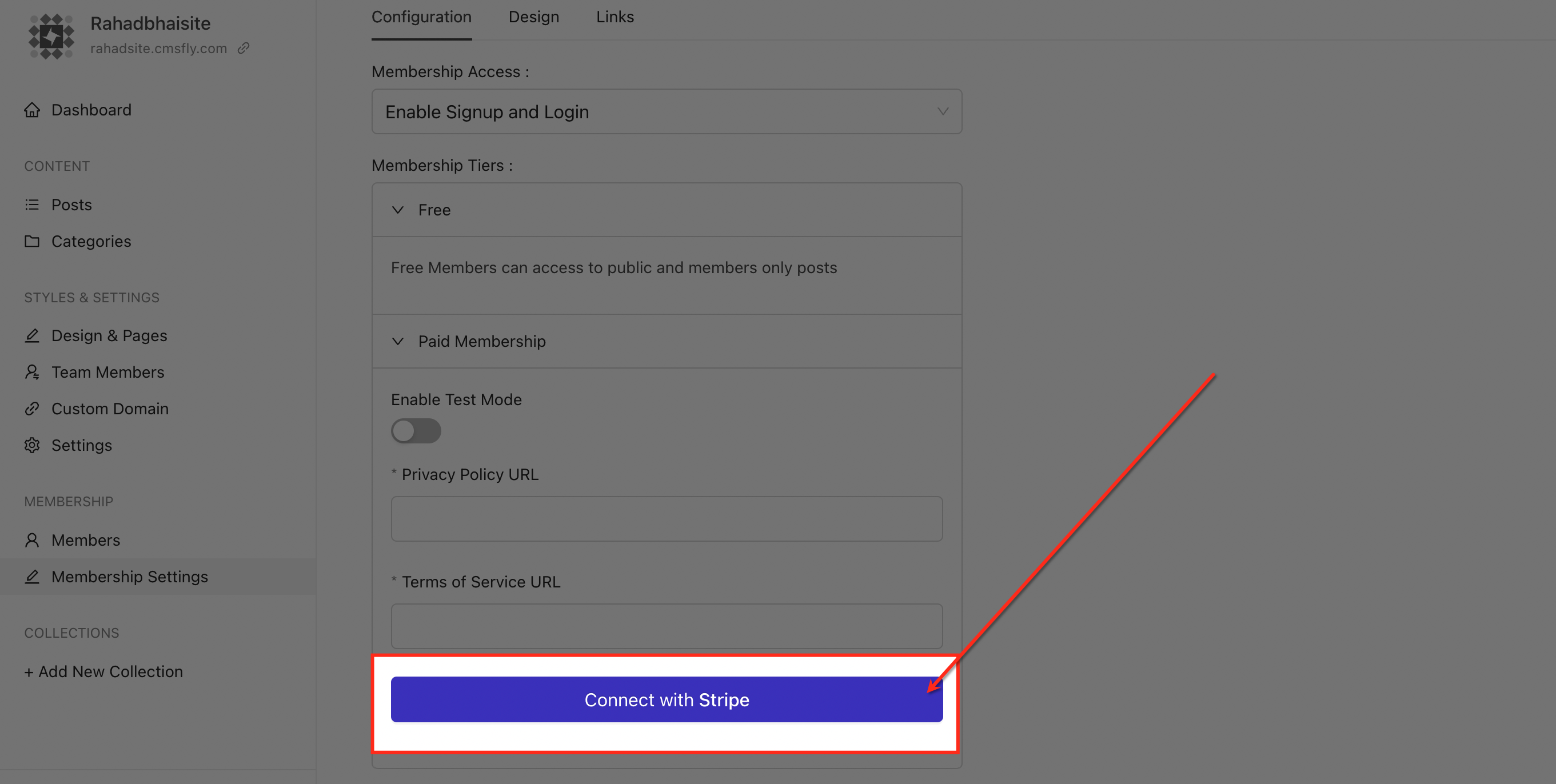
- It will redirect you to this window below ⬇️
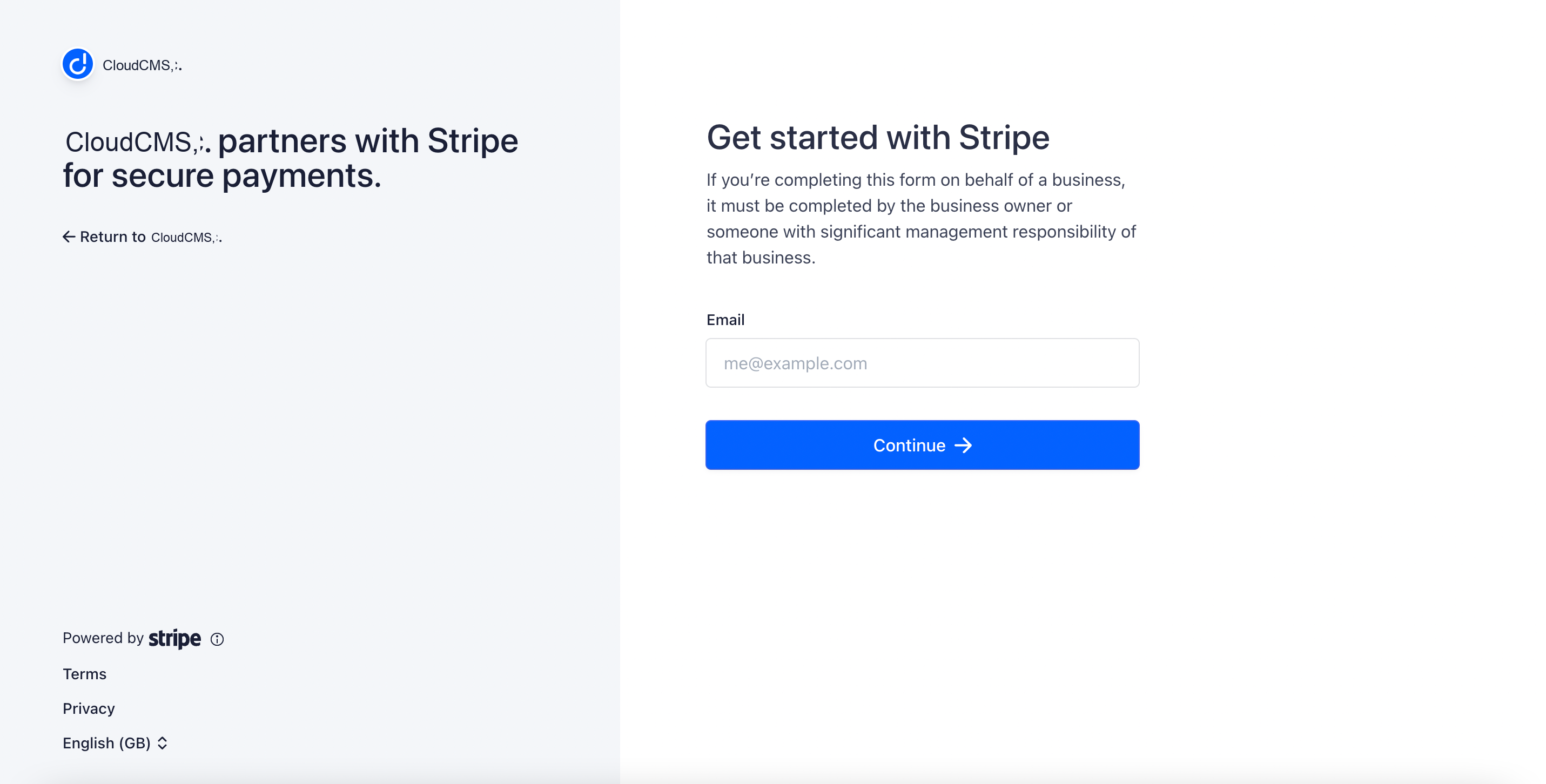
- Start filling out all your important details
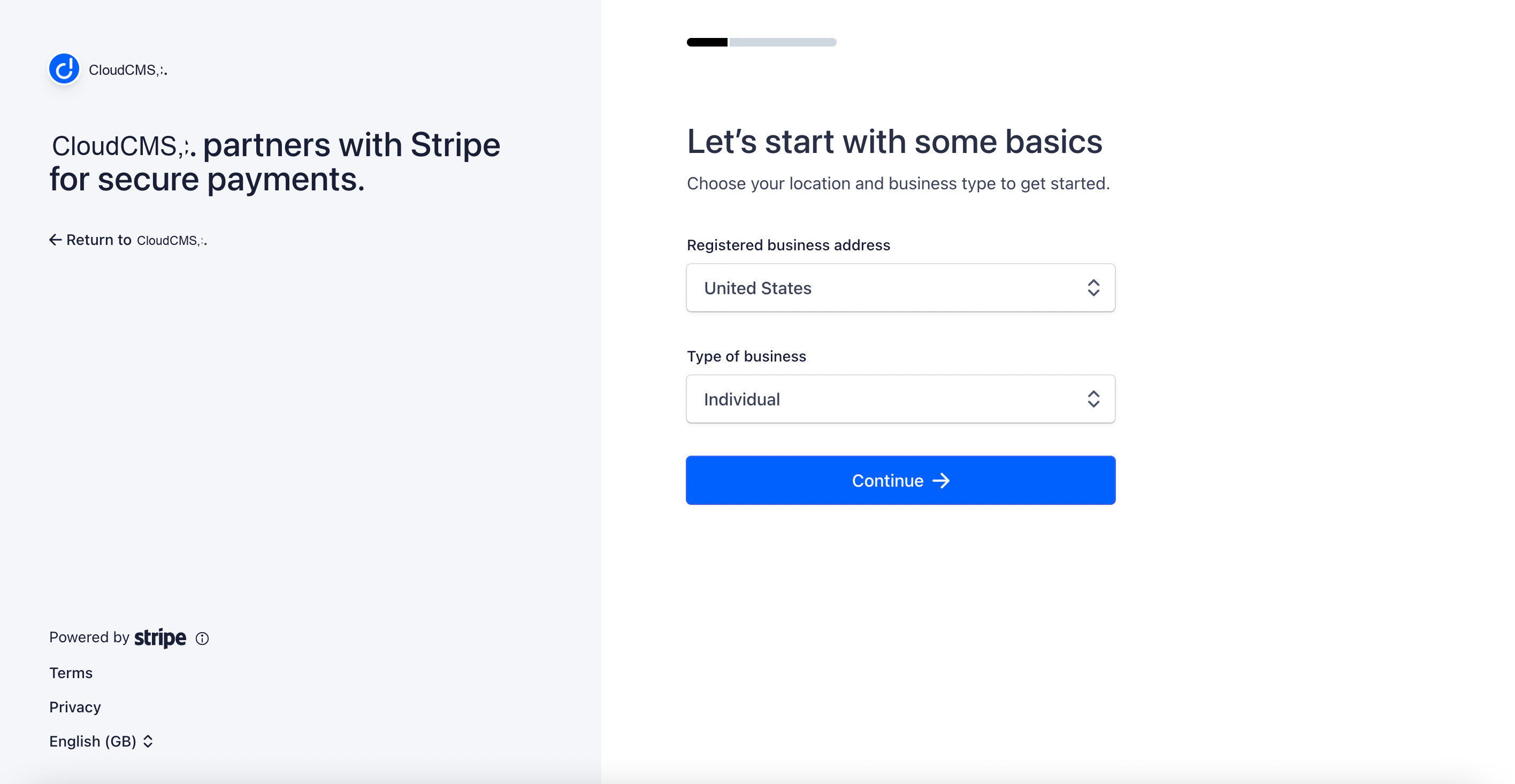
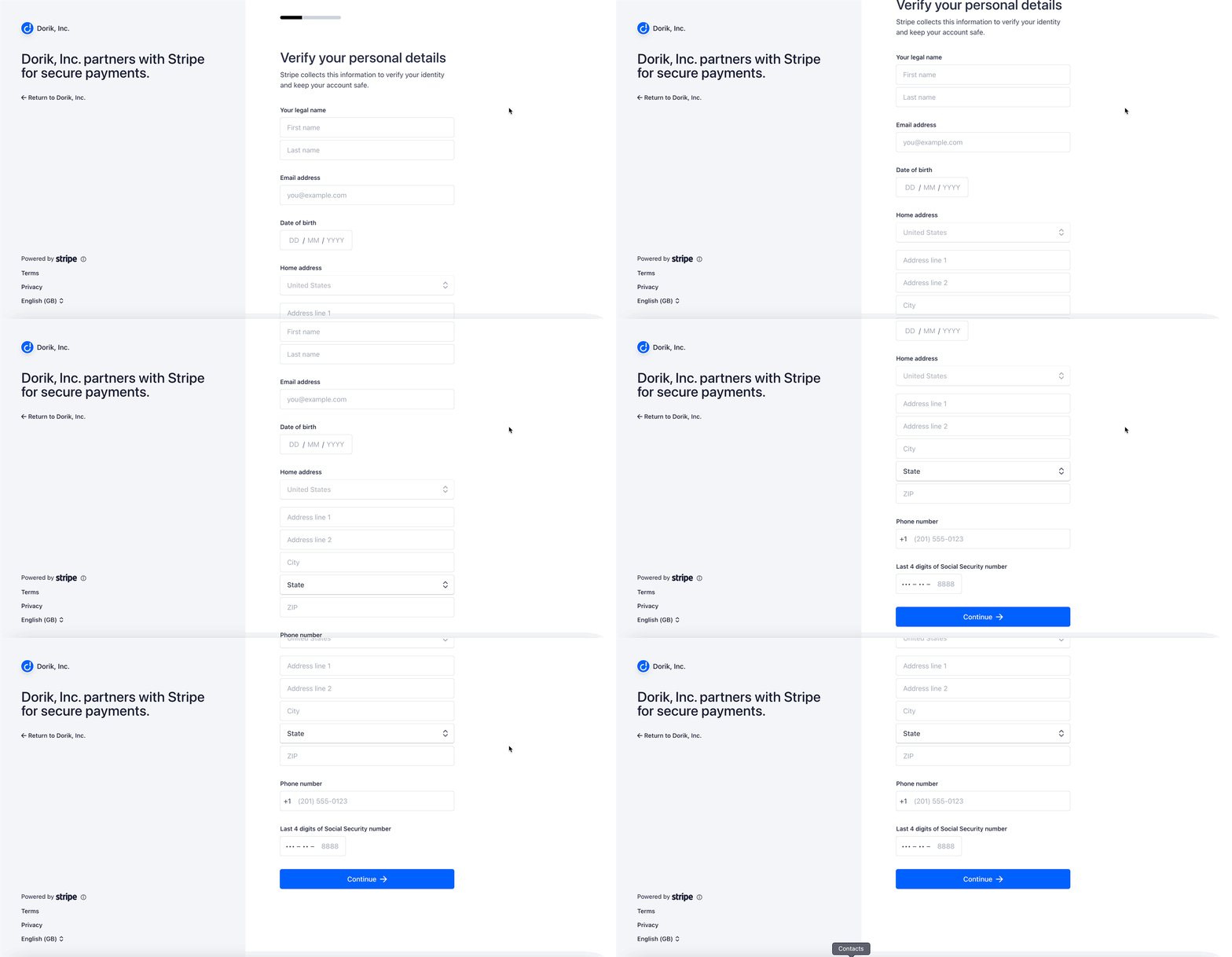
💡
After completing all the important steps, you will be integrated with Stripe.
Set or Update Pricing
You can update your membership sites' pricing after integrating Stripe with your CMS. To update pricing, follow the steps listed below:
- Login to your dashboard
- Go to Membership Settings
- Under the Configuration tab, toggle the Paid Membership option
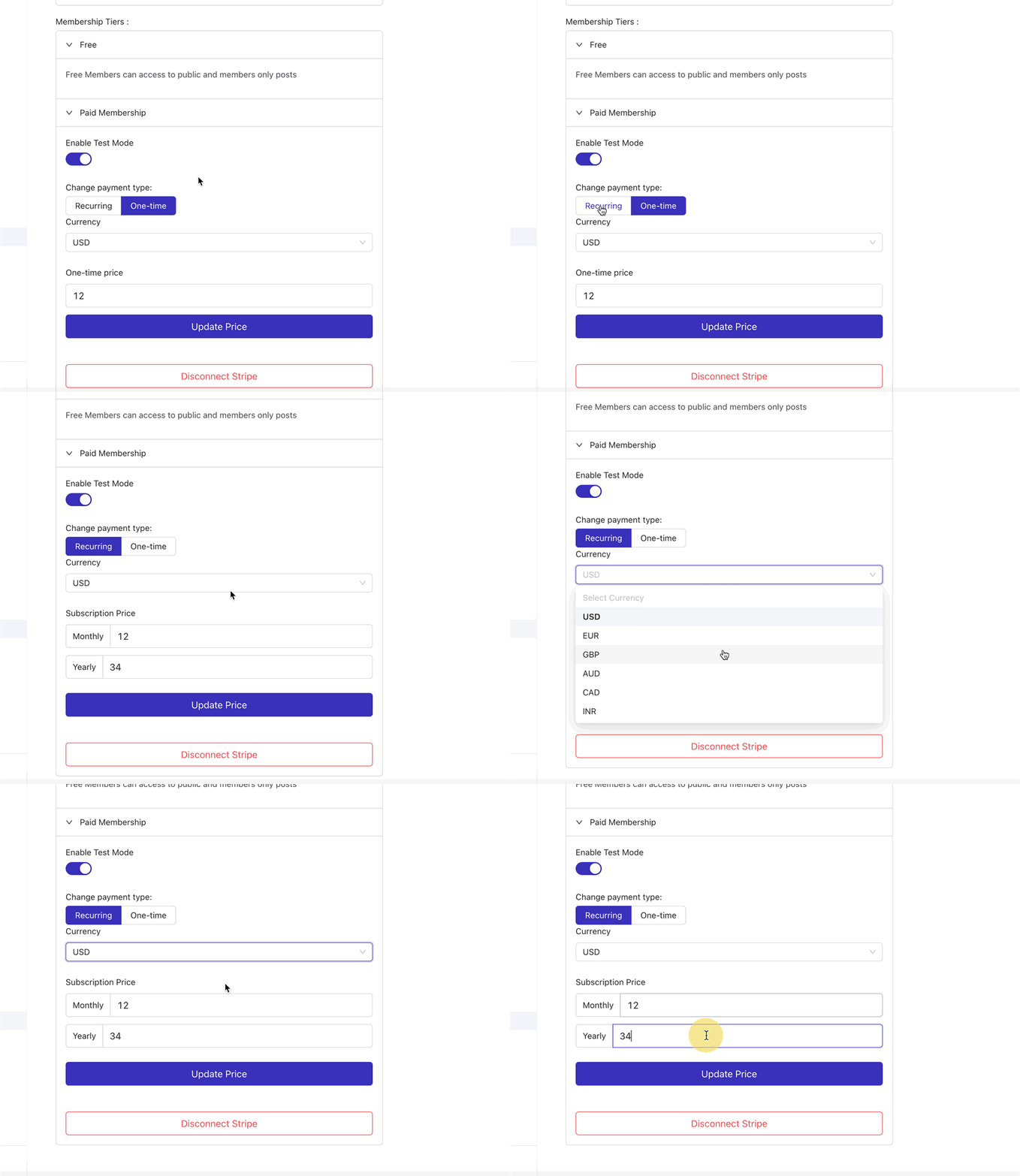
- Choose “Recurring” to receive monthly payments
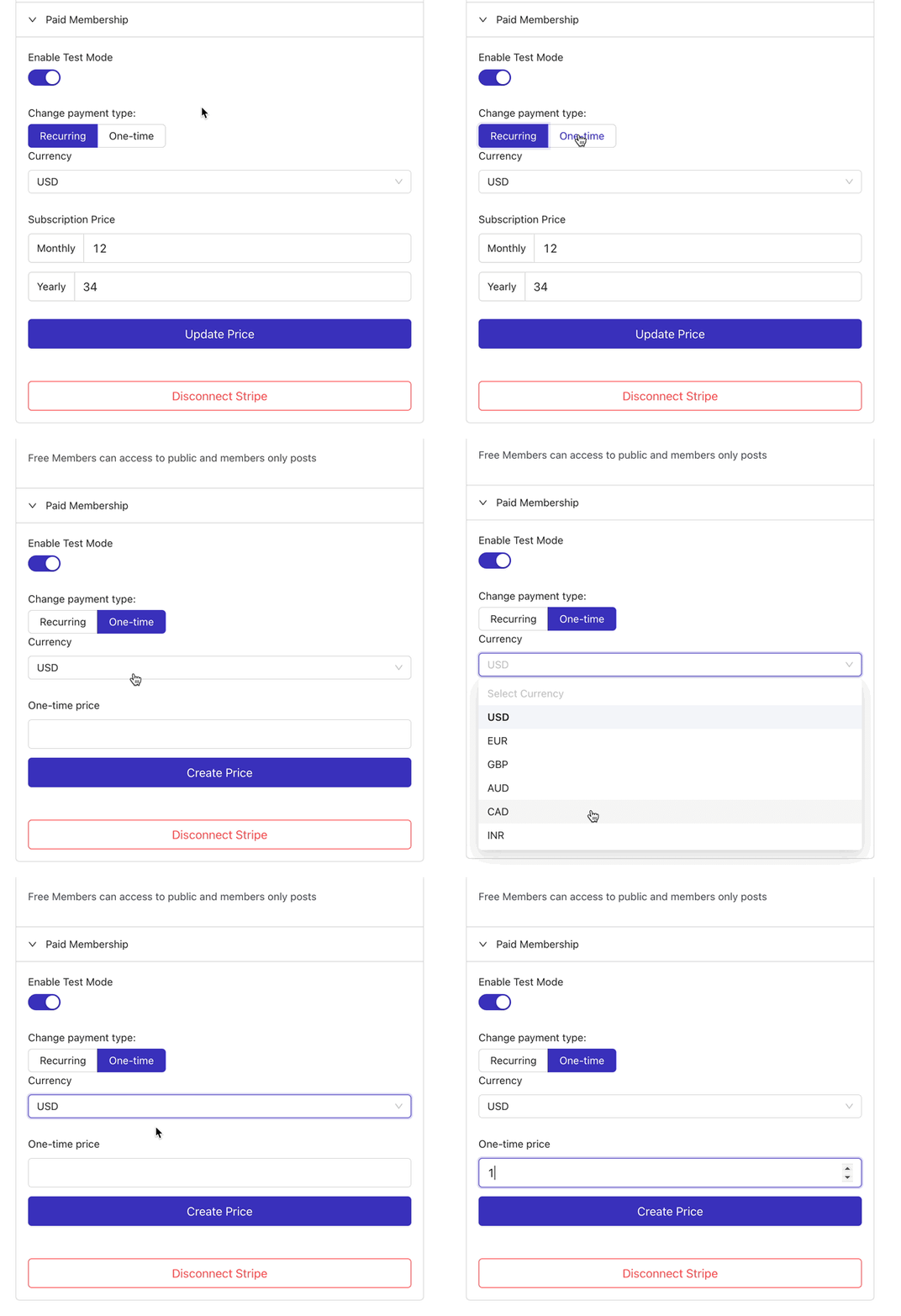
- Choose “One Time” to receive a one-time payment
- Choose any currency
- For “Recurring,” set the monthly and yearly price
- For “One Time,” set a one-time price
- Press the Update Price button
Let us look at these settings visually:
Setting Recurring Payment
Setting One-Time Payment
Related articles
Membership link and data-attribute use🖌️ Membership DesignAi nevoie de ajutor? Scrie-ne.