
Ajutor › Integrări Formular de Abonare
Active Campaign - Subscription Form
Getting Started
This article will cover integrating Active Campaign into a subscription form on your website. Follow all the instructions accordingly to integrate EmailOctopus into your subscription form.
Table of Contents
Adding a Subscription Form
Refer to the Documentation below to learn how to add a Subscription Form element to your website ⬇️
📮 Subscription FormIntegrating Active Campaign
To integrate Active Campaign into your subscription form, follow the steps given below:
- After you add the Subscription Form, click on Edit Element
- Expand the Form Configuration option
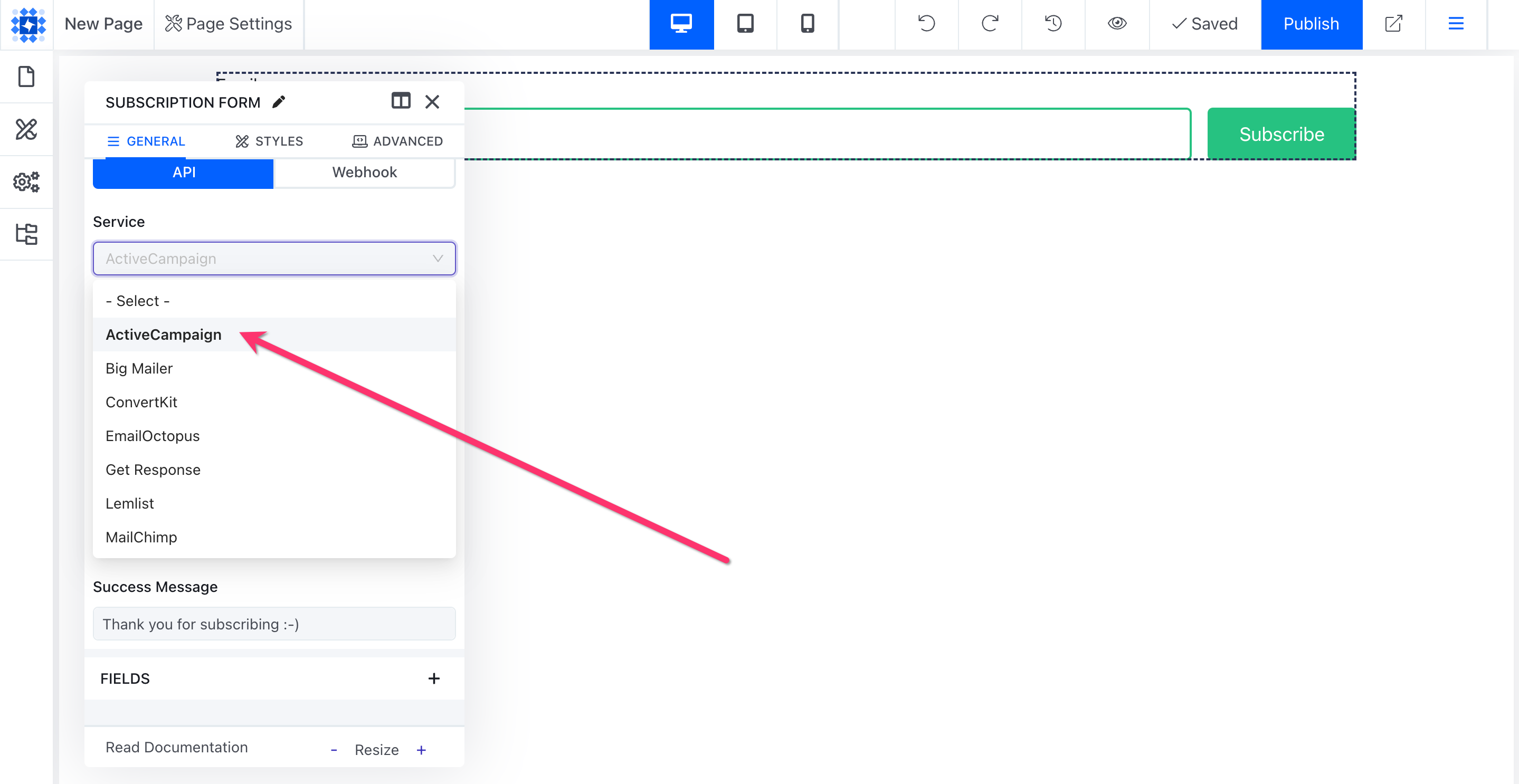
- Choose Active Campaign from the Services option
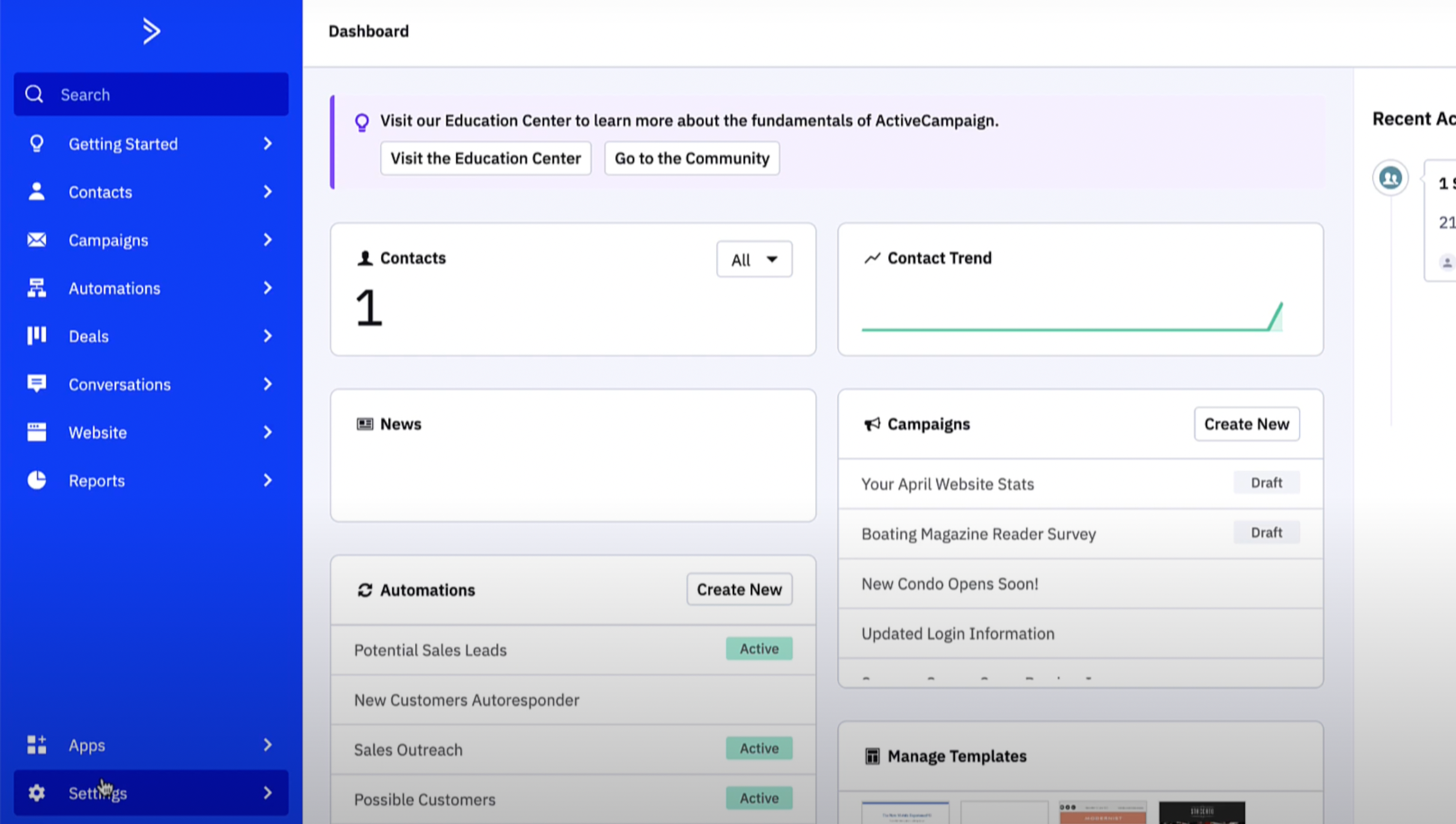
- Go to Activecampaign.com and log in to your account
- Go to Settings from your Dashboard
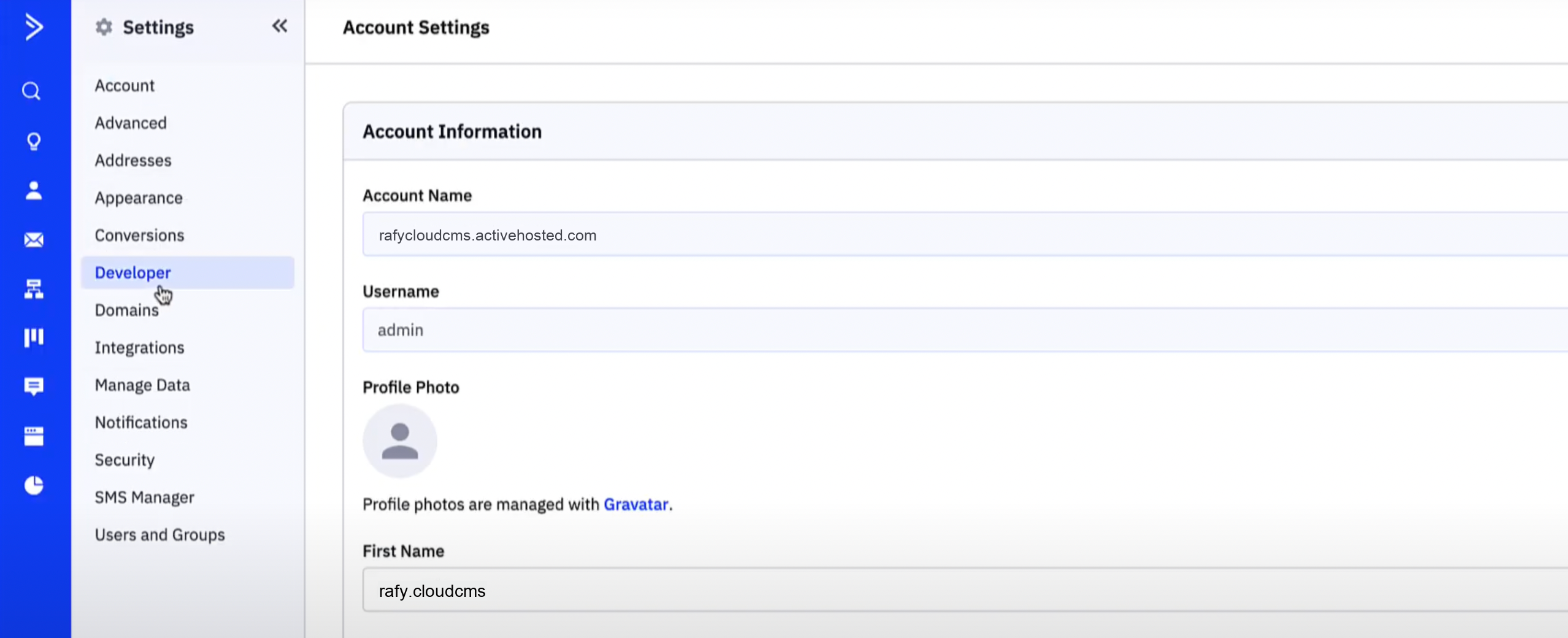
- Select the Developer option
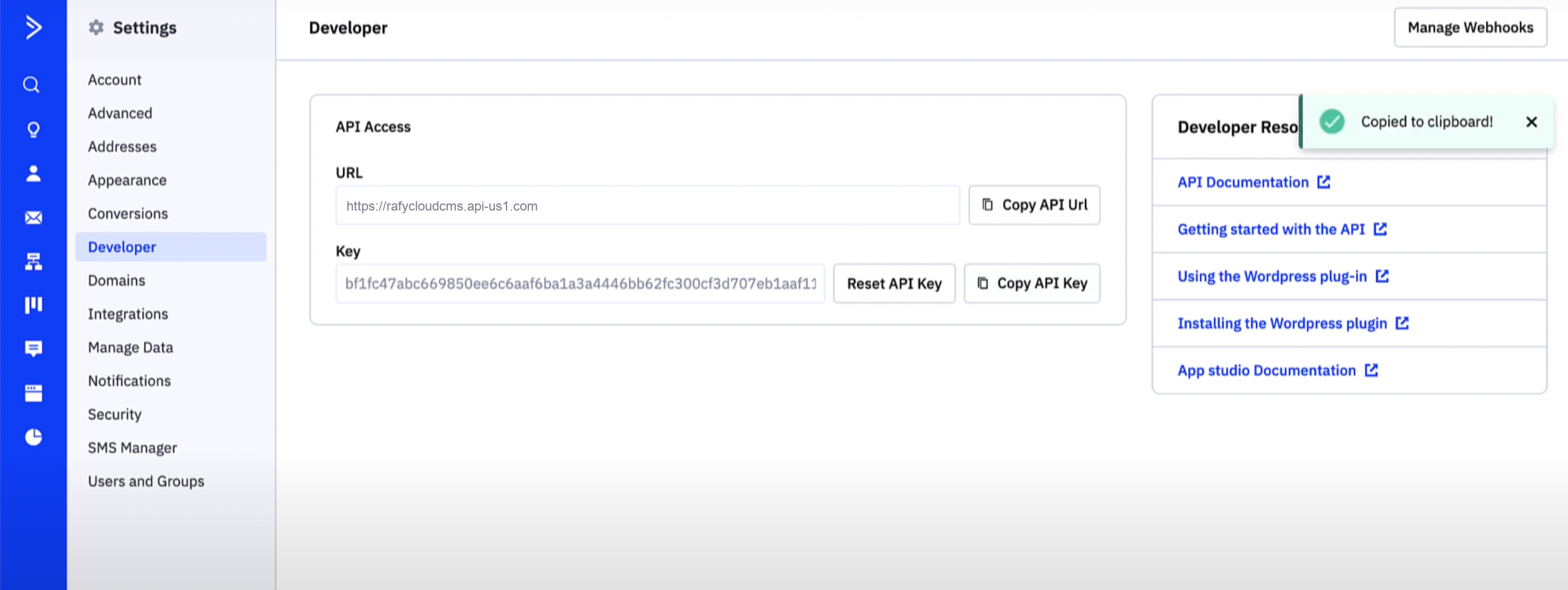
- Copy the API key
- Go back to your builder, and under the Form Configuration option, click on Add New API key
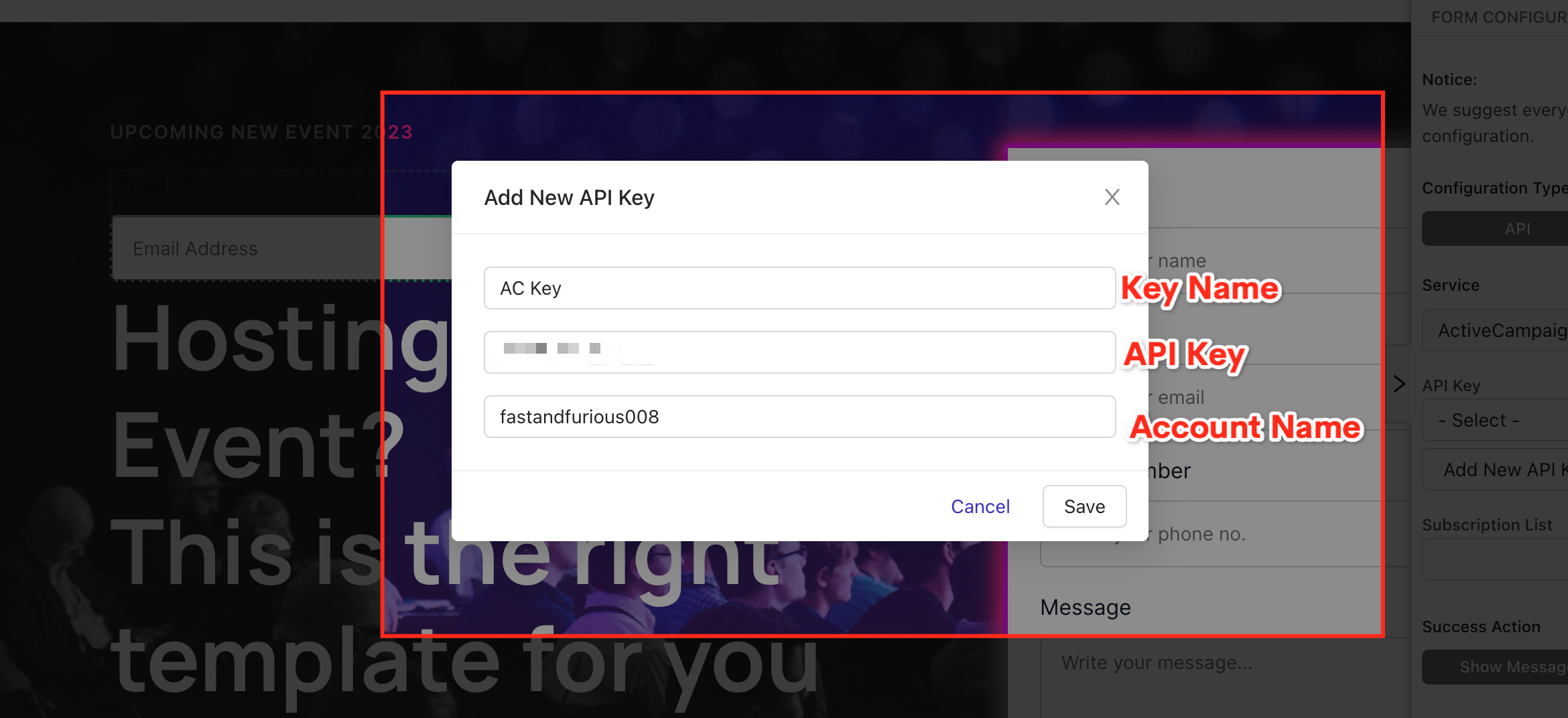
- Give your key a name and paste the API key you copied previously
- Add your ActiveCampaign Account name
- Done! Active Campaign has been integrated into your Subscription form
The images below show the whole process being demonstrated visually ⬇️
- Expand the Form Configuration option from the Subscription Form editor and choose Active Campaign from the Service option
- Go to Activecampaign.com and log in to your account then go to Settings from your Dashboard
- Go to the Developer option
- Copy the API key.
- Go back to your builder, and under the Form Configuration option, click on Add New API key
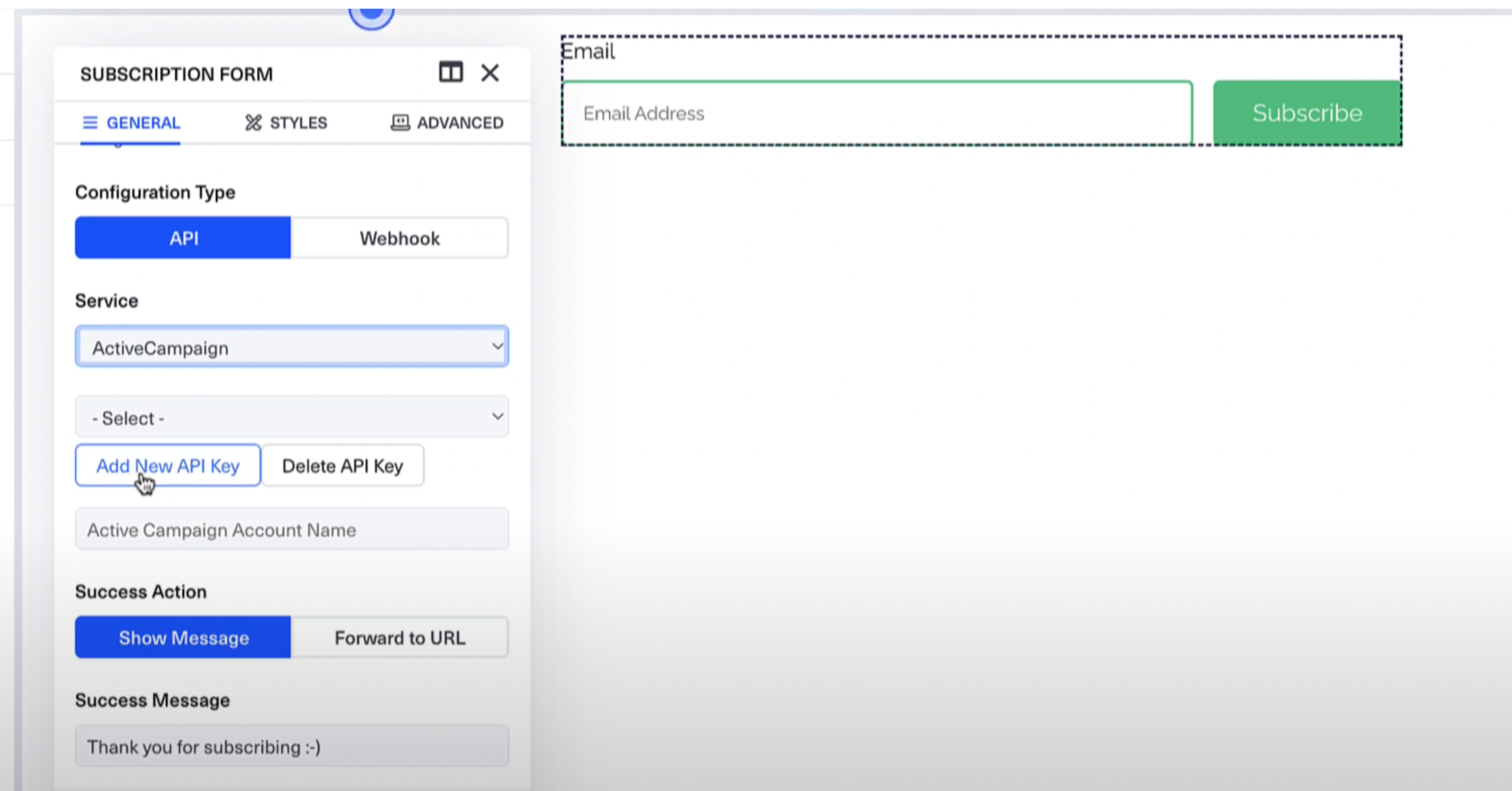
- Give your key a name and paste the API key you copied previously
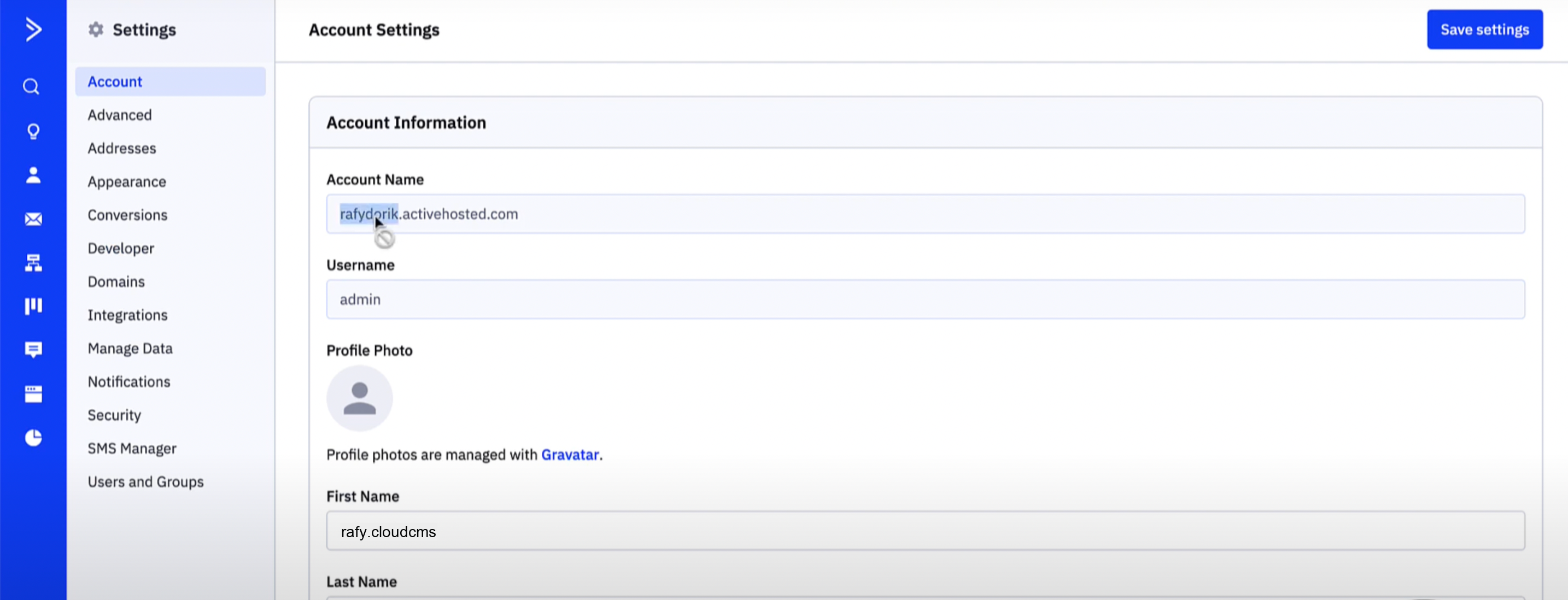
- Next, you will need to input your Active Campaign account name. To do that, go to Account from the settings panel and copy your account name by excluding the “.activecampaign.com.”
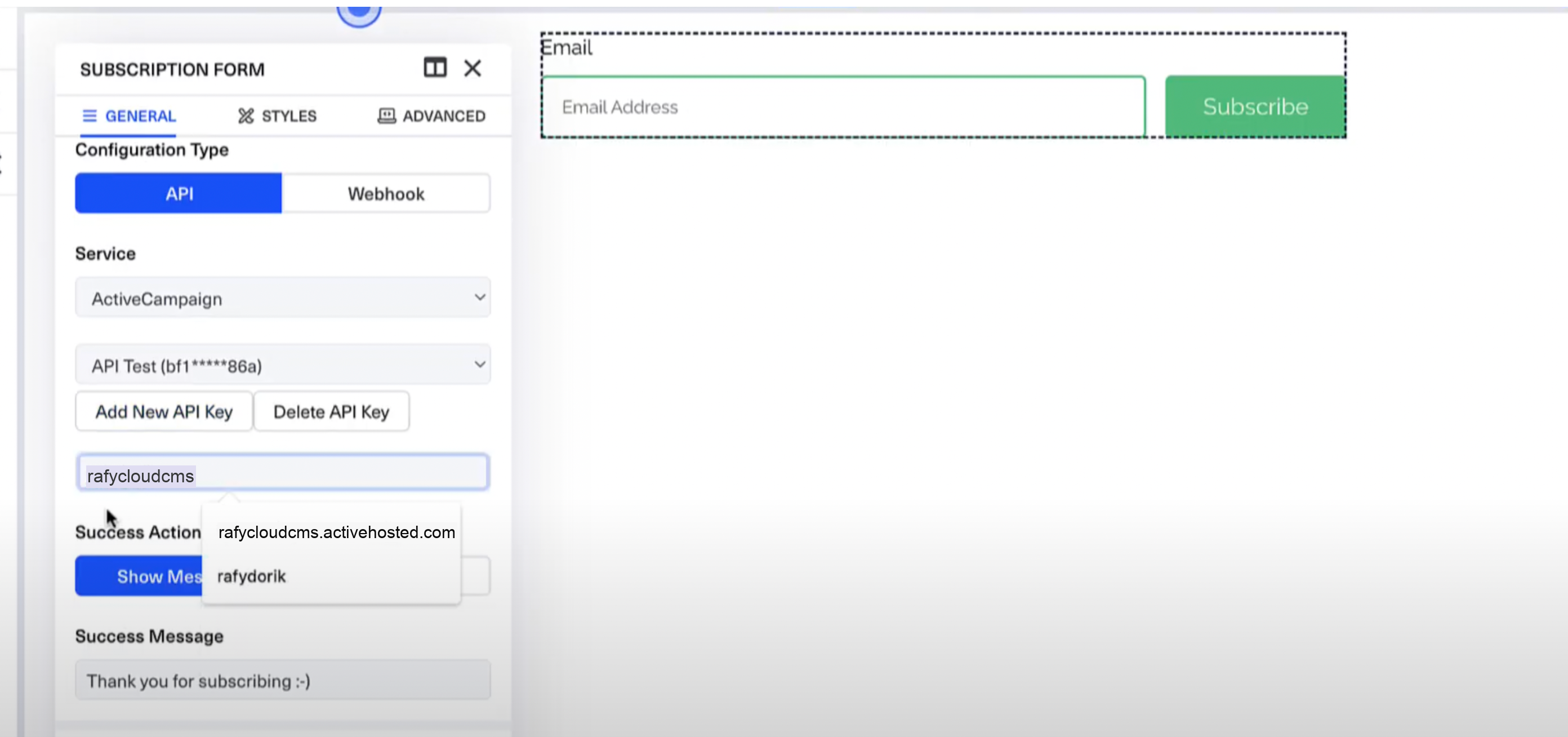
- Enter your Active Campaign account name
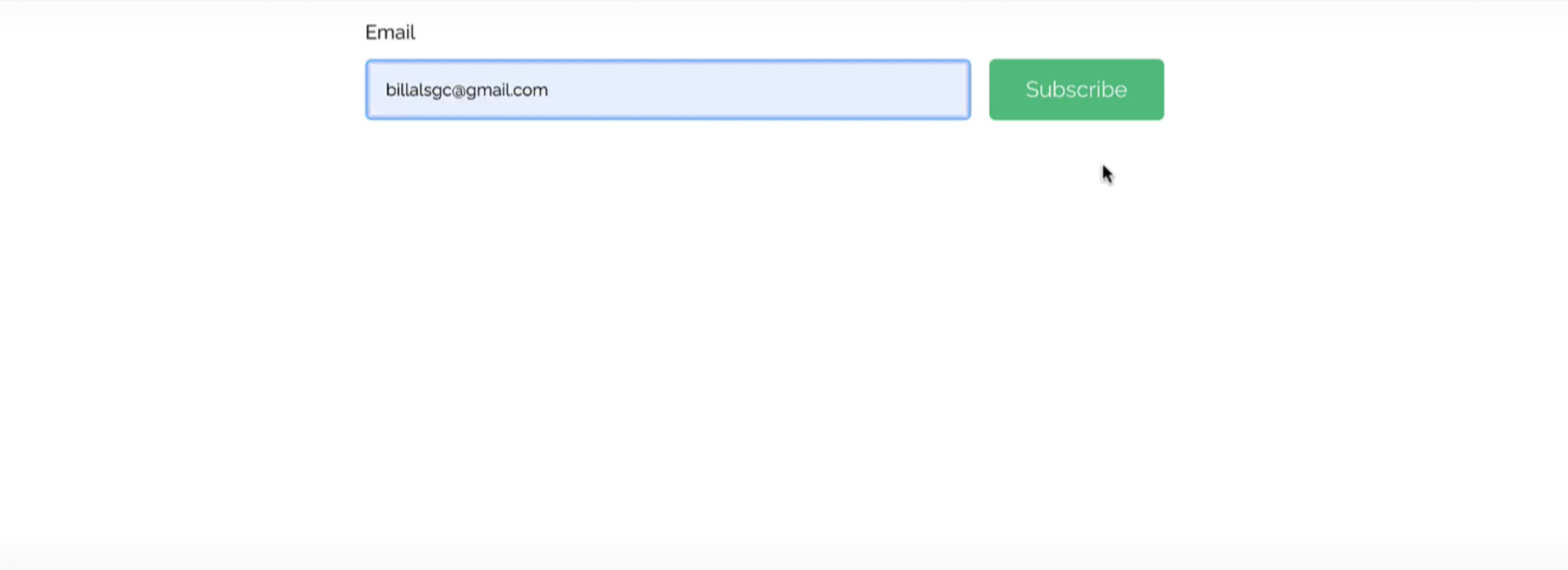
- To test this, visit your site externally and input any email address on the Subscription Form.
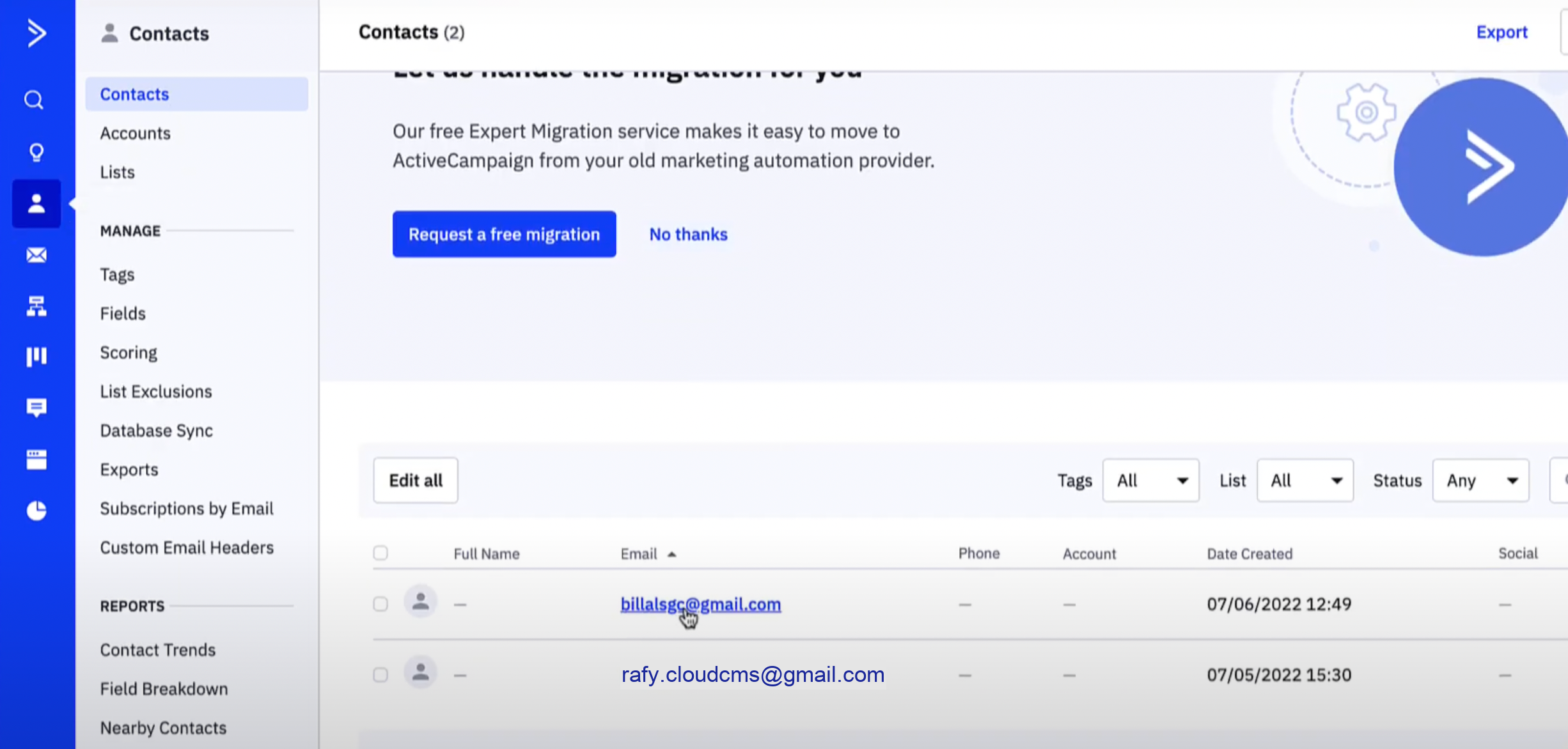
- Go to Contacts in your Active Campaign account and find the email address you had input in the previous step being displayed in the list.
Related articles
Integrarea cu Cloudflare Domain Sendinblue - Subscription FormAi nevoie de ajutor? Scrie-ne.