
Ajutor › Integrări Formular de Abonare
Lemlist Integration - Subscription Form
Getting Started
Follow all the instructions accordingly to integrate Lemlist into your subscription form.
Table of Contents
Adding a Subscription Form
Follow the below steps to add a Subscription form:
- Click Add New Section and select a Custom Section.
- Click on Add New Element.
- Then select Subscription Form from the element editor.
Refer to the GIF below:
For more details, refer to the below documentation:
Integrating Lemlist
To integrate Lemlist into your subscription form, follow the steps given below:
- After adding the Subscription Form, click on Edit Element
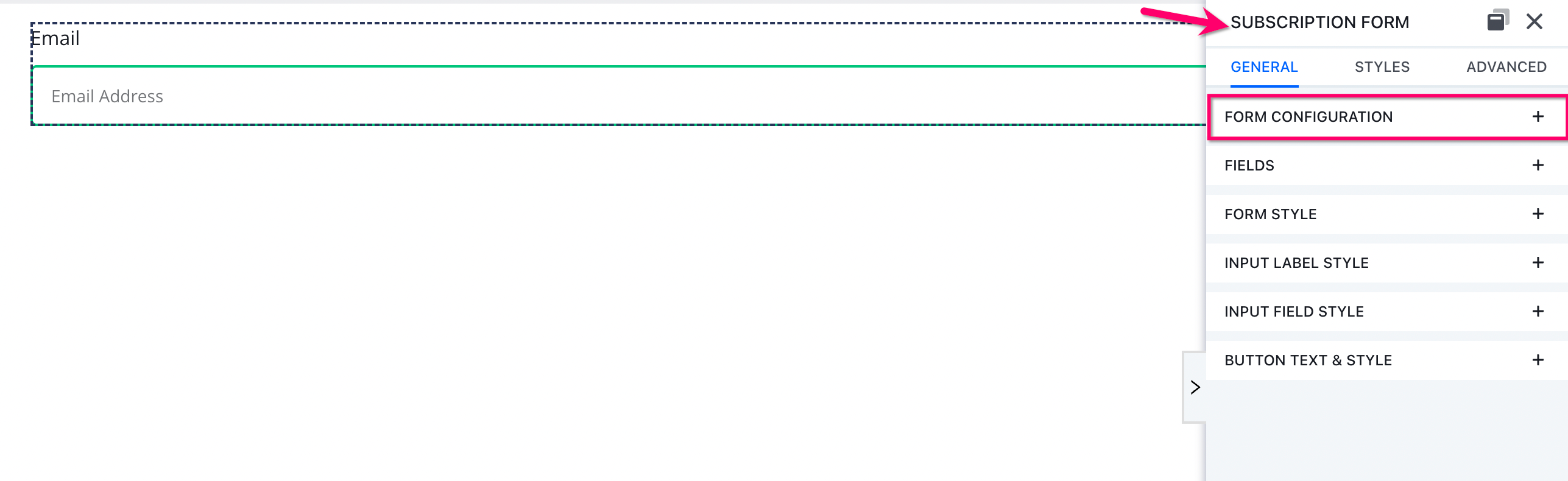
- Click on the Form Configuration option
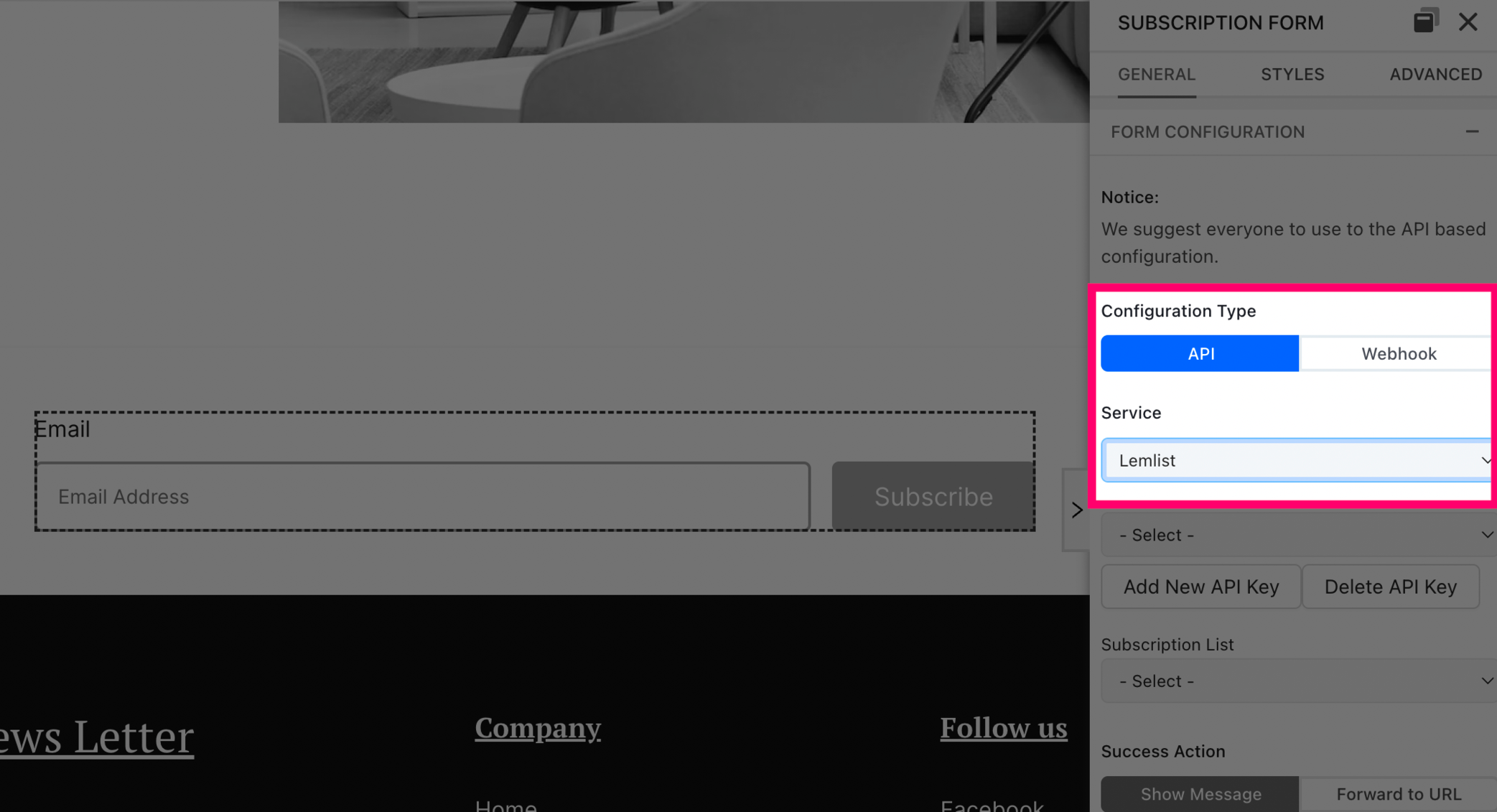
- Choose Lemlist from the Services option of API Configuration Type
- Go to www.lemlist.com and log in
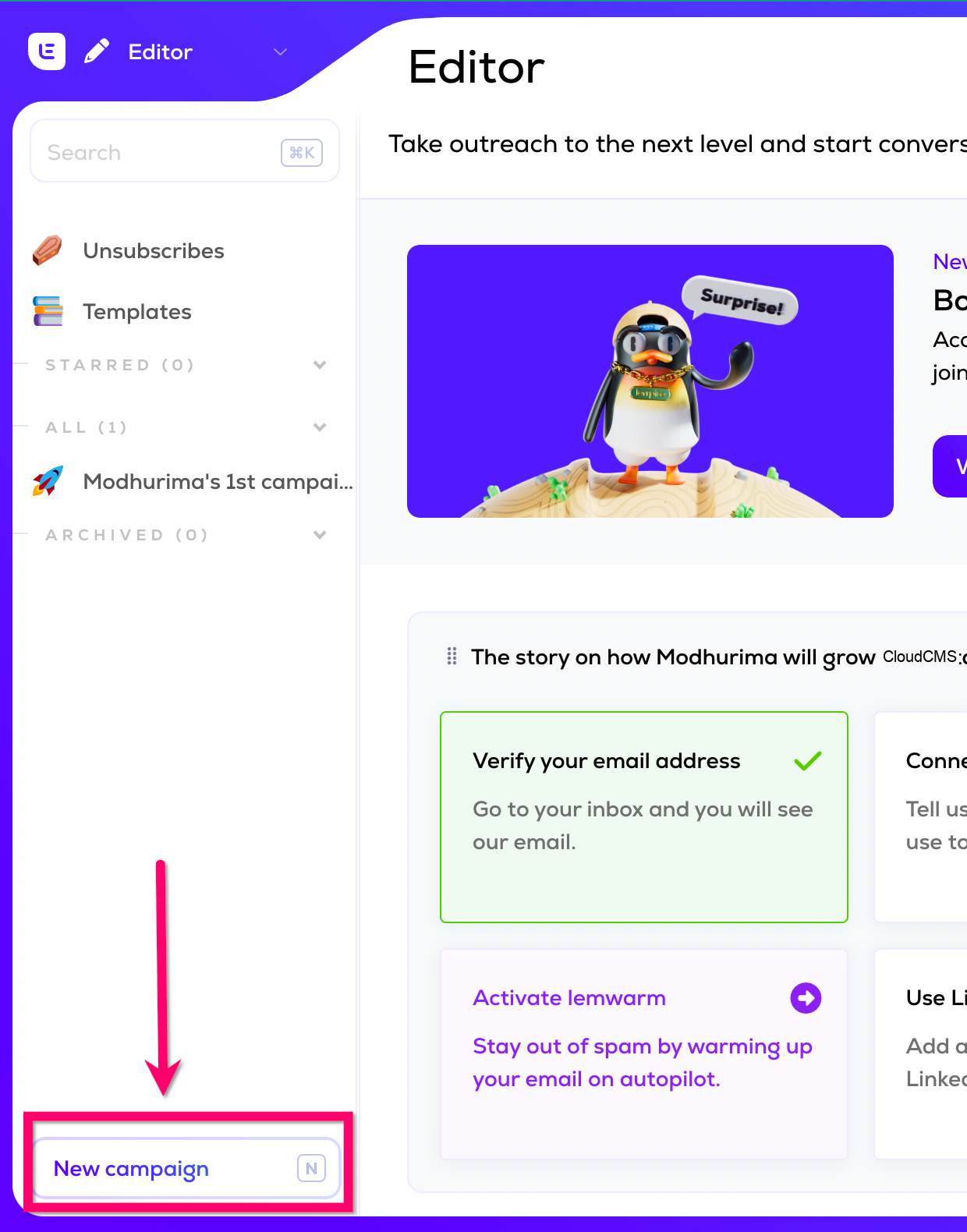
- From app.lemlist.com/teams create a campaign
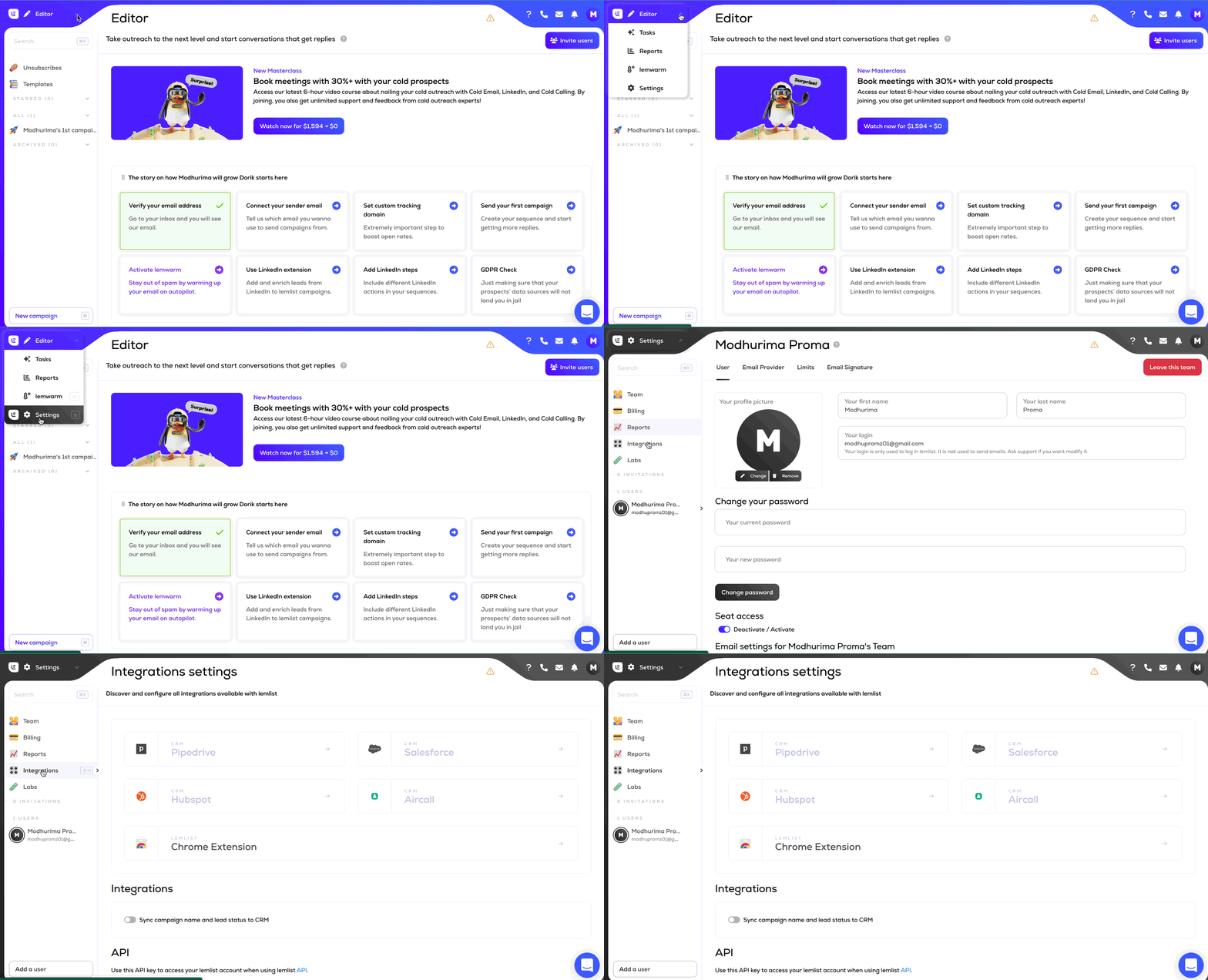
- Then go to moosend.com/account-settings/apikey and select Integration
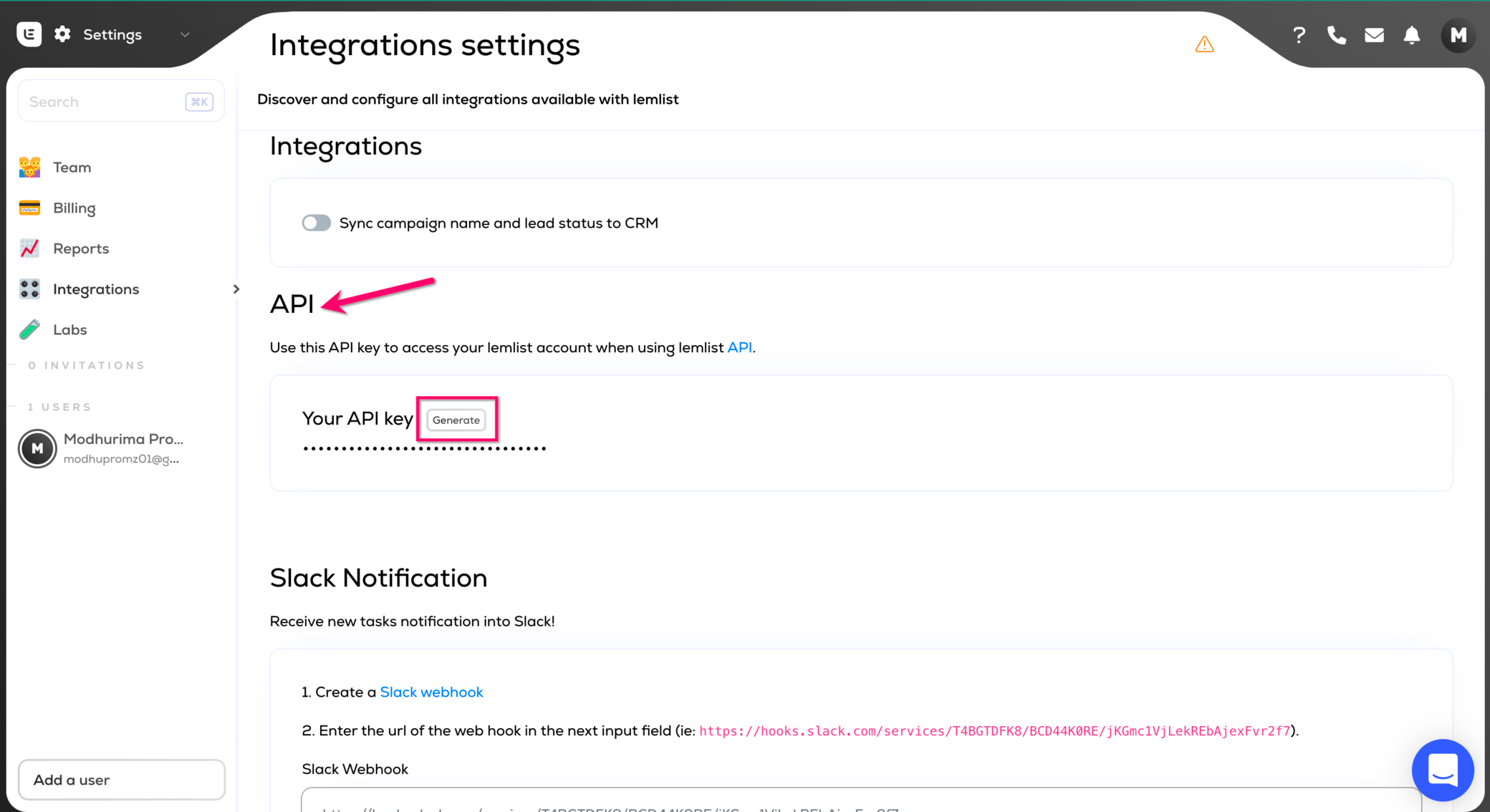
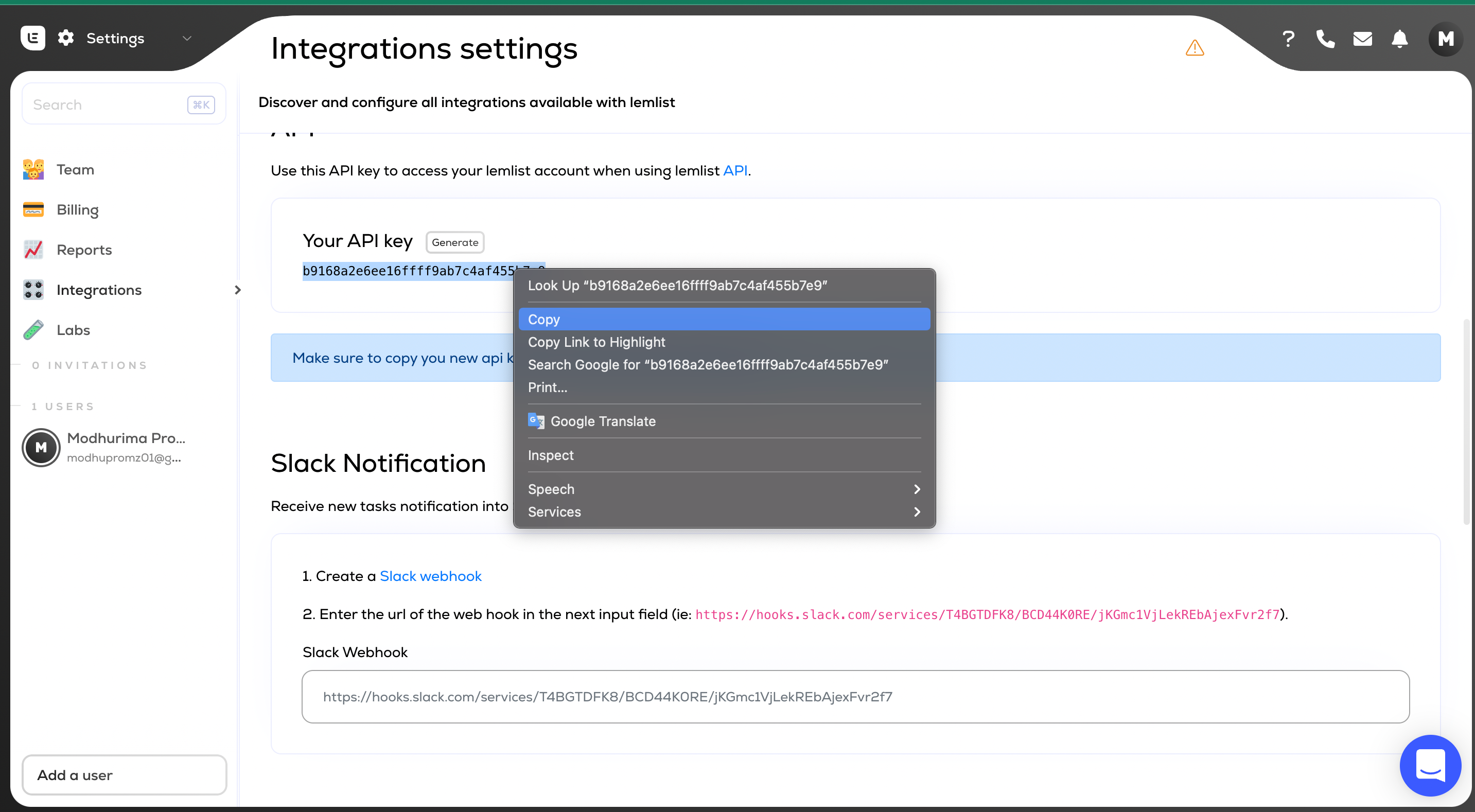
- Scroll down to API, generate Your API key, and copy it
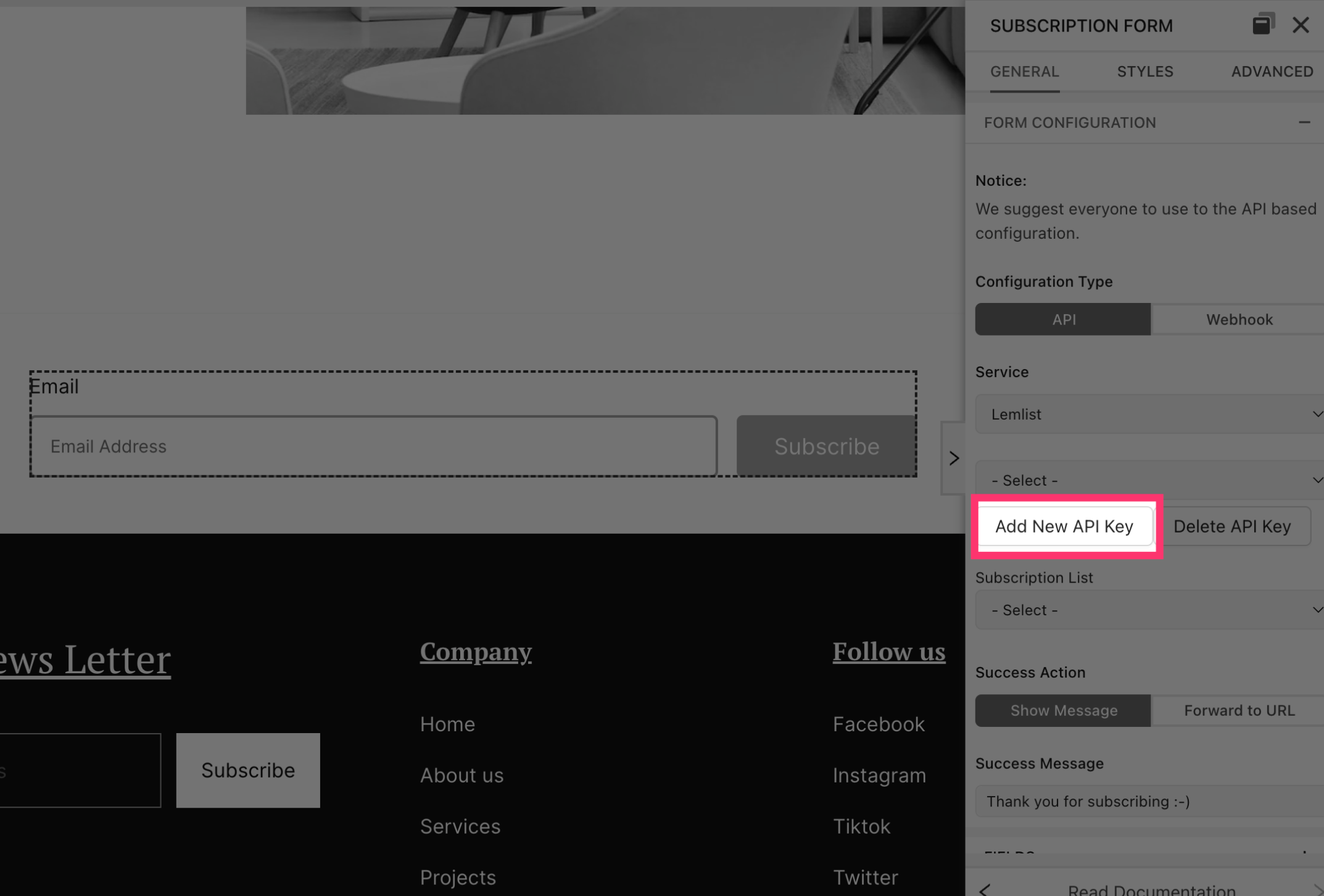
- Go to your website builder and click on Add New API Key on the Subscription Form element editor
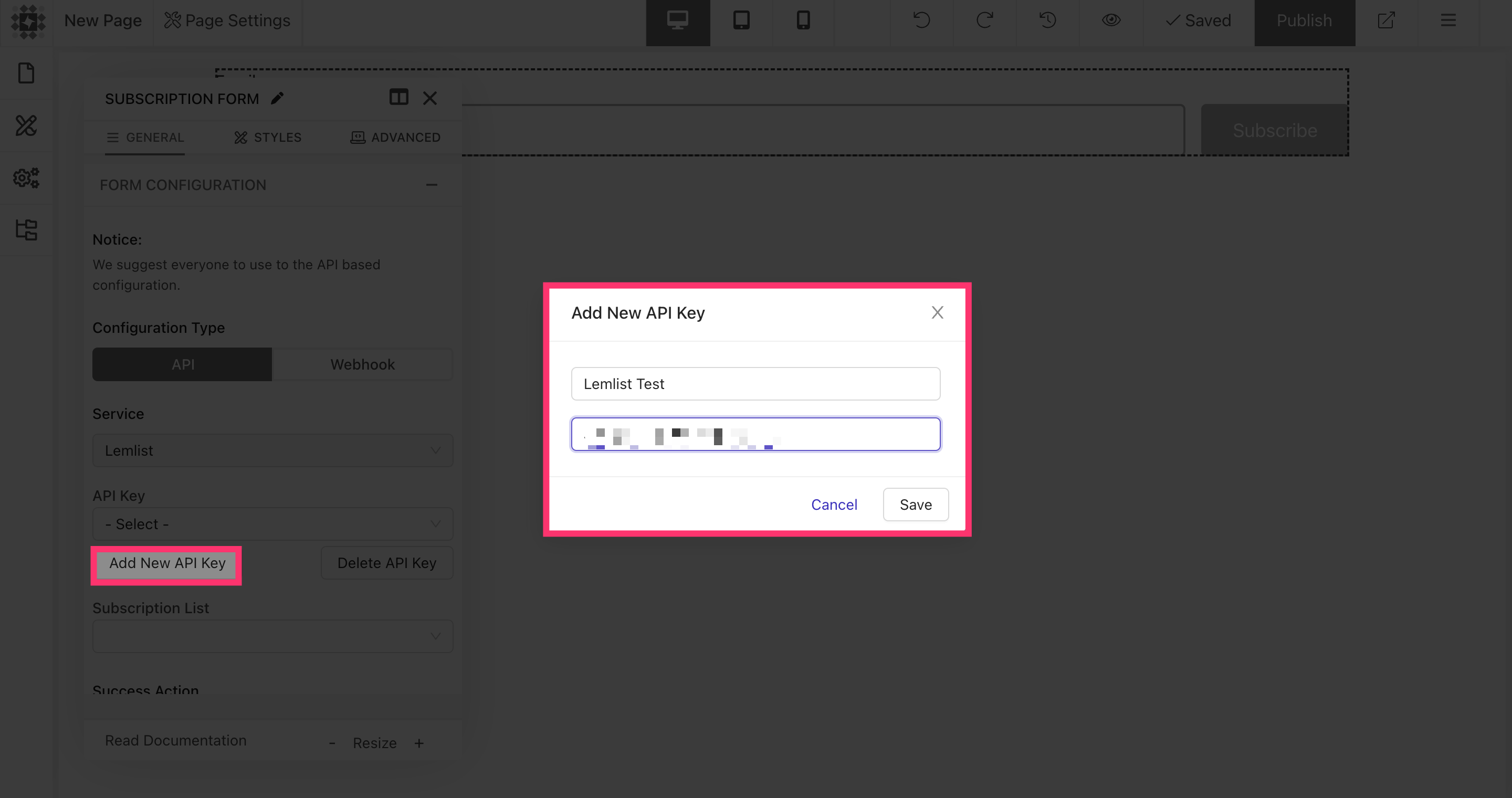
- Paste your API key
- Choose your campaign name from the Subscription List option
- Done! Lemlist has been integrated with your subscription form.
Refer to the Screenshot and GIF below for a detailed explanation:
Step 1: Open the Form Configuration option from the Subscription Form Editor.
Step 2: Choose Lemlist from the Services option of API Configuration Type
Step 3: Go to www.lemlist.com and log in. From app.lemlist.com/teams create a campaign.
Step 4: Expand the Editor menu, choose Setting, and select Integration from the top-left corner of your screen.
Step 5: Click on the Generate button from the API option. And then copy the key.
Step 6: After generating the API Key, copy it.
Step 8: Go to your website builder and click Add New API Key from the From Configuration.
Step 9: Give your key a name and paste the API key you copied in the previous step.
Step 10: Choose your Lemlist campaign from the Subscription List option.
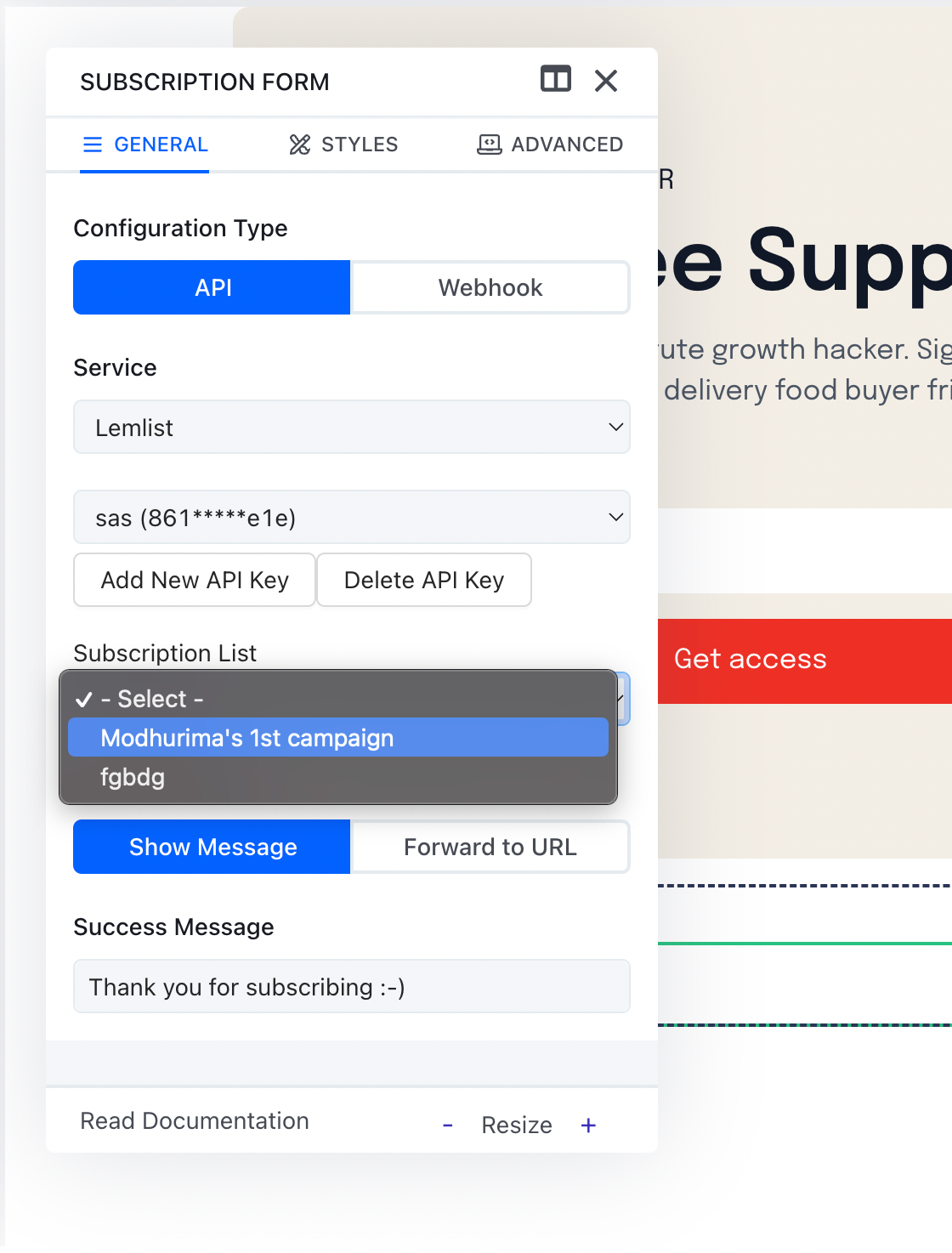
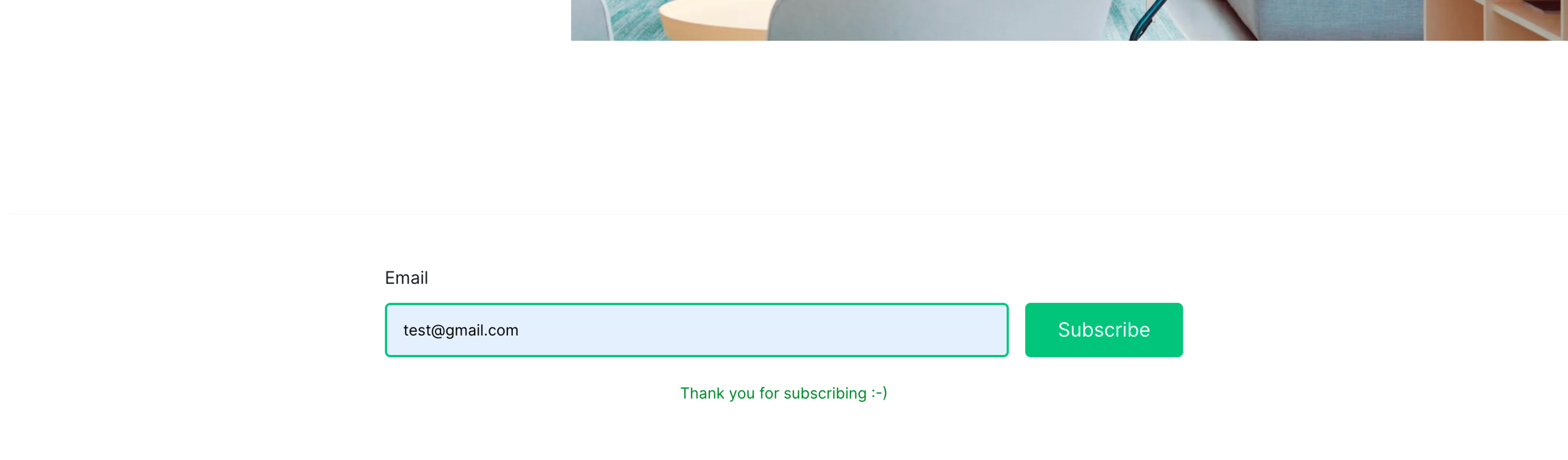
Testing Lemlist Integration
Step 1: To test this, publish your site, visit it externally, and input any email address on the Subscription Form.
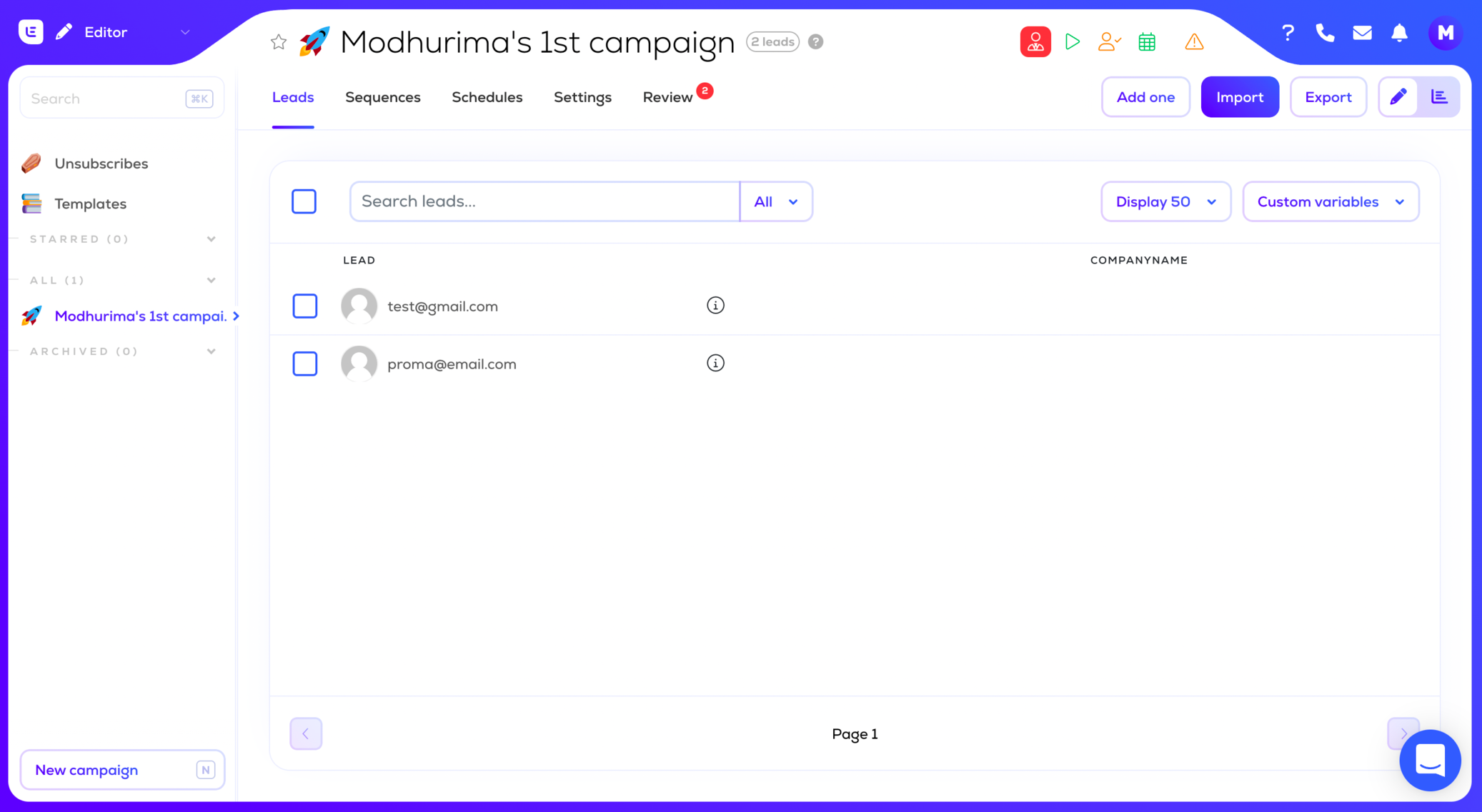
Step 2: Go to the Leads from the campaign you have created.
Related articles
Ai nevoie de ajutor? Scrie-ne.