
Integrarea OVH
Getting Started
This article will cover integrating an OVH domain into your website. Follow all the instructions to integrate an OVH domain into your site.
Table of Contents
Custom Domain Integration
Follow the steps below to add a Custom Domain to your site.
- Go to your website dashboard
- Click on Custom Domain under the Styles and Settings Panel on your left
- Step 1: Add your domain name
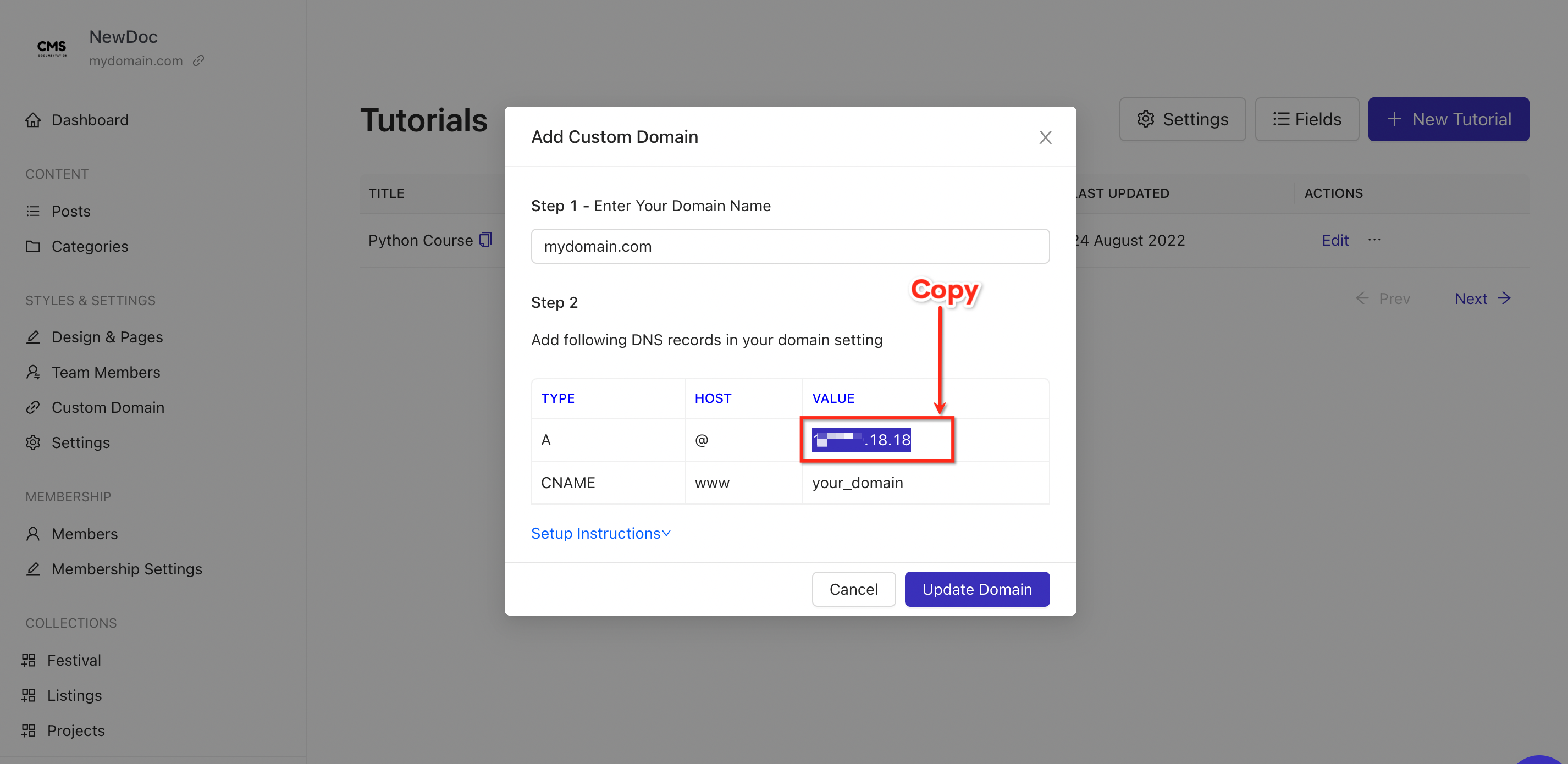
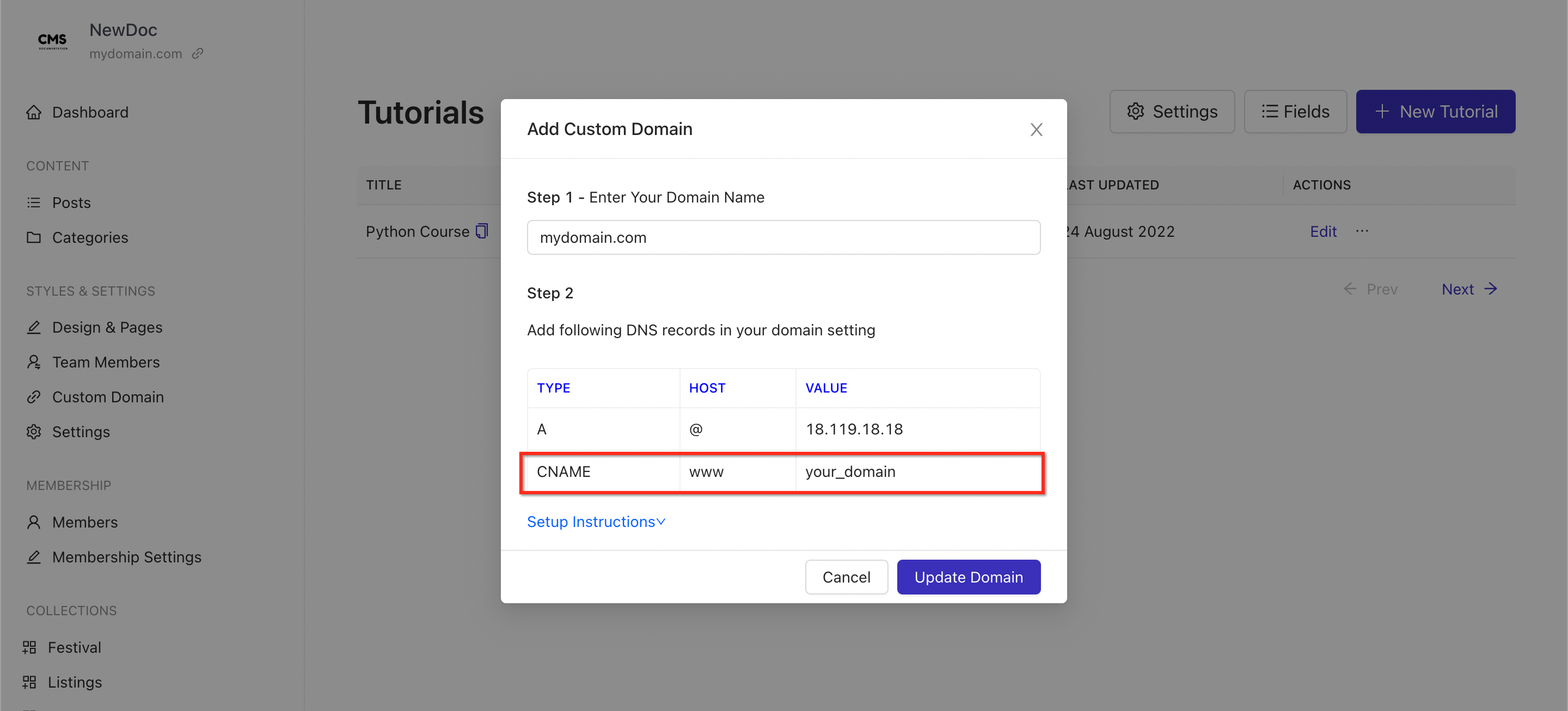
- Step 2: Copy the values from the Type records: A and CNAME, and paste them into your DNS records.
For more information, refer to the Documentation below ⬇️
Fără titluOVH Integration
To integrate a custom domain from OVH to your website, follow the steps given below:
- Login to your OVH Account and go to your dashboard
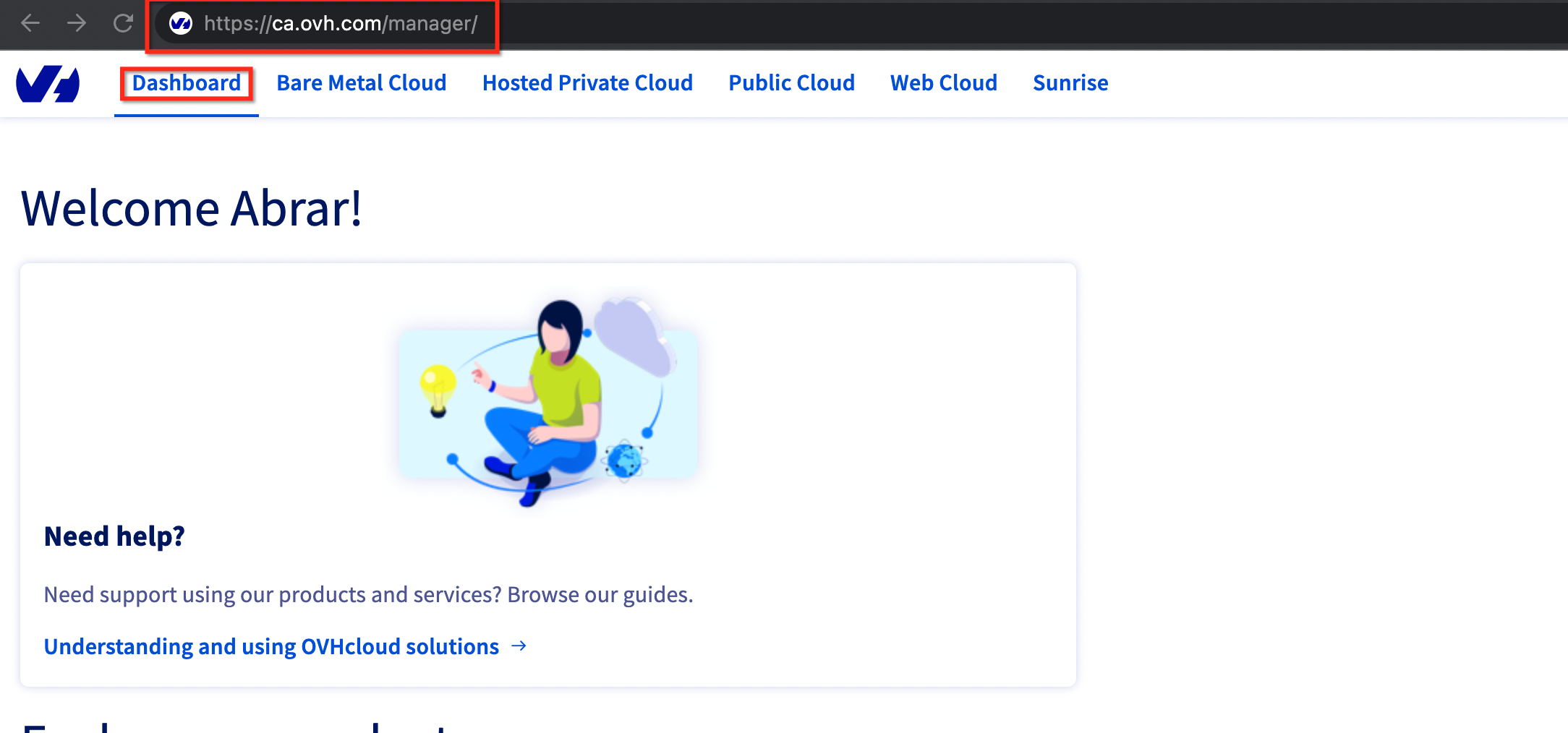
- Select the domain you want to integrate from your screen as shown below
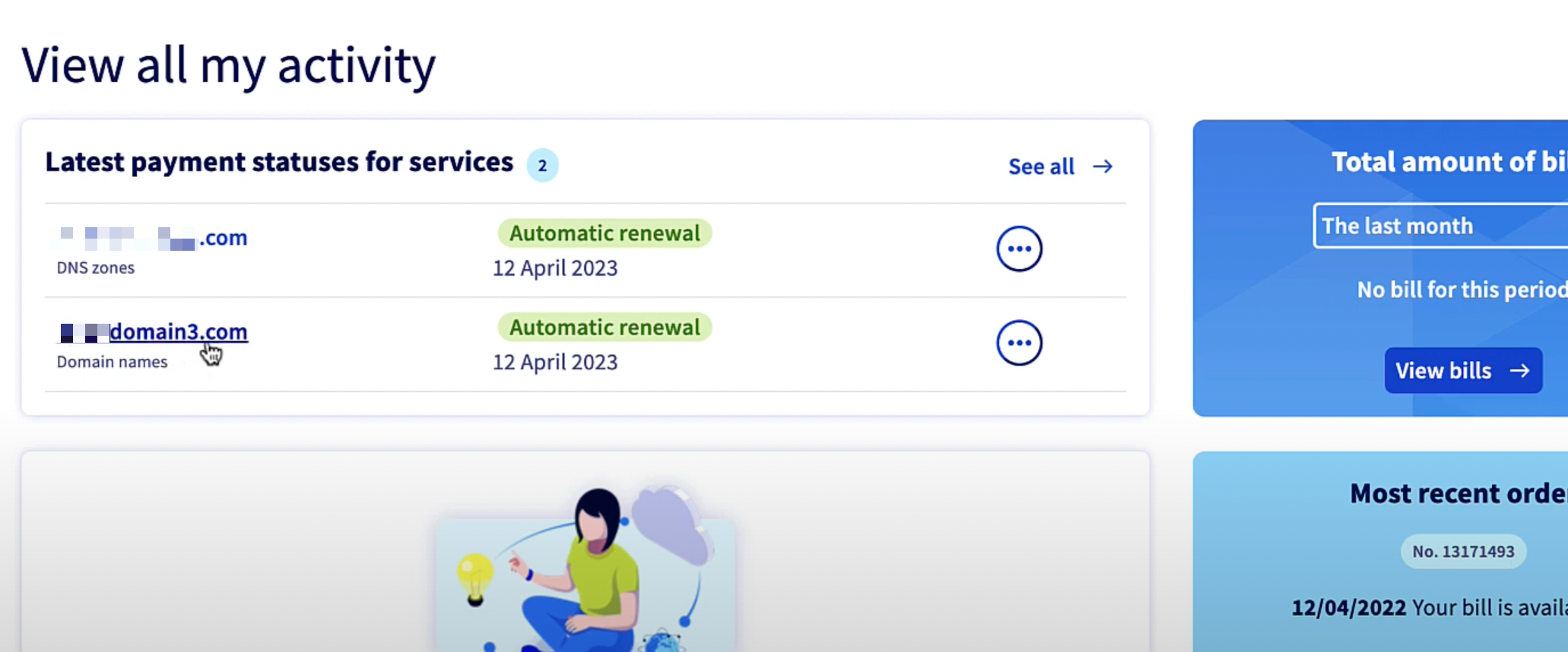
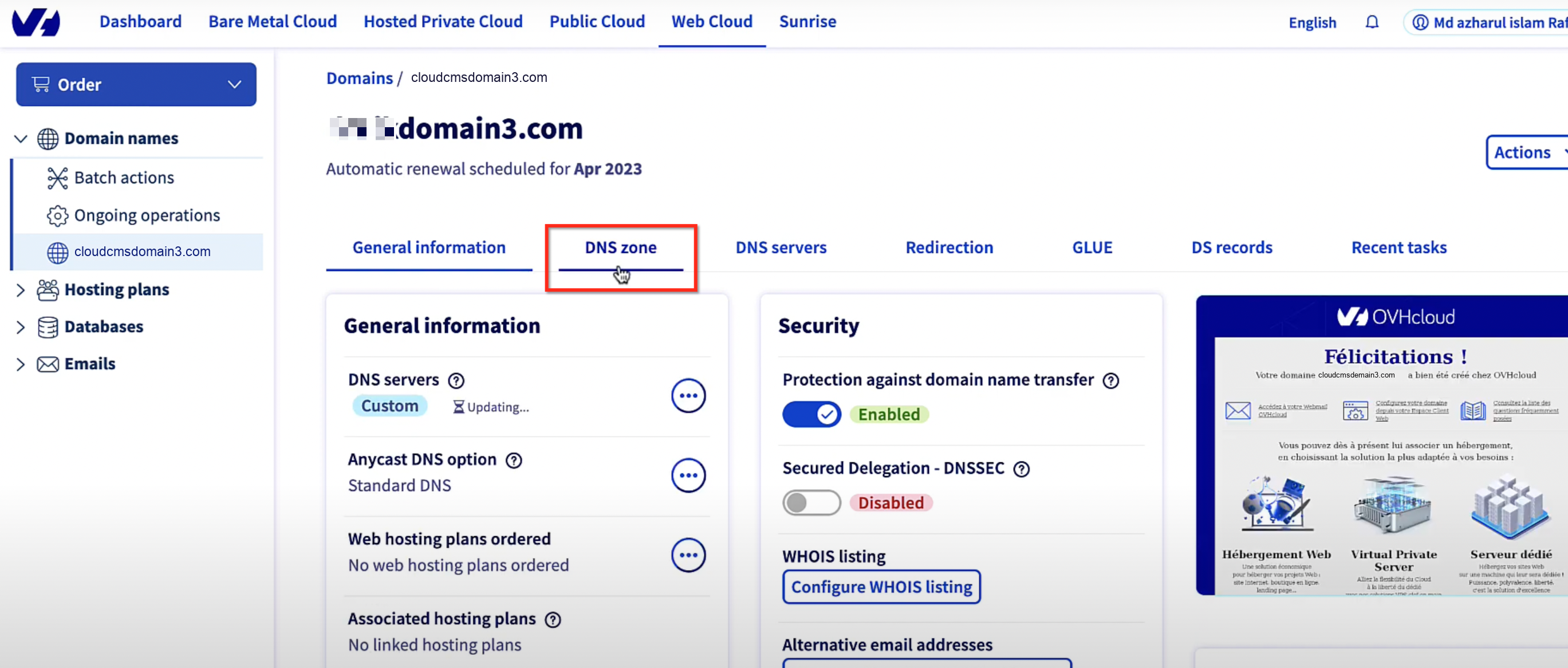
- Go to the DNS zone panel
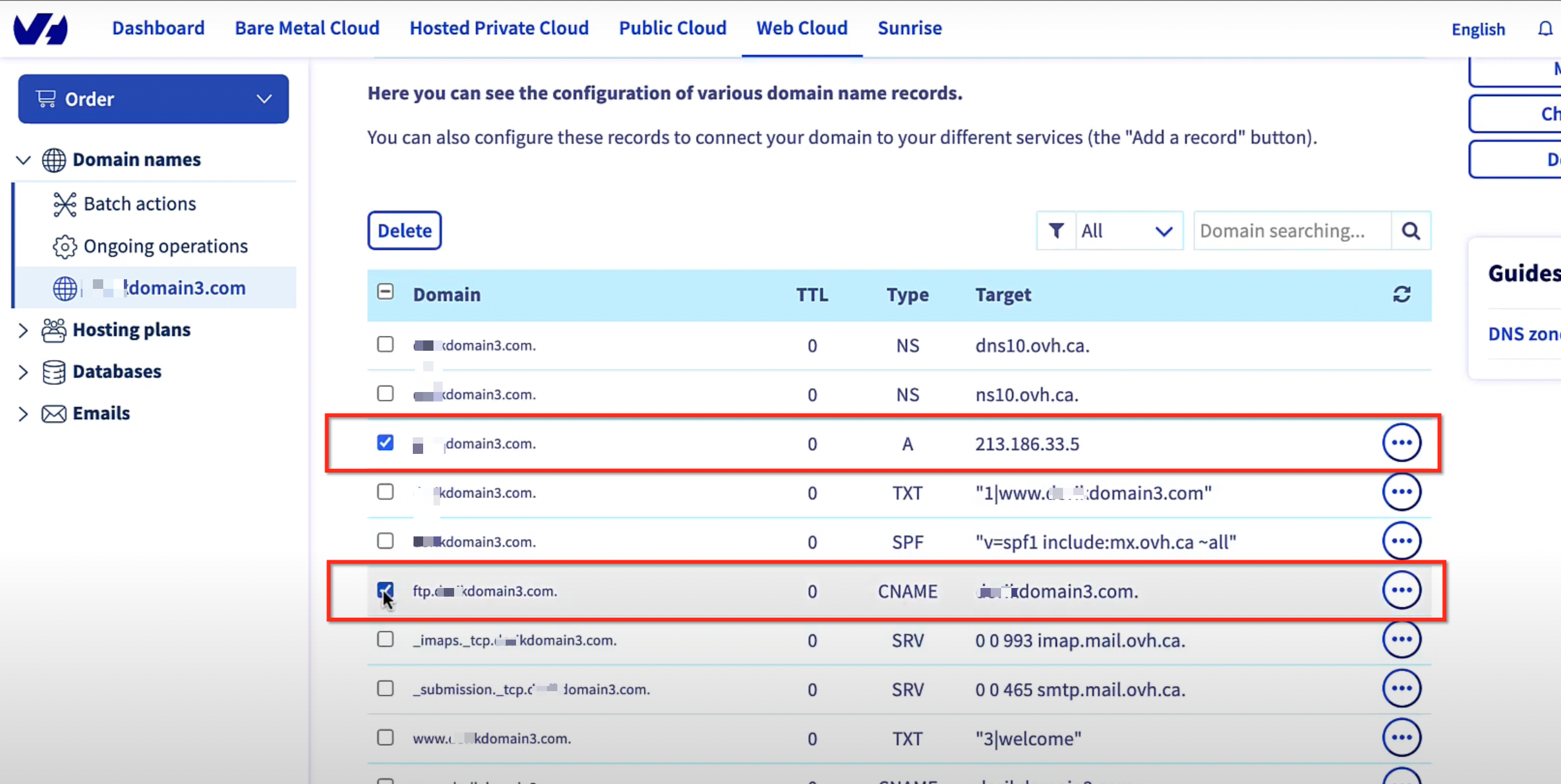
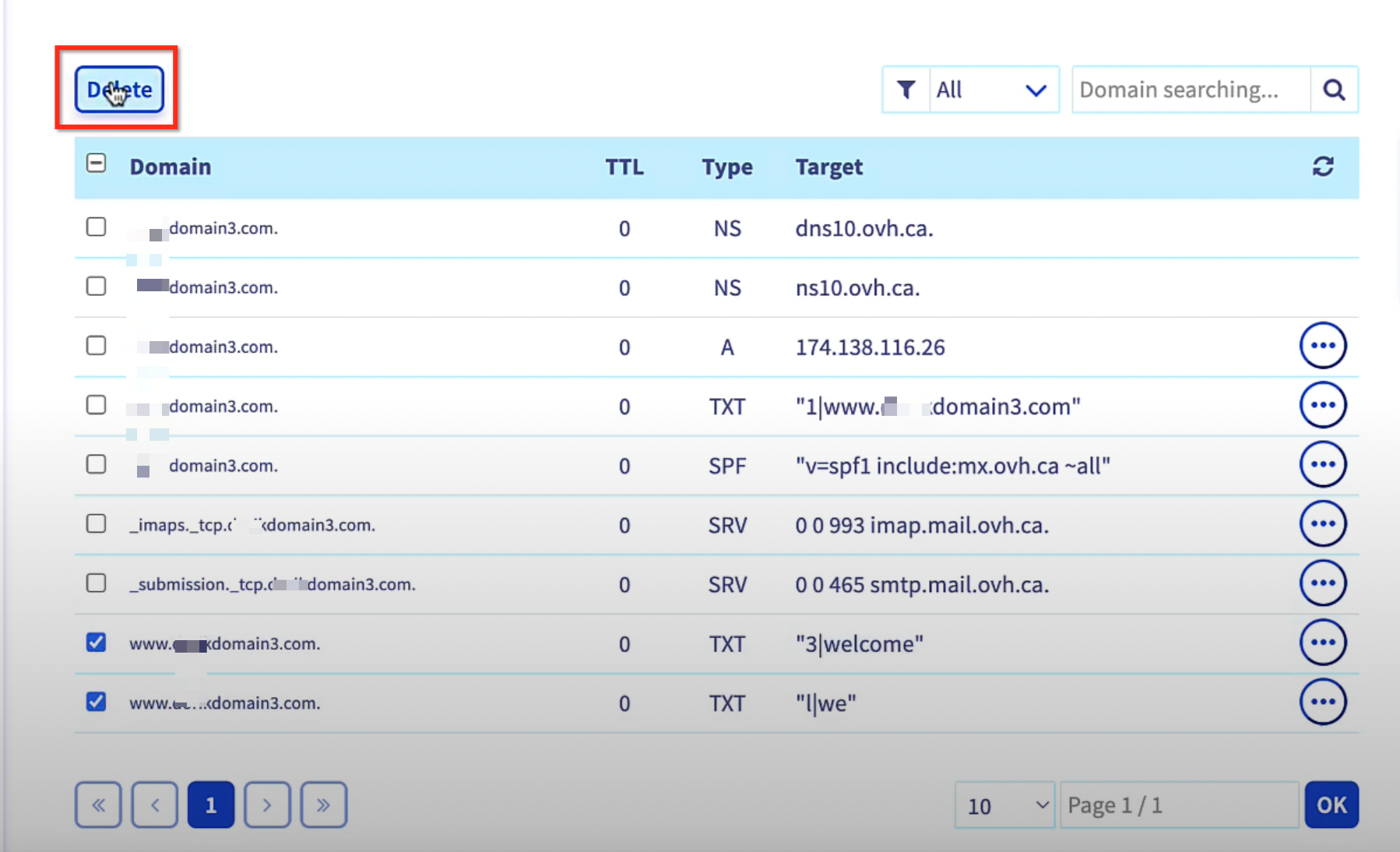
- Delete all the A, CNAME, and TXT records from the panel, as shown below
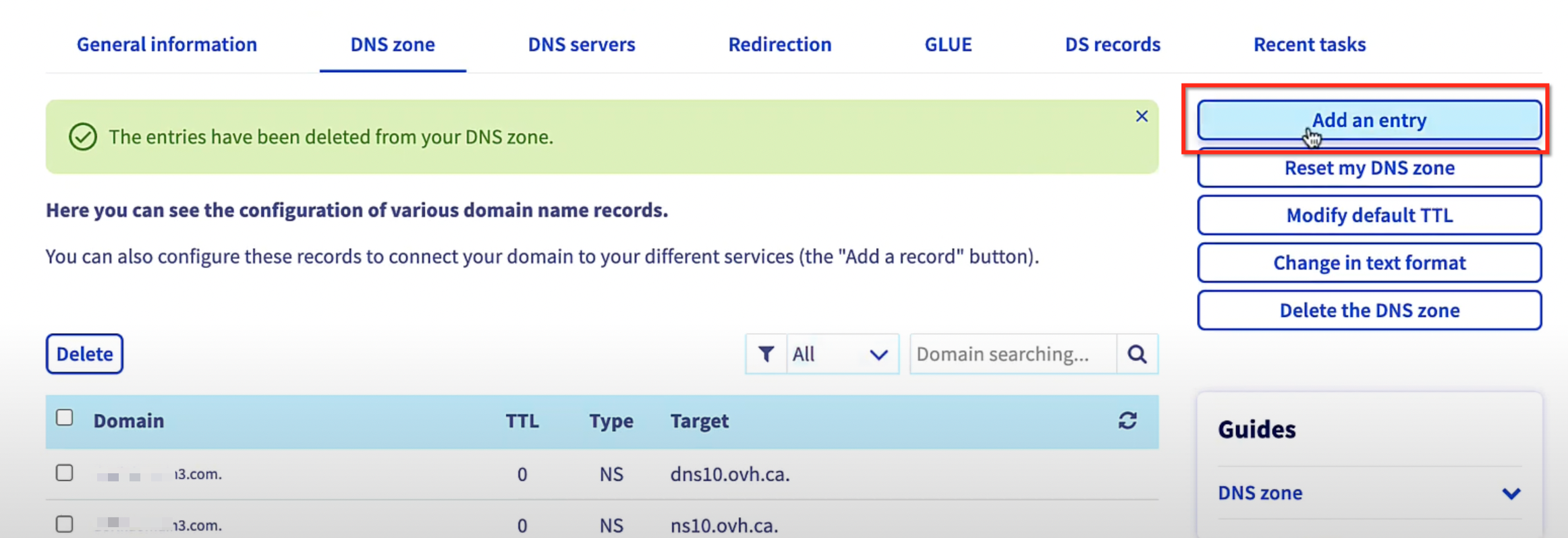
- Click on Add an entry as shown below
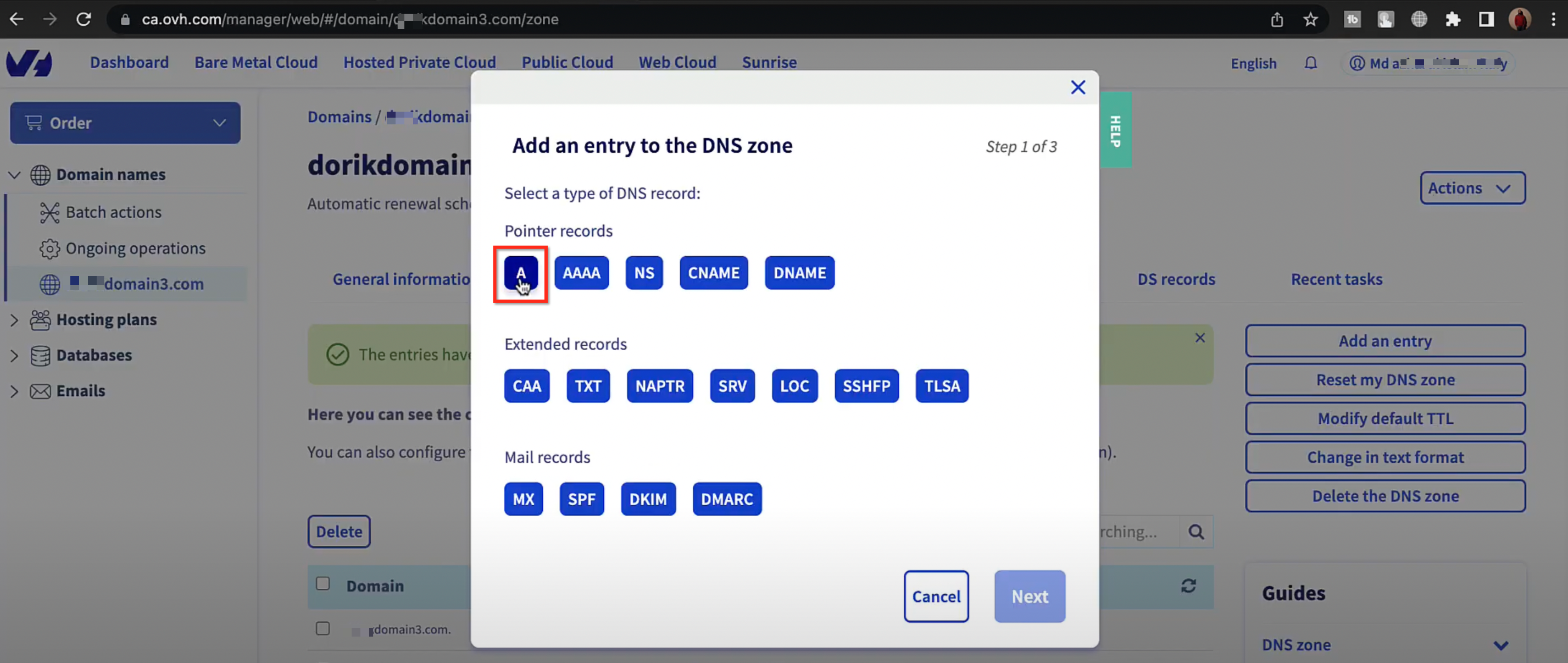
- Select A as from the Pointer records
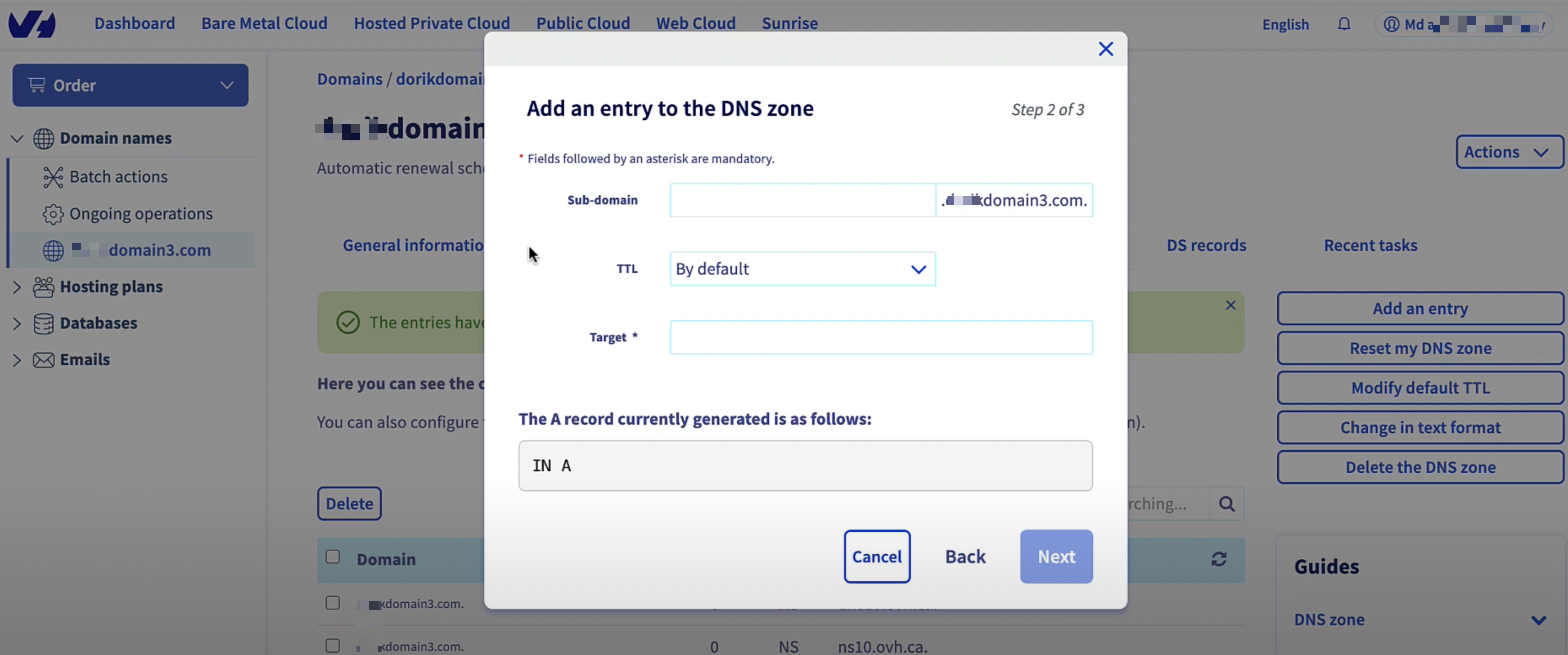
- You will find yourself on this screen ⬇️
- Copy the VALUE from the A record as shown in the picture below
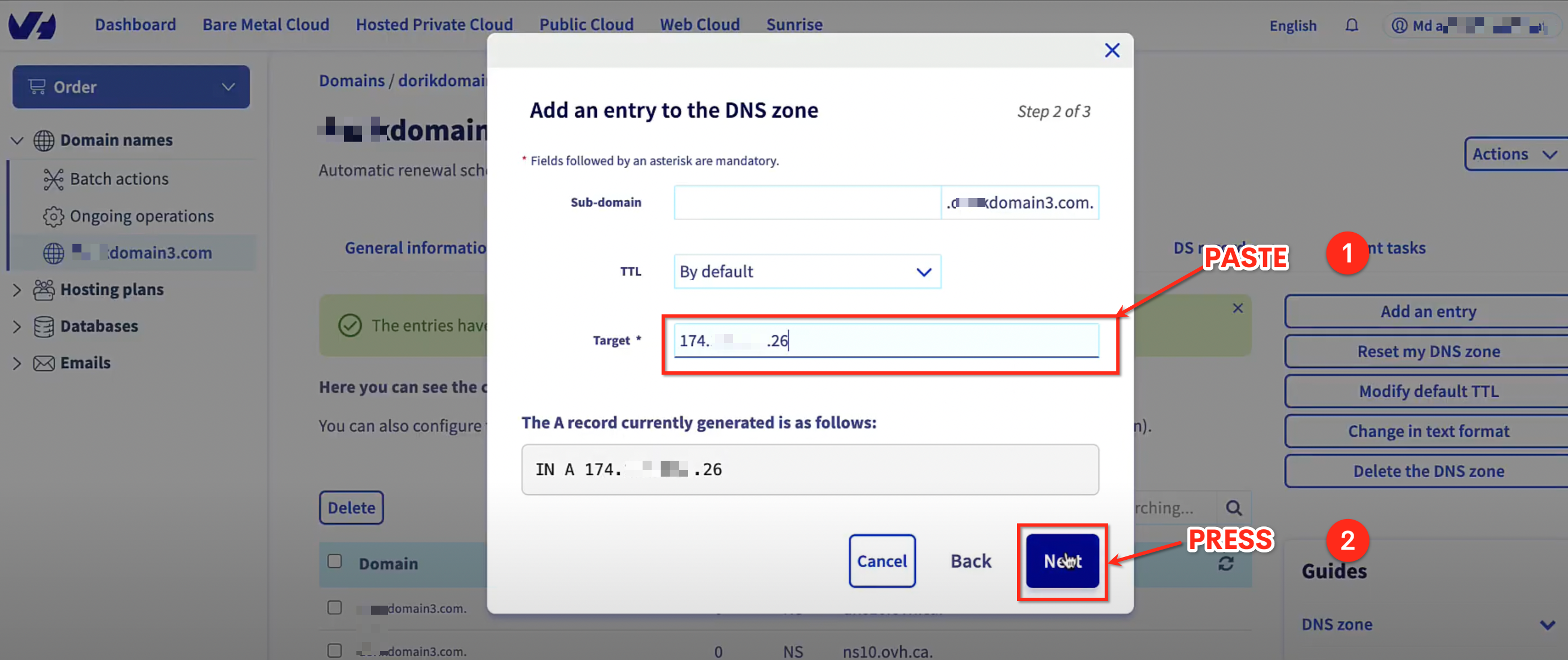
- Go back to the OVH screen and follow the steps for creating an A record:
- Paste the A record value that you copied in the previous step on the Target value
- No need to fill anything else
- Press Next
- Now you will need to add a CNAME record.
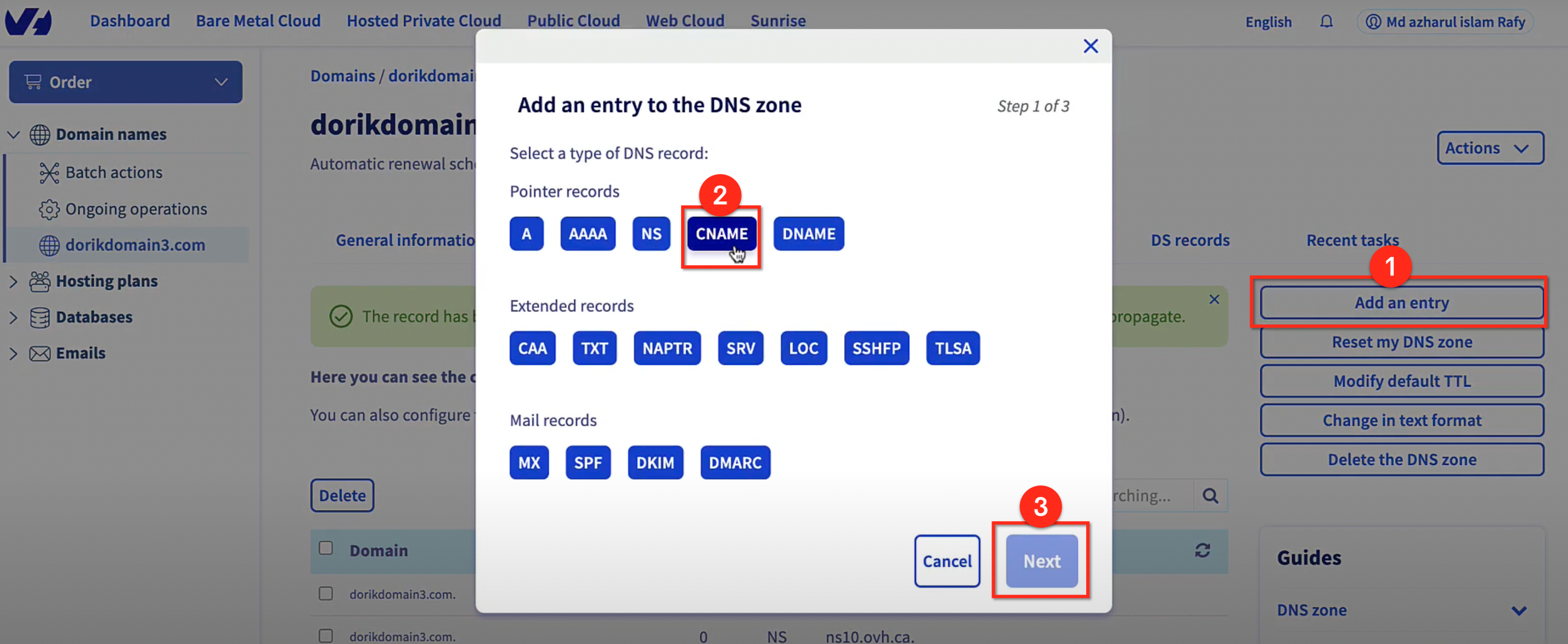
- Go back to the OVH screen and follow the steps for creating a CNAME record:
- Click on Add an entry
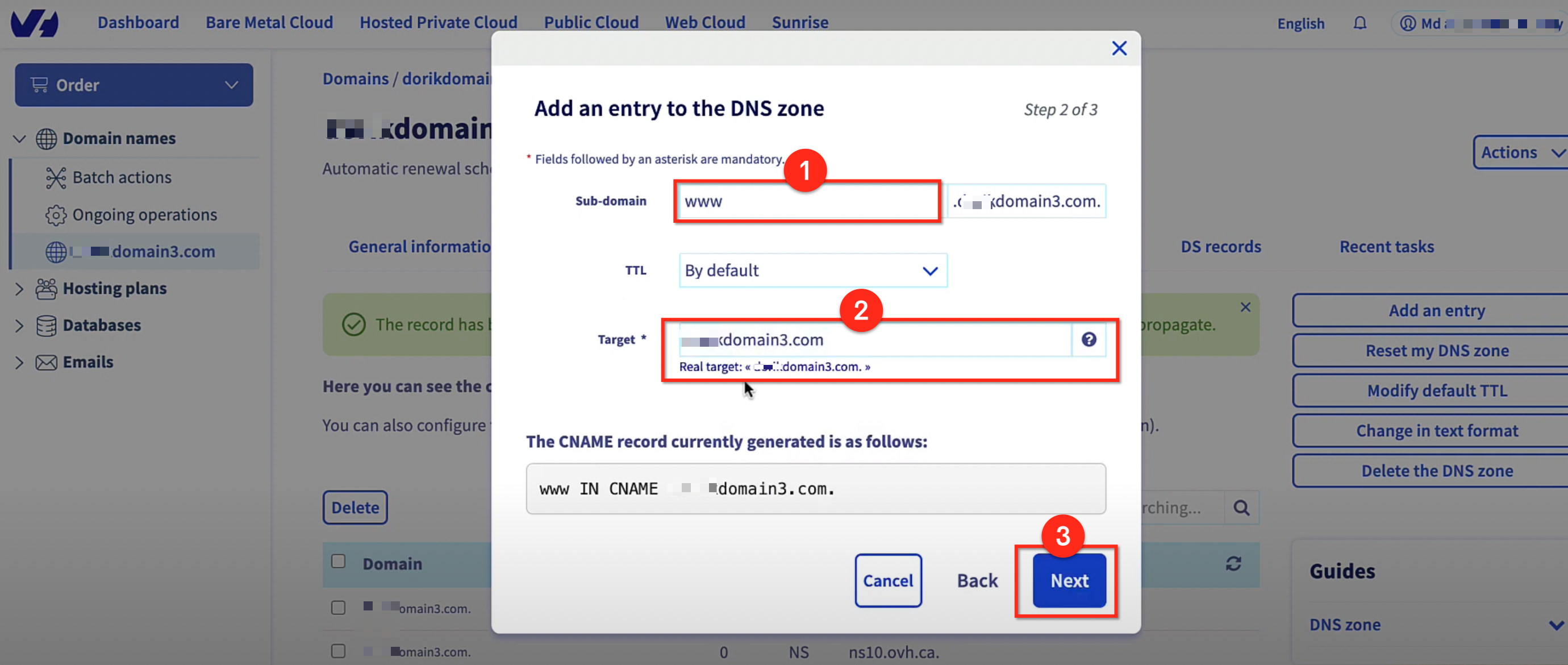
- Select CNAME from the pointer records
- Press Next
- Follow the steps to proceed:
- On the subdomain box, type ‘ www ‘
- On the target box, type your domain name, excluding www from the prefix. E.g., yourdomain.com
- Press Next
- Press Confirm in the next step
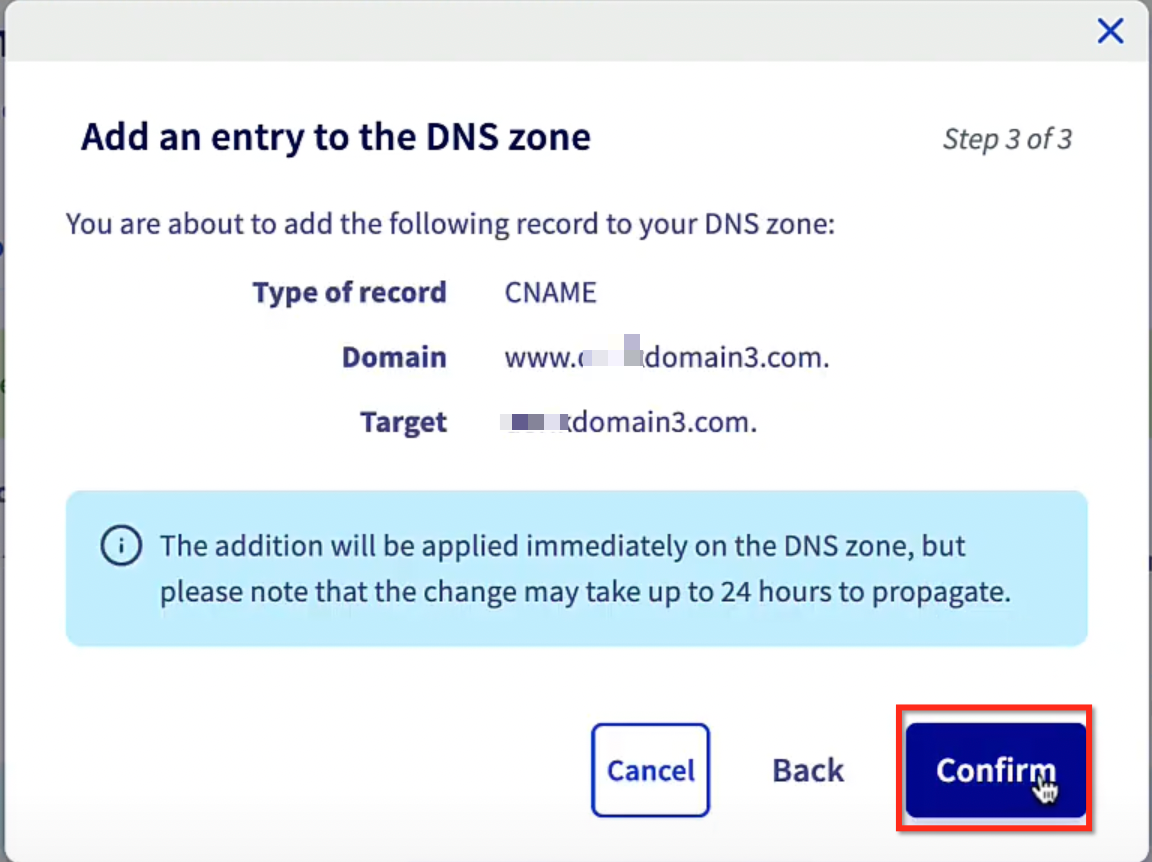
- You will receive the following success message.

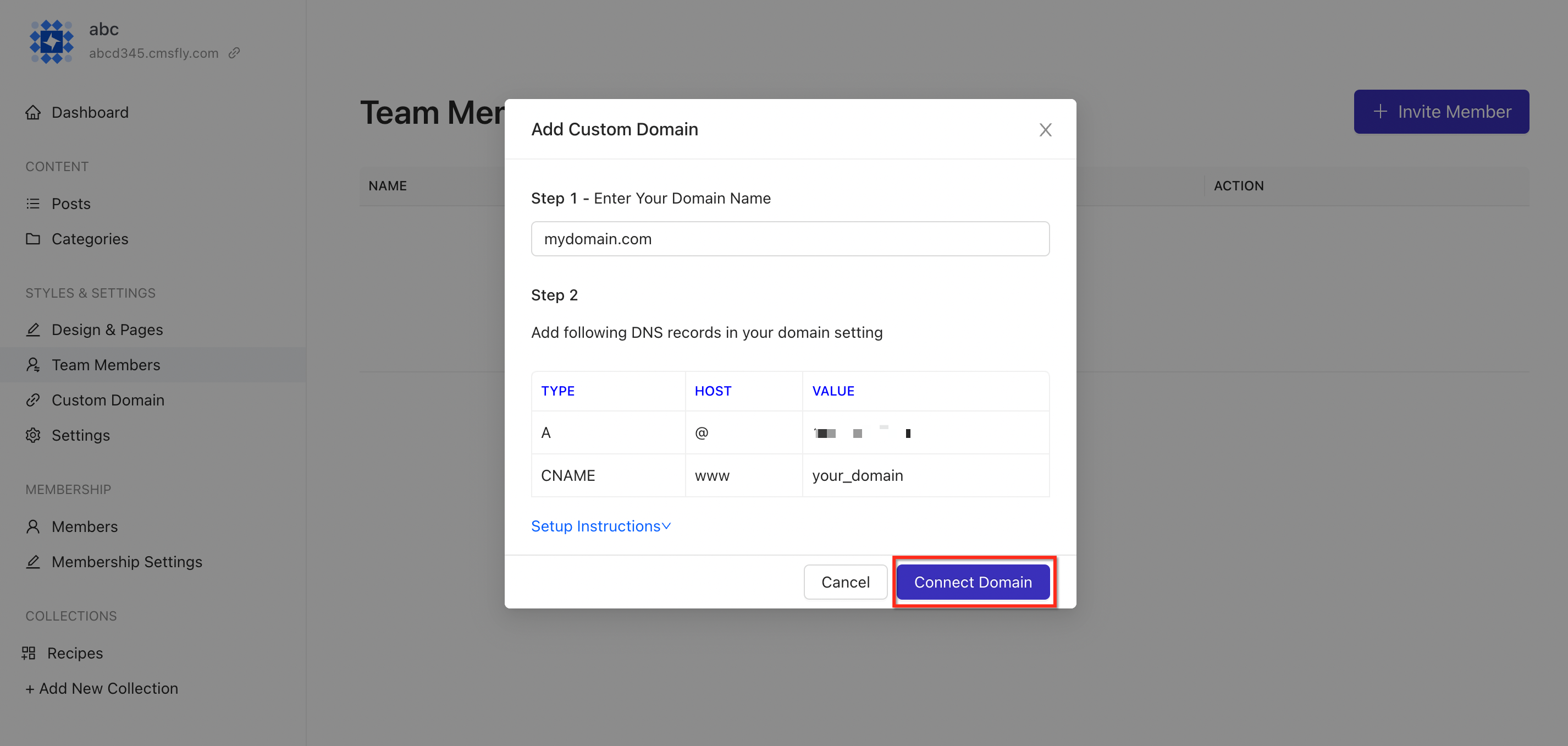
- Go back to your dashboard and click on Connect Domain to finish.
⚠️
It usually takes 1 to 48 hours to update your domain globally
Related articles
EmailOctopus - Subscription Form Active Campaign - Subscription FormAi nevoie de ajutor? Scrie-ne.