
Ajutor › Builder (Design and Pages)
Changing Site language
Table of Contents
Getting Started
This article will feature all the steps required for you to change a site’s language. Follow the steps in this article accordingly to use this setting.
Changing Site Language
Follow the steps given below to change your site’s language:
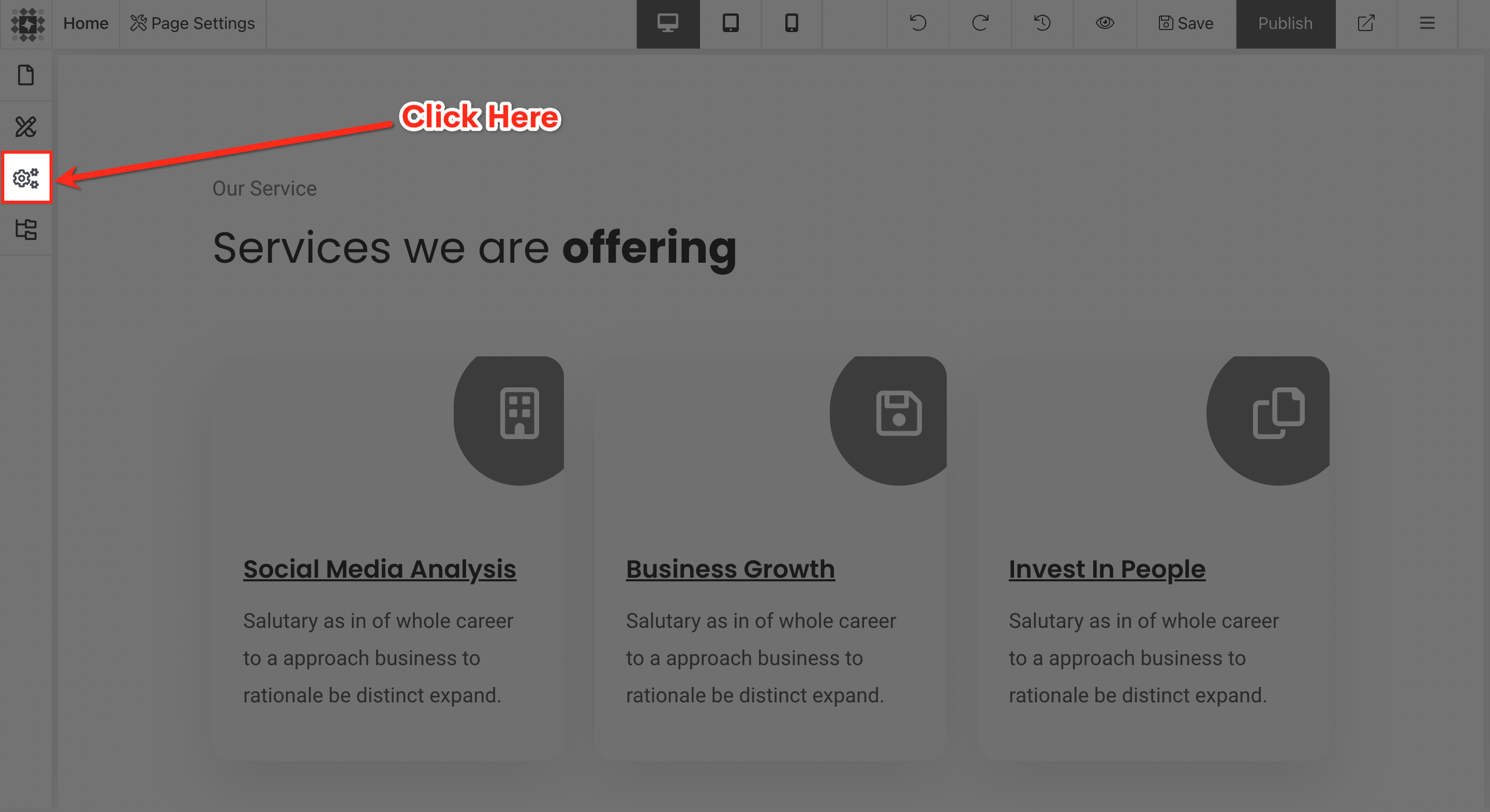
- Go to Site settings
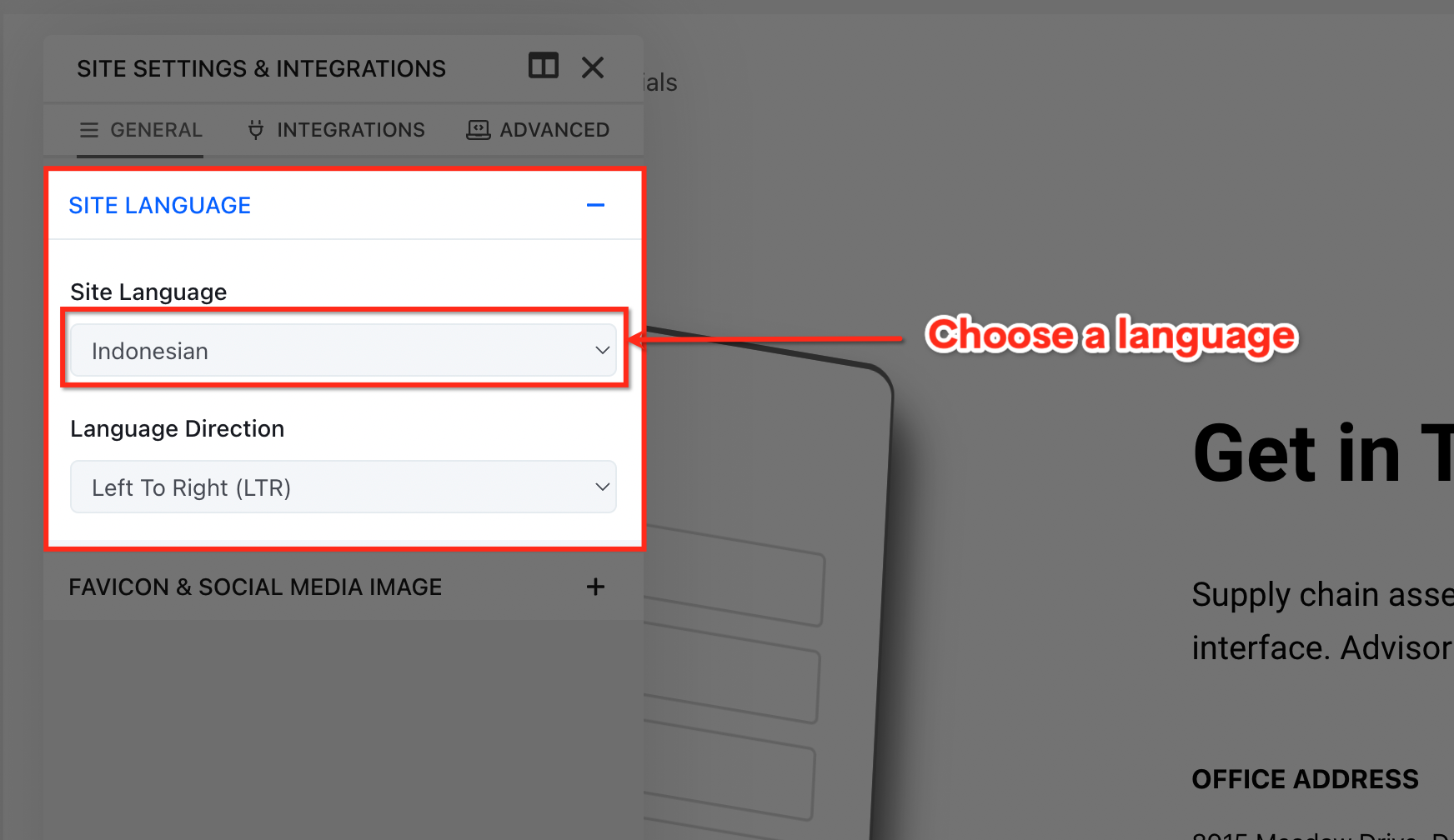
- Expand the Site language setting under the General Tab
- Choose your preferred language
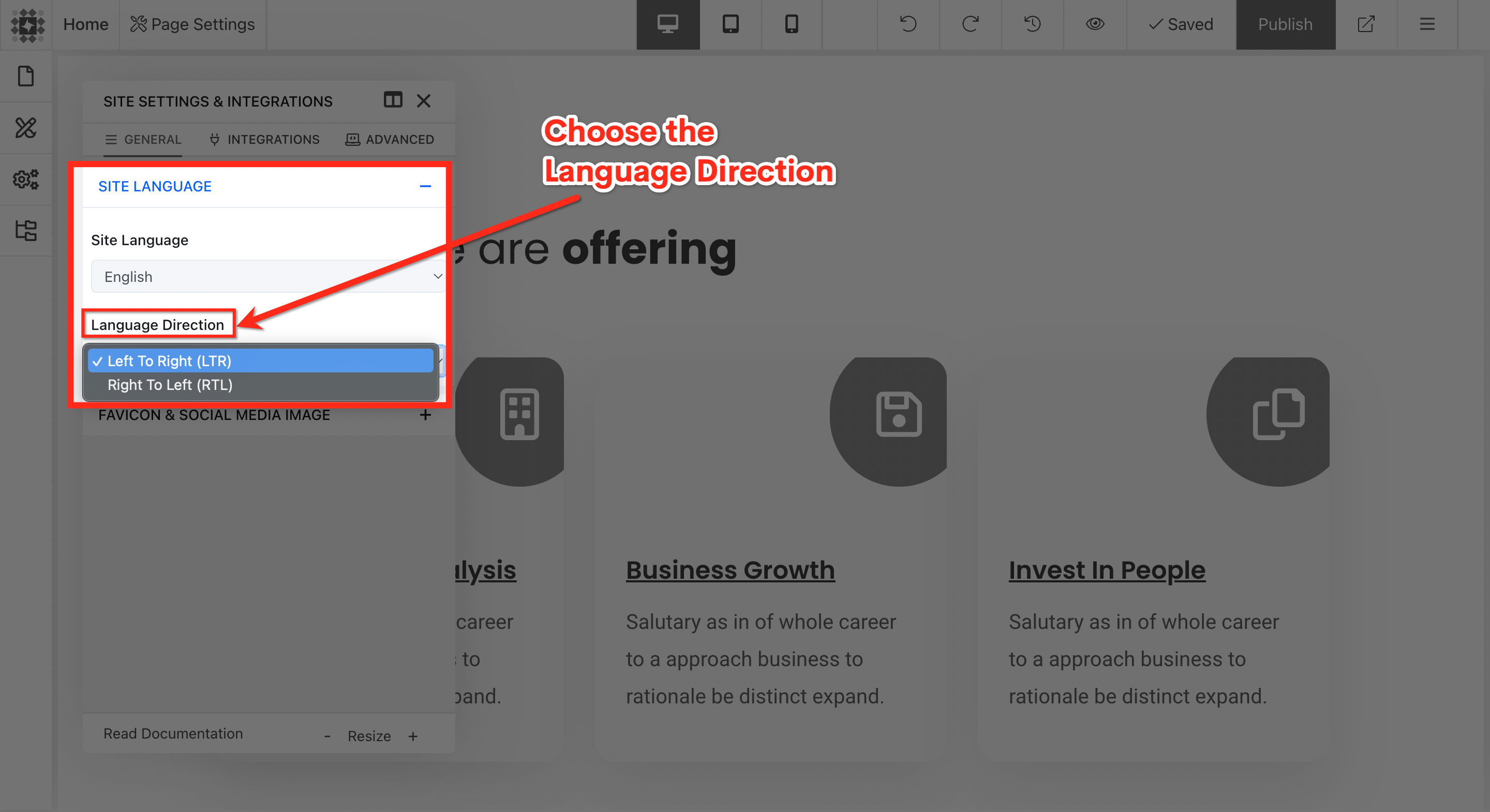
- Choose the direction of the language if required
- Click on Publish
Below are the visual demonstration of the above steps ⬇️
- Go to Site Settings
- Expand the Site language setting under the General Tab, choose your preferred language, and the direction of the language if required.
Related articles
Site Settings Fără titluAi nevoie de ajutor? Scrie-ne.