
Ajutor › Builder (Design and Pages)
Hide components and elements on different devices
Getting Started
This article will feature the steps required to hide any elements on different devices. Follow the steps accordingly to proceed.
Table of contents
Hiding components on different devices
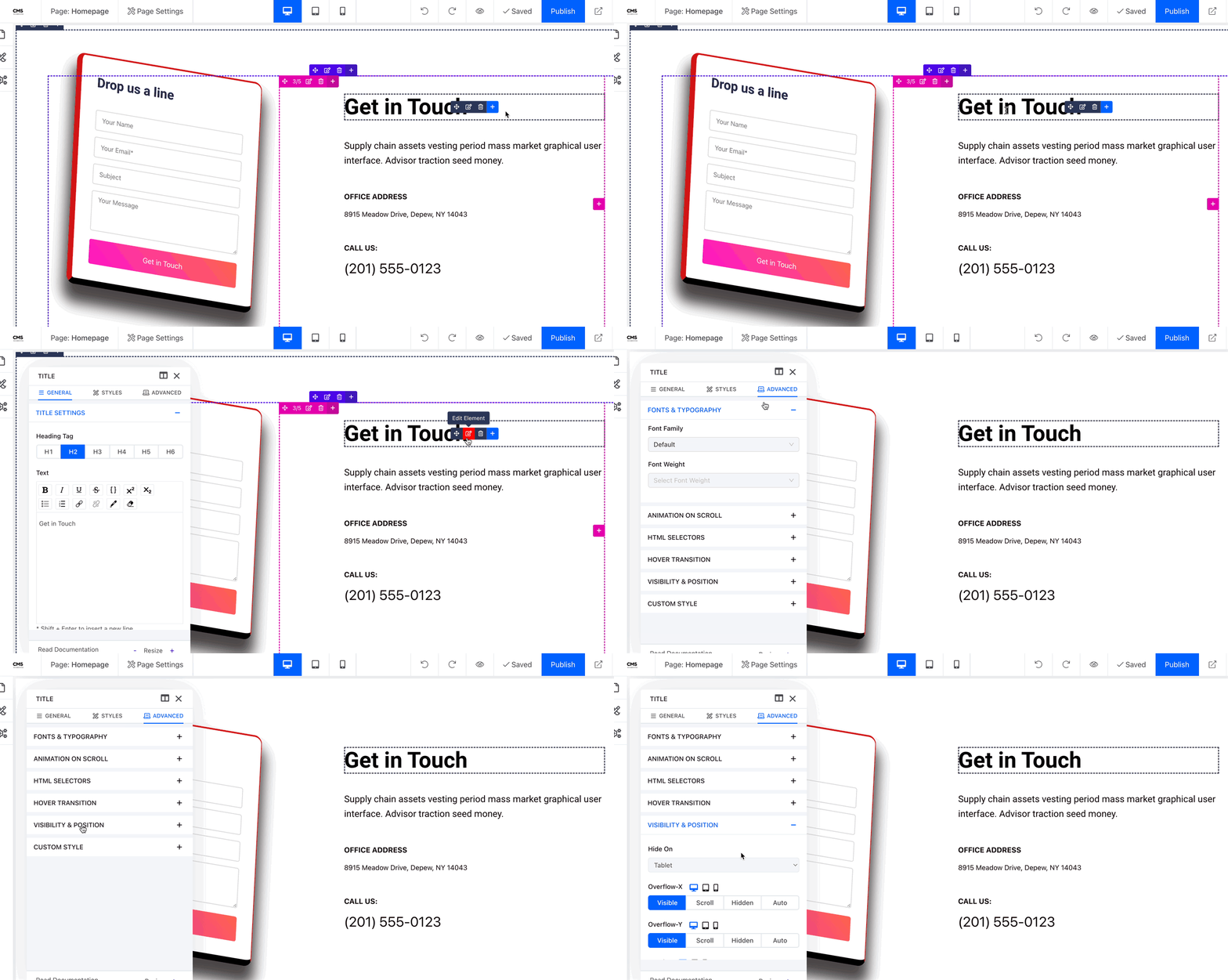
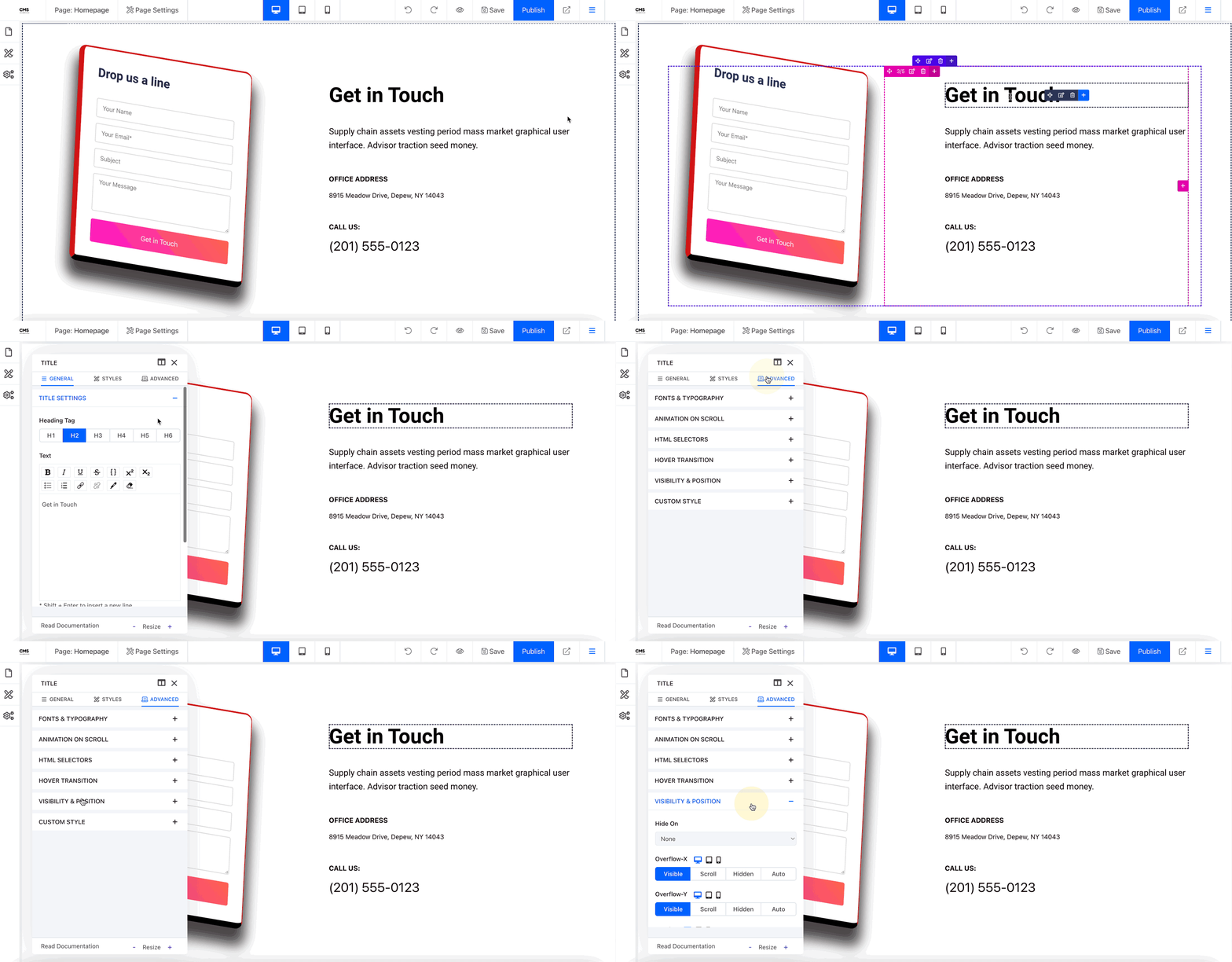
To hide any component on Mobile, Tab, or Desktop from your builder, refer to the given steps below:
- Go to any component on your site
- Click on Edit
- Go to Advanced
- Expand the Visibility and position option
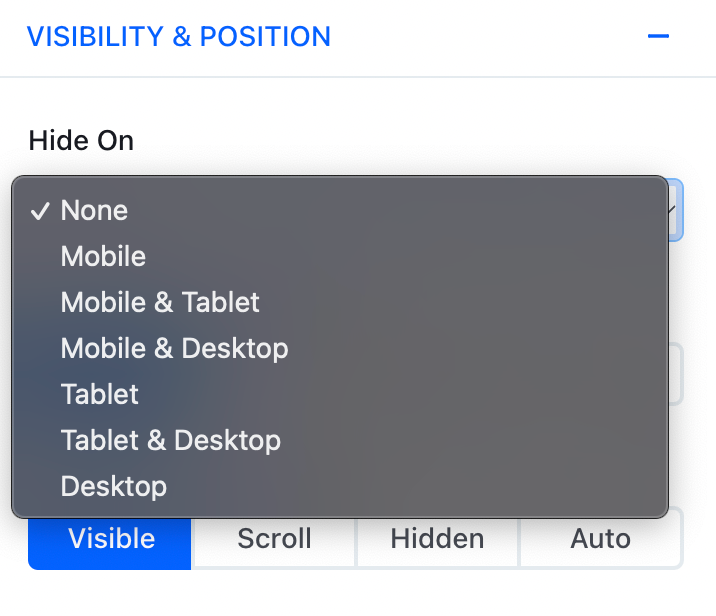
- Select an option from the Hide On setting
- Click on Publish
Below are the above steps visualized ⬇️
Choose which devices/devices where you want to hide your component on ⬇️
Related articles
Responsive Settings Responsive Column StackingAi nevoie de ajutor? Scrie-ne.