
Ajutor › Builder (Design and Pages)
Save as Collection
Table of Contents
Getting Started
Saving as a collection allows a user to copy any section, row, column, or element and use it on the same website or multiple others under the same account. This article will describe how saving a collection works in more detail.
How to Save as a Collection
To save a Section, Row, Column, or Element as a Collection, follow the steps given below:
- Hover over the edit tab on any element, row, column, or section on your website
- Right-click on it
- Select 💾
Save as Collection - Give it a name
- Press Save
Refer to the GIF below to see how this works —
Reusing a Saved Collection ♻️
To reuse a saved collection on your website, follow the steps below:
💡
You can use a saved collection on different sites that are created under the same account.
💡
Saved Collections do not sync as Saved Symbols do
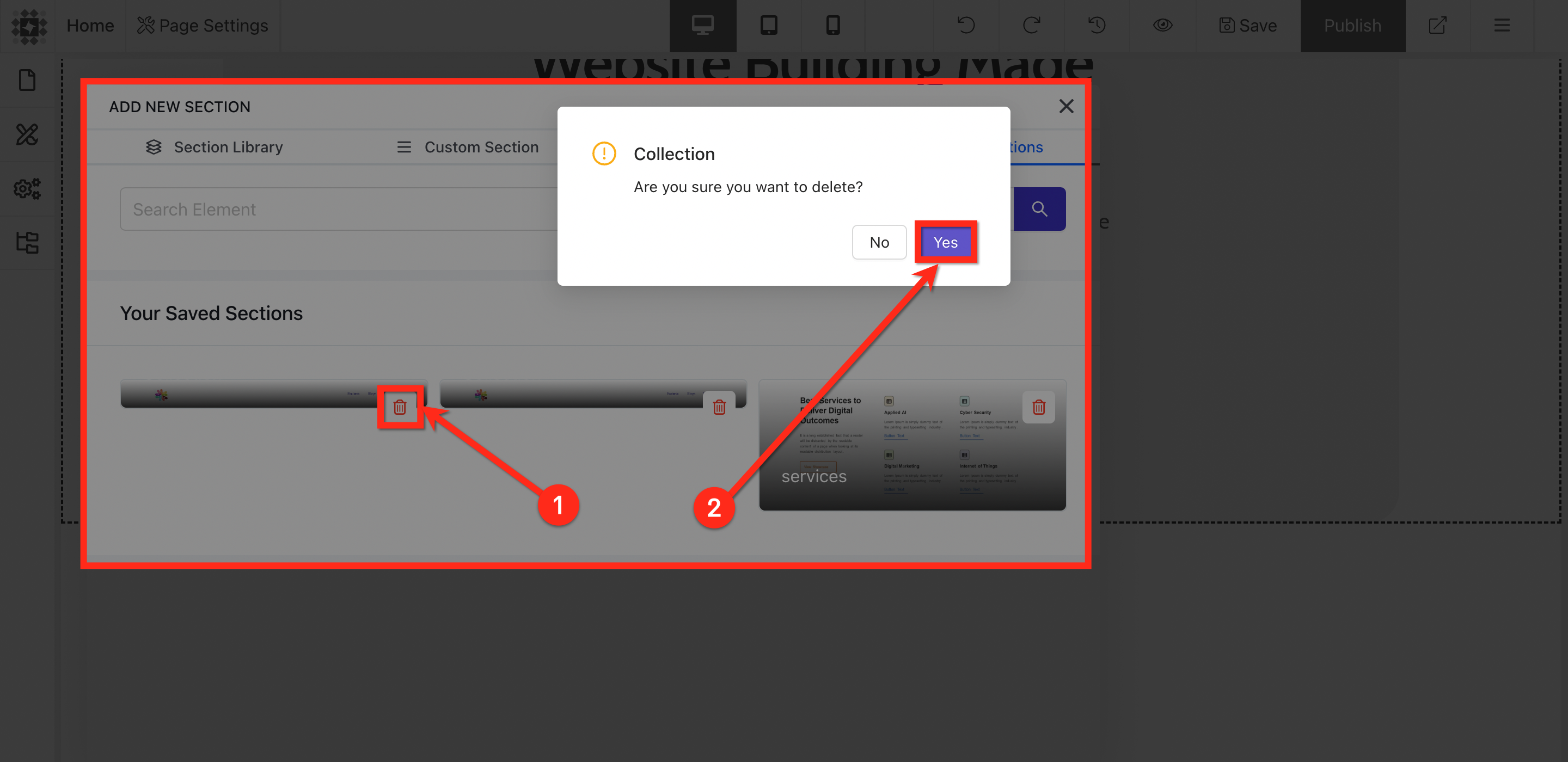
Delete a Saved Collection
To delete a saved collection on your website, follow the image below:
Related articles
Save as Symbol◼️ Section, Row, Columns, ElementsAi nevoie de ajutor? Scrie-ne.