
Ajutor › Builder (Design and Pages)
Linking an element with a blog post
Table of contents
Getting Started
You can link elements with your blog post in the website builder; for example, elements like Images, titles, and buttons can be connected with blog posts.
Linking Element (Image) with Blog Post
Follow the steps below to learn how to link any element with a Blog Posts —
- Add an image element
- Click on Edit Element on the image, and this will pop up the Sidebar Editor
💡 Here, you will also find the options to link your image with a particular blog post.
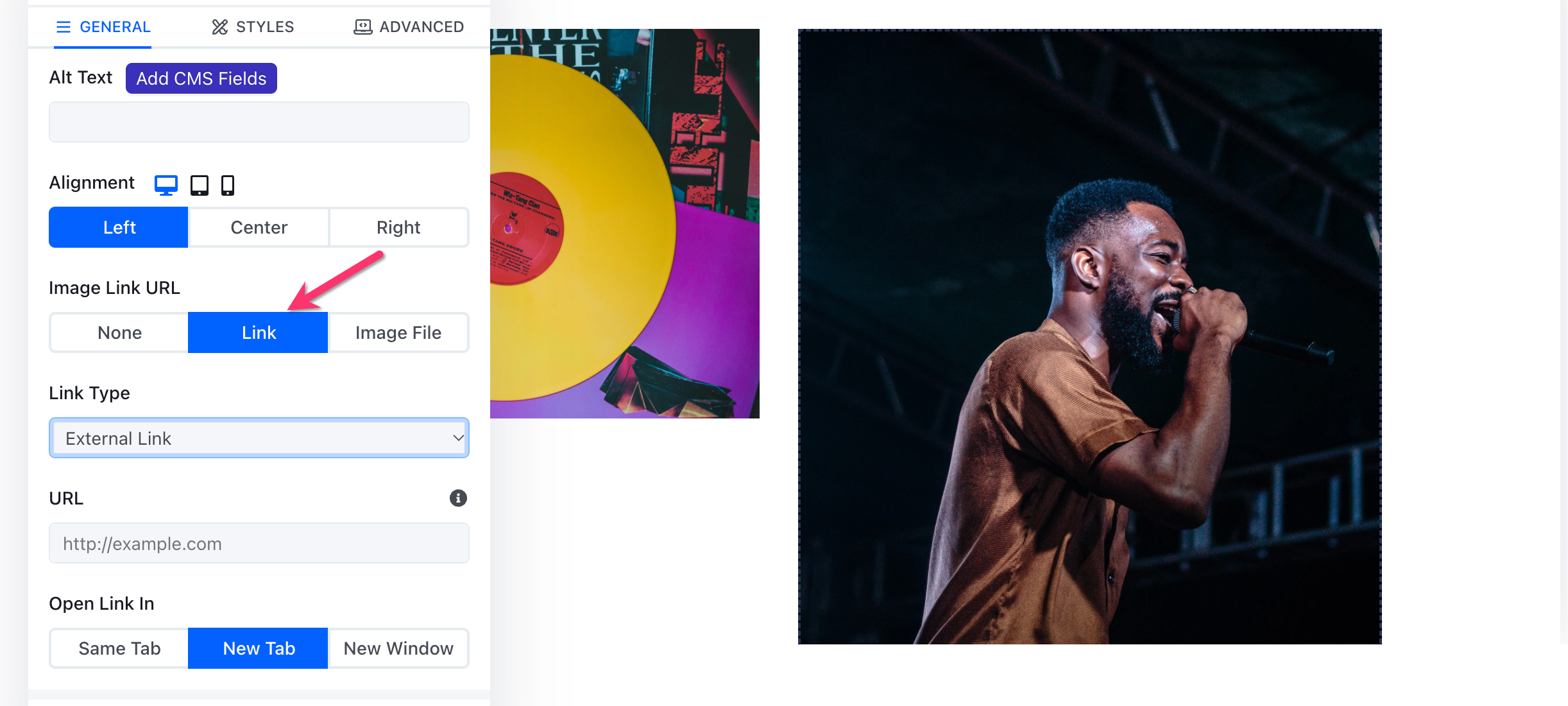
- To add a link to an image, click on Link
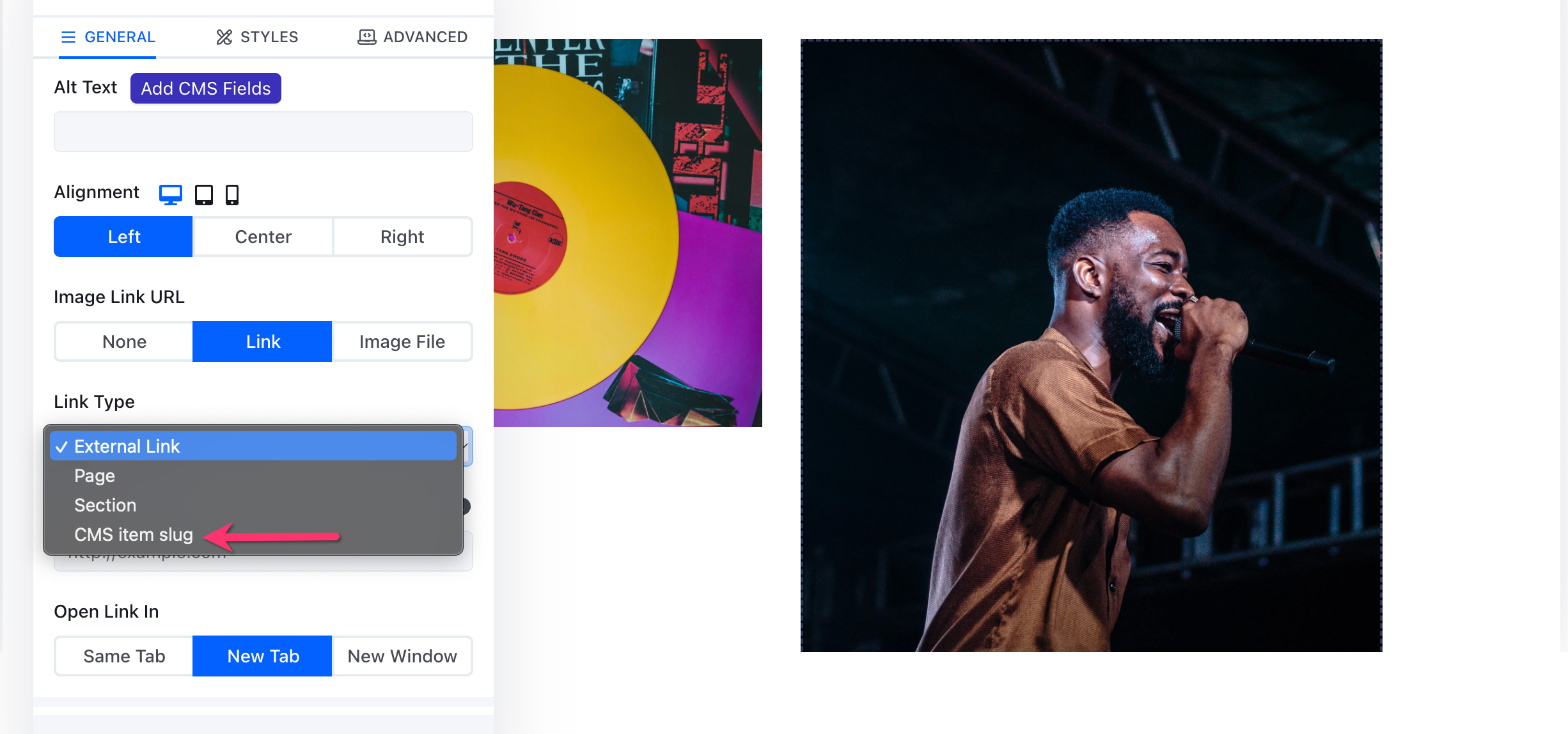
- Then select the CMS item slug option from the dropdown
- After you do that, click on Add CMS Field and select Slug from the list
💡
The process is the same for Title and Button. You will find the options Title Link for Titles and Button Link for Buttons on their respective editors.
The Images below show the whole process being demonstrated visually ⬇️
- After selecting an image element, click on Edit Element on the image, and this will pop up the Sidebar Editor. ⬇️
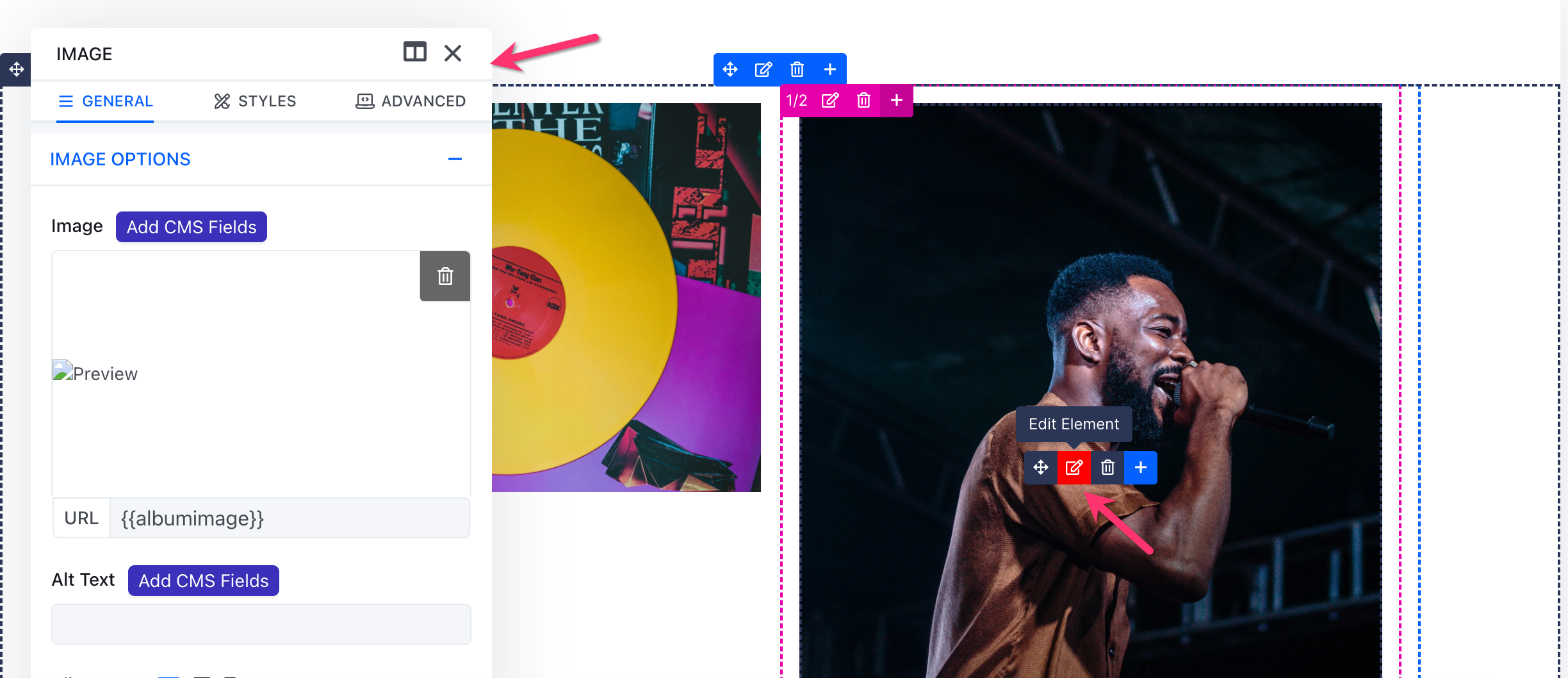
💡 Here, you will also find the options to link your image with a particular blog post.
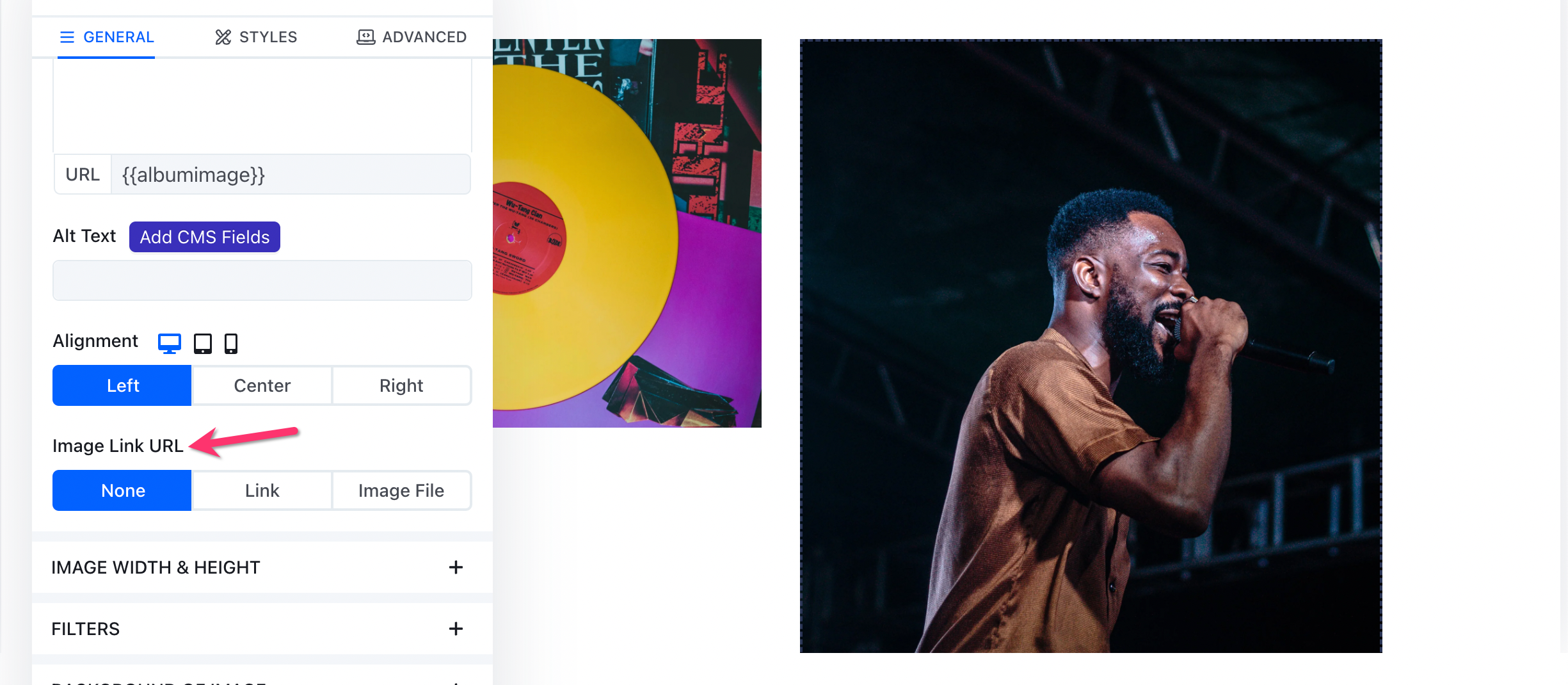
- To add a link to an image, click on Link ⬇️
- Then select the CMS item slug option from the dropdown ⬇️
- After you do that, click on Add CMS Field and select Slug from the list ⬇️
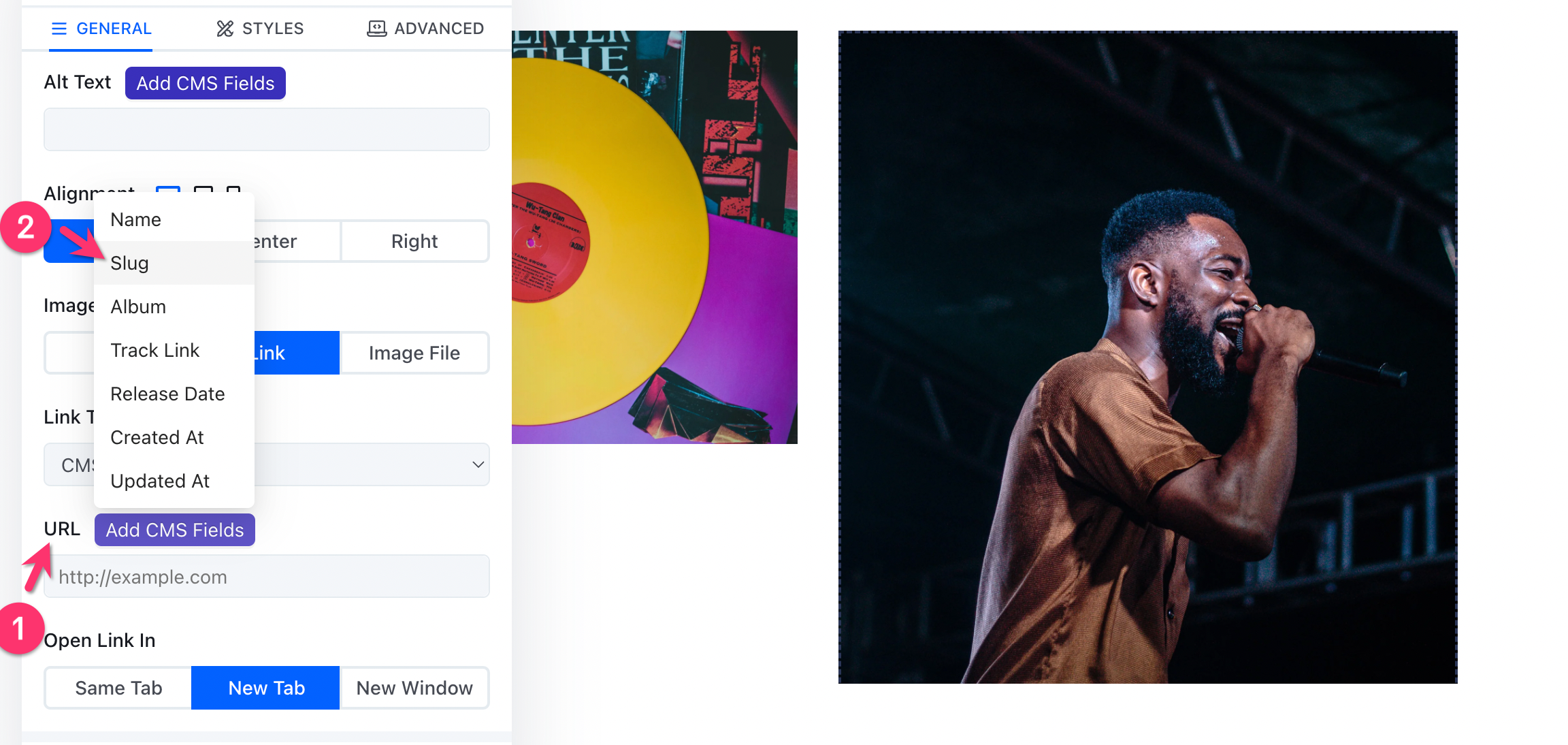
💡
The process is the same for Title and Button. You will find the options Title Link for Titles and Button Link for Buttons on their respective editors.
Related articles
✍️ Creează un articol de blog How to use filters to display your Custom Collection ItemsAi nevoie de ajutor? Scrie-ne.