
Ajutor › Builder (Design and Pages)
Page Settings
Table of Content
Getting Started
In this article, you will learn about where you will get the ‘Page Settings’ and its edit options.
Page settings
here is where you will find the Page Settings option —
- Go to your website builder
- Click on
Page settingsbutton from the top left corner of your builder
Refer to the Image below —
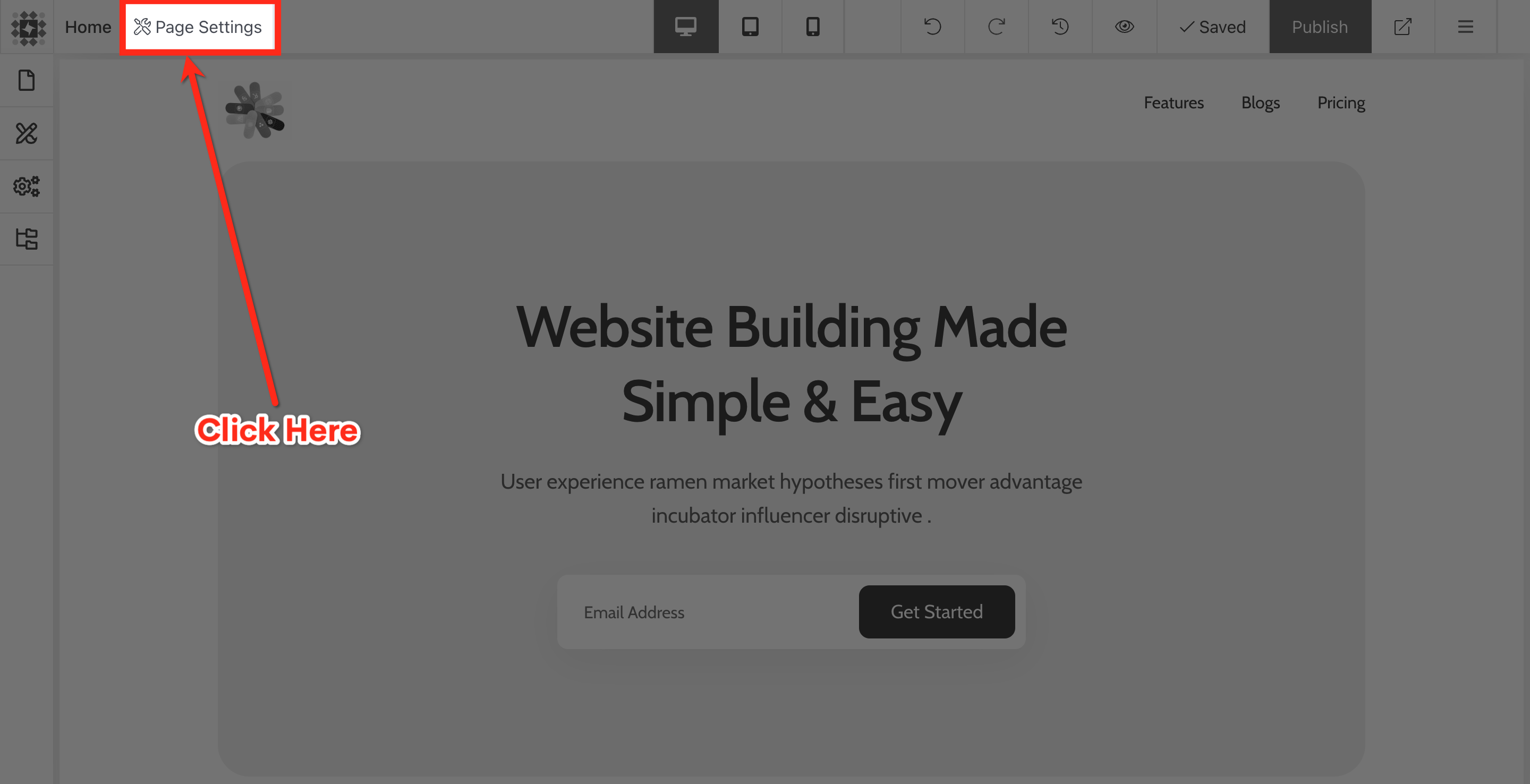
Page Settings Editor Modal
Page Settings consists of various tabs and options
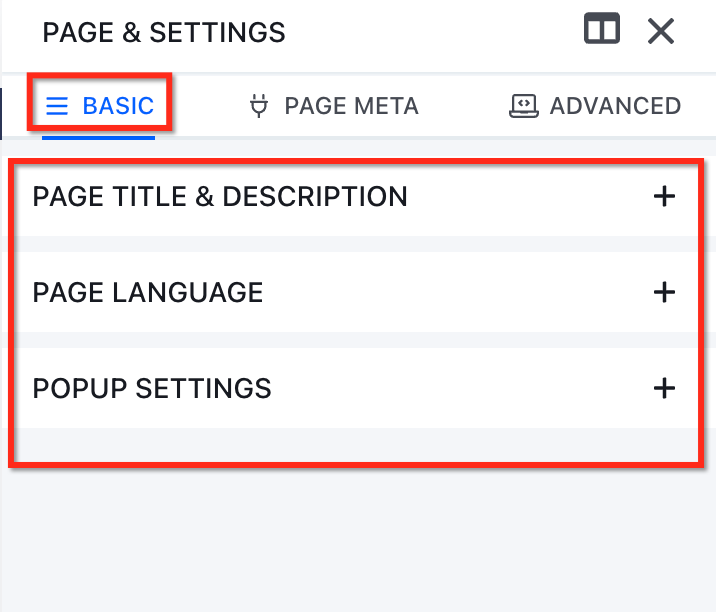
1. Basic Tab:
- Adding Page Title & Page Description
- Change Page Language
- Adding or customizing Popup Settings
Refer to the Image below —
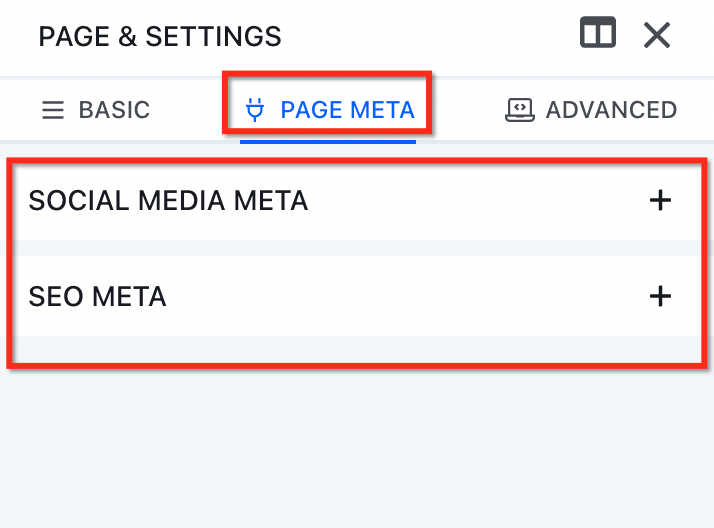
2. Page Meta:
- Social Media Meta
- SEO Meta
Refer to the Image below —
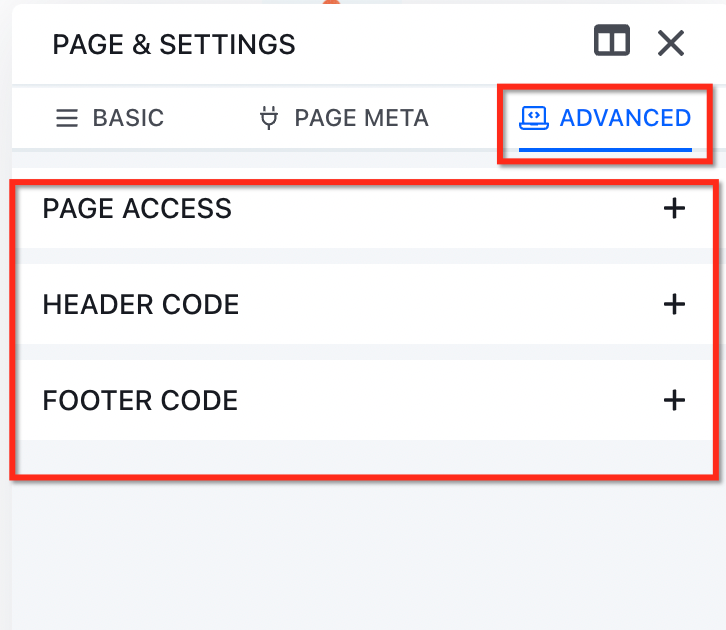
3. Advanced:
- Page Access
- Header Code
- Footer Code
Refer to the Image below —
Related articles
🌍 Changing page language | Page Settings🔡 Title and Description | Page Settings🍾 Pop up settingsAi nevoie de ajutor? Scrie-ne.